
How to Pick Your First AI Agent
AI is shifting from answering your questions to doing the work for you. Learn how to pick your first autonomous AI agent — the one that fits your budget, your skills, and your laptop, without buying a $40,000 rig.
For two years, getting value out of AI meant getting good at asking. You typed a question, you got an answer, you copied it into your work. That era is ending. The tools getting all the attention right now do not wait for your next question. You hand them a goal, and they go do it.
This is the part of the AI story that actually matters for people running a business or a classroom or a freelance practice. The problem is not whether these tools are useful. The problem is that there are suddenly a dozen of them, they all sound amazing, and most of the loud advice online is written by people trying to sell you something. Choosing wrong can cost you a weekend, a few hundred dollars in surprise bills, or a security headache you did not see coming.
This guide fixes that. We will look at the four tools everyone is talking about right now, in plain terms and with honest tradeoffs. Then you will get a simple framework for picking the one that fits your life, plus specific recommendations for solopreneurs, educators, students, and freelancers. By the end, you will know exactly where to start, and what to avoid.
The shift from typing to delegating
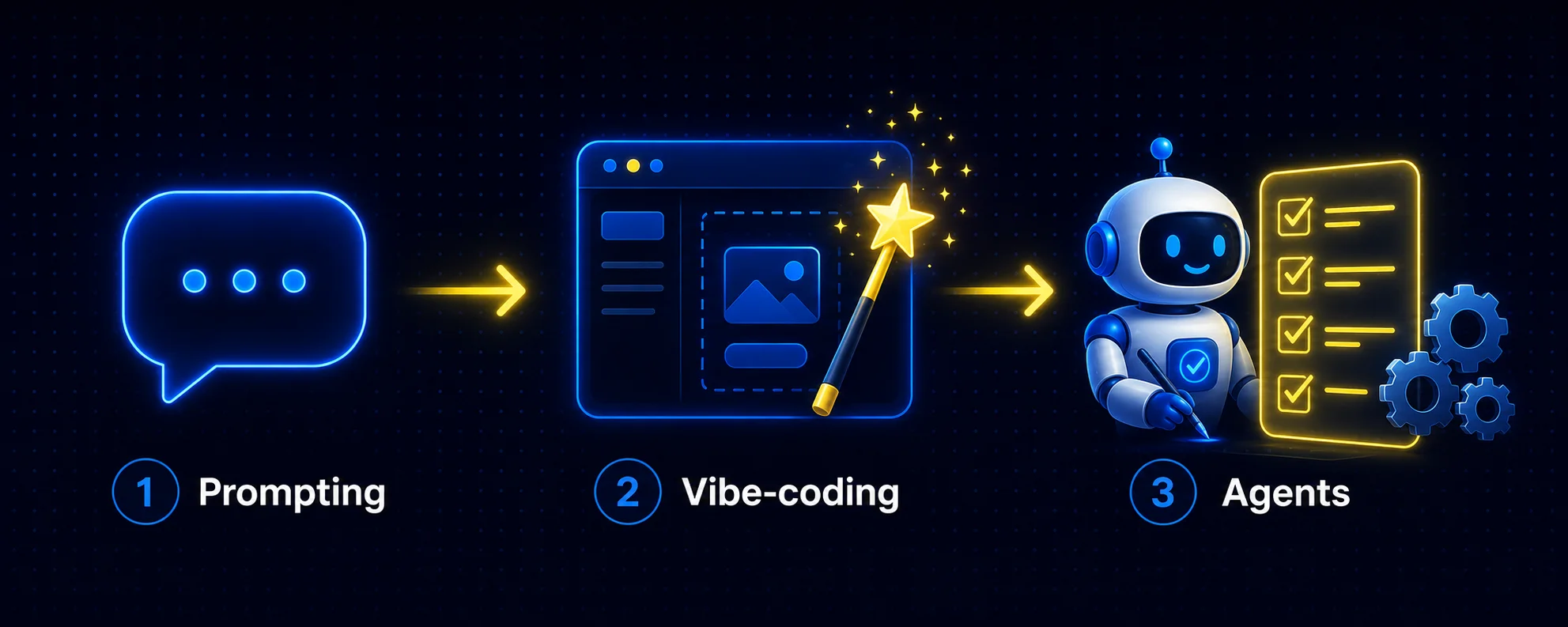
The way people use AI has moved through three stages, and most users are somewhere in the middle of it right now.
Stage one was prompting. You ask, the AI answers. Useful, but you are still doing all the work of moving that answer into the real world.
Stage two was vibe-coding. You describe what you want, a website, a spreadsheet formula, a small app, and the AI builds it for you. You stopped writing the thing yourself and started describing it instead.
Stage three is agents. Instead of answering one question, an agent takes a goal, makes a plan, and then acts on that plan using real tools: your files, your email, a web browser, a calendar, a terminal. It works through the steps on its own and only comes back to you when it is done or when it hits something it cannot decide alone.
The difference sounds small until you feel it. A chatbot can write you a cold email. An agent can research the prospect, draft the email in your voice, check your calendar for a meeting slot, and have it sitting in your drafts folder when you wake up. For a one-person business, that is the difference between AI as an advisor and AI as an assistant who actually does the task.
What "agentic" actually means, and what it does not
Strip away the marketing and an AI agent is four things working together: a model that thinks, a memory that remembers, a set of tools it can use, and a loop that lets it keep going without you. That loop is the whole point. A chatbot stops after one reply. An agent checks its own work, decides what to do next, and keeps going until the job is finished.
That is genuinely powerful. It is also worth being clear about what it is not. An agent is not a flawless employee. It makes mistakes, sometimes confident ones. It costs real money to run, because every step it takes uses the model behind it. And the more freedom you give it, the more it can do, which also means the more it can mess up. The people who get burned are almost always the ones who gave an agent broad permission and walked away.
The key idea: An agent is a worker, not a wizard. Treat your first one like a brand new intern. Give it small, clearly defined jobs, check its work, and expand its responsibilities only once it has earned your trust.
The four tools everyone is talking about
These four names are driving most of the agent conversation right now. They are all real, all impressive in their own way, and none of them is the obvious answer for everyone. Here they are honestly, including the parts the hype videos skip. Official links are listed under each one so you can go straight to the source.
Hermes, by Nous Research
Hermes is two things: a family of free, open models, and a free agent framework called Hermes Agent that runs on top of them. Its standout feature is that it learns. As you use it, it writes its own little instruction notes and builds a memory of how you work, so it needs less hand-holding over time. It is also the most flexible on cost. You can run it through a free tier, or on a small server for around five dollars a month, or against an AI subscription you may already pay for. The catch is that you need to be comfortable following a setup guide and working with a few settings. It is not a polished app you download and click.
Official hermes-agent.nousresearch.com · github.com/nousresearch/hermes-agent · portal.nousresearch.com
Odysseus, by PewDiePie
Yes, that PewDiePie. Odysseus is a free, private, all-in-one workspace you host yourself. It bundles chat, agents, research, email, notes, and a calendar into one app that runs on your own machine, with no accounts and no tracking. The privacy story is the real draw. The honest catch is the one everyone repeats online: the fully local experience wants a powerful and expensive graphics card. The good news, and the part the hype skips, is that you can skip the hardware entirely by connecting it to a cloud model instead. It then runs happily on a normal Mac or PC with no special graphics card at all.
Official github.com/pewdiepie-archdaemon/odysseus · pewdiepie-archdaemon.github.io/odysseus
OpenClaw
OpenClaw is the most capable of the personal agents and also the most dangerous. It is free, open-source, and you control it from everyday messaging apps like WhatsApp or Telegram, which feels genuinely magical. It can also run up large model bills, it lives on the command line, and it has a real track record of security problems when people leave it badly configured. It is a fantastic tool for a technical tinkerer who knows how to lock it down. For a non-technical beginner, it is the one to approach with the most caution.
Official openclaw.ai · github.com/openclaw/openclaw
Sakana Fugu
Fugu, from the Japanese lab Sakana AI, takes a different path. Instead of running on your computer, it lives entirely in the cloud and behaves like one very smart model that quietly hands your task to whichever other model is best for it. You need zero hardware, and it works inside coding and writing tools you may already use. The tradeoffs are clear: there is no free tier, it starts at twenty dollars a month, the cost can climb in ways that are hard to predict, and at launch it is not available in the EU. It leans toward developers and research-heavy work more than everyday business tasks.
Official sakana.ai/fugu · console.sakana.ai
| Tool | What it is | Cheapest real start | Skill needed | Best fit |
|---|---|---|---|---|
| Hermes | Free learning agent + open models | Free tier, or about $5/mo on a small server | Some setup comfort | Learners and tinkerers who want a free agent that grows with them |
| Odysseus | Free, private, all-in-one workspace you host | Free on your own PC + a few dollars of model usage | A little Docker, willing to follow a guide | Privacy-minded users who want one self-hosted hub |
| OpenClaw | Powerful agent run from messaging apps | Free software, but model bills start around $18/mo and climb | Command line, security savvy | Technical tinkerers who can lock it down |
| Sakana Fugu | Paid cloud model that orchestrates other models | $20/mo, no free tier | Low setup, no hardware | Developers and research-heavy work, budget allowing |
Five questions to ask before you pick
The right tool is not the most powerful one. It is the one that matches your honest answers to five questions. Answer these before you read a single review, because the answers narrow your choice faster than any feature list.
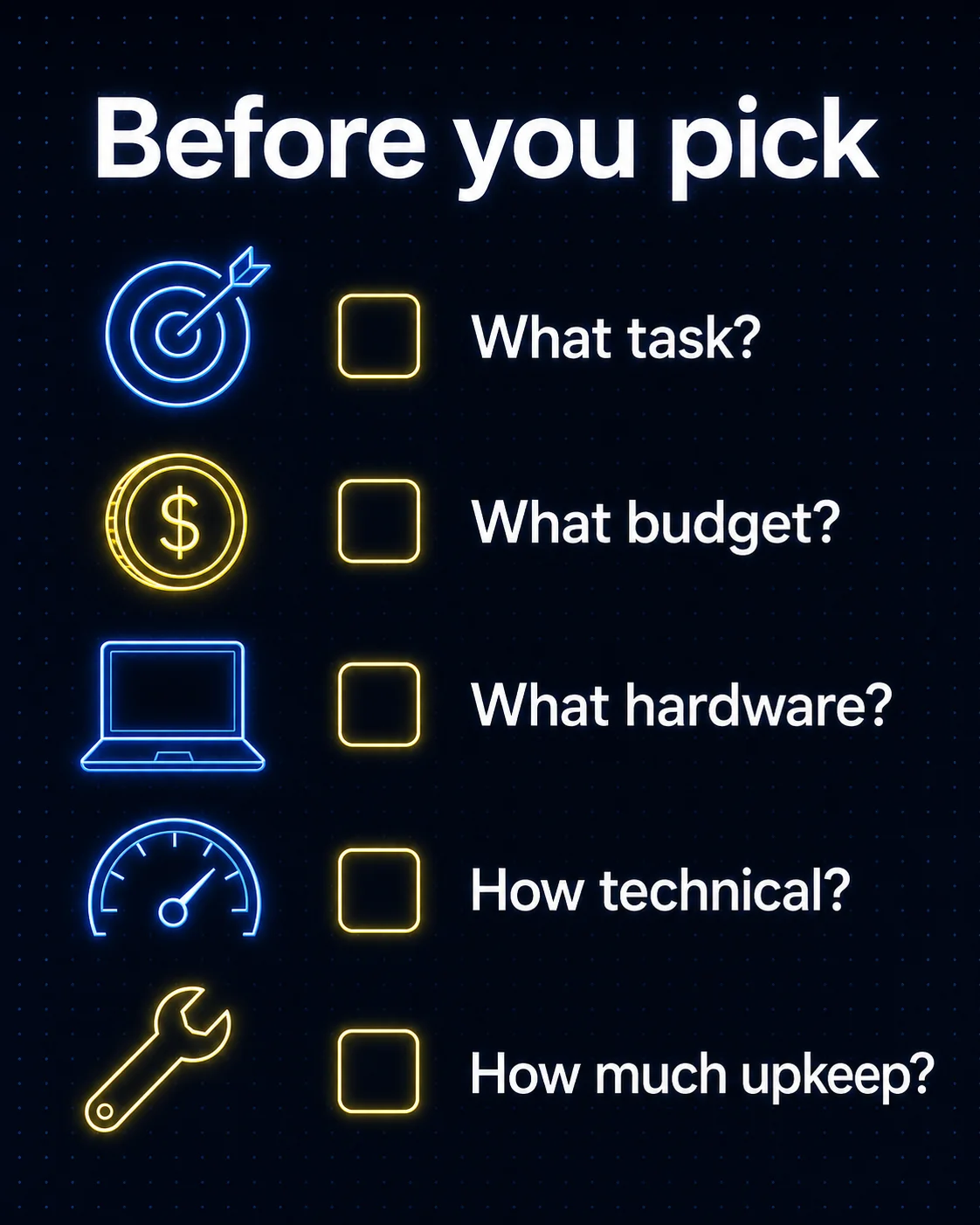
1. What do you actually want it to do?
Be specific. "Help with my business" is not a task. "Draft my customer follow-up emails and file them for review" is. Agents are good at repetitive, rule-based work with a clear finish line. If your job is mostly writing and admin, you want a different setup than someone whose job is mostly coding or deep research. Match the tool to the actual work, not to the demo video.
2. What can you realistically spend each month?
Two costs hide here. There is the software, which for three of these four is free. Then there is the cost of running the model behind it, which is the part that surprises people. Decide your monthly ceiling now: zero dollars, around five to twenty dollars, or more. Your number rules out some options and that is a good thing.
3. What hardware do you have?
You probably have a normal laptop. That is fine. A normal laptop plus a cloud model can run a capable agent today. The only reason to think about an expensive graphics card is if keeping every piece of your data on your own machine matters more to you than convenience. For most people, it does not, and skipping the hardware saves a fortune.
4. How technical are you, honestly?
This is the question people lie to themselves about. If the words "command line" make you tense, that is useful information, not a failure. Some of these tools are apps you mostly click through. Others expect you to be comfortable in a terminal. Pick for the person you are today, not the one you hope to become by next weekend.
5. How much babysitting can you tolerate?
Open-source agents update often, occasionally break, and need an eye on their spending. That is the price of being on the front edge. If you have time to tinker, that is part of the fun. If you just want something that works while you run your business, weight your choice toward the simpler, more managed options.
Best practice: Write your five answers down in one line each before you decide. A solopreneur who answers "email and admin, twenty dollars max, normal laptop, not technical, no time to babysit" has basically chosen their tool already.
You do not need a $40,000 computer
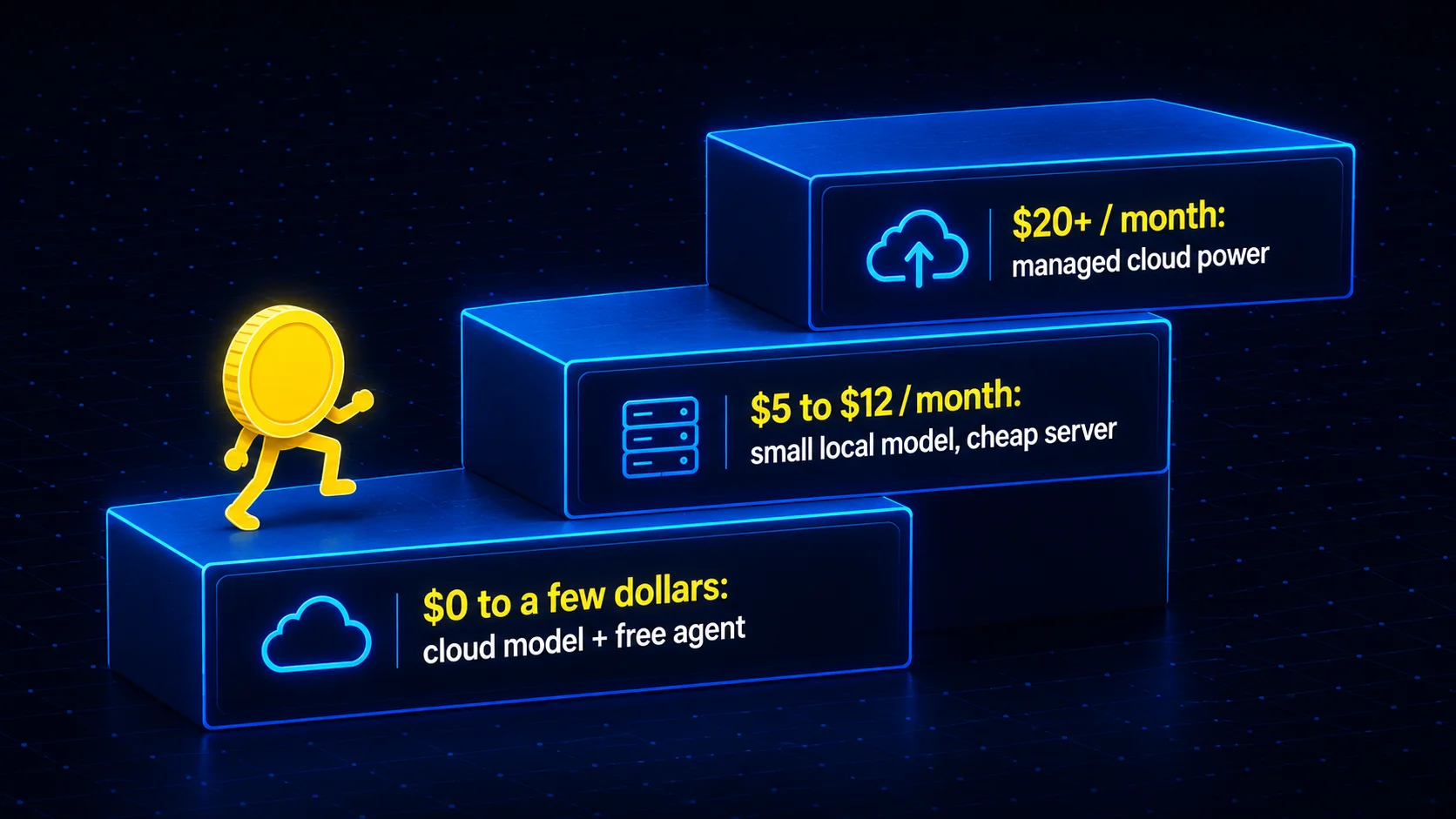
Here is the myth worth killing early. When PewDiePie built his AI setup, he used a machine with eight high-end graphics cards that cost around forty thousand dollars. Clips of that rig are everywhere, and they leave people thinking they need to spend serious money to even start. You do not. There are three sustainable paths, and two of them are nearly free.
Cloud brain, your app
Run a free agent like Hermes or Odysseus, but point it at a cloud model instead of your own hardware. Some cloud models have free usage tiers, and you can often plug in an AI subscription you already pay for. Cost: zero to a few dollars.
Small model, modest machine
Run a small open model on your own laptop or a five to twelve dollar a month server. It is slower and less clever than the big names, but it keeps your data private and your bill tiny. Perfect for learning and simple tasks.
Cloud power, no setup
Pay for a managed cloud option like Sakana Fugu. Around twenty dollars a month, no hardware, and the most capability with the least fiddling. The tradeoff is a monthly bill and less control over what runs.
Hardware is optional
A giant graphics rig buys you privacy and offline speed, nothing more. If you are happy sending your tasks to a cloud model, a normal computer is all you ever needed to start.
Watch the meter: The real money trap is not hardware, it is runaway model usage. Agents that run on a schedule can quietly make calls all night. Always set a hard spending cap on whatever model you connect, and check your usage after the first few days. A surprise bill is the single most common beginner complaint online.
Which tool for which person
None of these four is a perfect, click-and-go product for a complete beginner yet. But once you accept a little setup, here is where each type of user tends to land, with cost kept low on purpose.
| You are a... | Start with | Budget | Why |
|---|---|---|---|
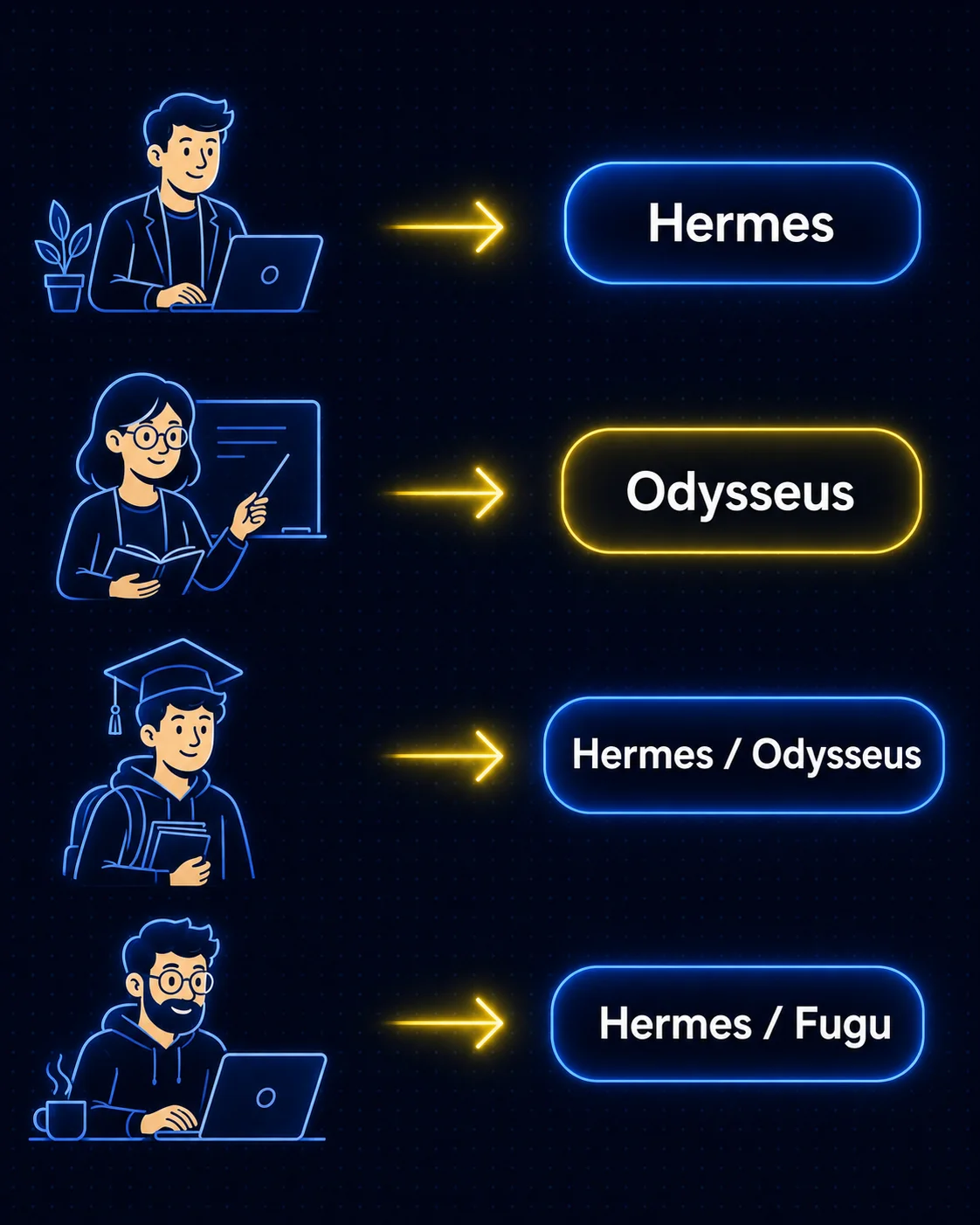
| Solopreneur | Hermes Agent on a cloud model | Free to $20/mo | It handles email, research, and admin, learns your patterns over time, and you can run it cheaply on a model you may already pay for. |
| Educator | Odysseus, connected to a cloud model | Free to ~$12/mo | Private by design, which matters around student work, and it doubles as a hands-on way to teach how agents actually function. |
| Student | Hermes or Odysseus on a free tier | $0 to start | Both are free and have large, active communities. You learn the most valuable skill of the next few years without spending a cent. |
| Freelancer | Hermes for most, Fugu if you code | $5 to $20/mo | Hermes is flexible and cheap for client admin and content. If your work is coding heavy, Fugu's power inside your editor can earn its keep. |
| Cautious non-techie | Start tiny, or wait a beat | $0 | Try the free tier of one tool on one small task. If even that feels like too much, it is fine to wait. Friendlier versions of all of these are coming fast. |

Notice what is missing from these picks: OpenClaw. It is the most capable tool here, and if you are technical it may be exactly what you want. But for the audience this guide is written for, its command-line setup, its security risks, and its habit of running up bills make it the wrong place to begin. Grow into it later if you choose to.
Traps to avoid before you commit
Going in with clear eyes is most of the battle. These are the four mistakes that catch new users, and all of them are easy to sidestep once you know they exist.
Giving an agent too much, too soon
The scariest stories online are real. People have told an agent to "go figure out what you can do" and watched it dig through their email and take actions they never wanted. The fix is simple: give a new agent access to one thing, not everything. Expand its reach only after you trust it.
Ignoring the meter until the bill arrives
Free software does not mean free to run. The model behind your agent costs money per step, and an agent on a schedule keeps stepping. Set a hard spending limit on day one. This is the most common regret you will read about, and it is completely preventable.
Believing the loudest voices
On X, every new tool is the best thing ever, often from accounts that benefit when you sign up. The honest opinions live in places like Reddit, where people who actually use the tools compare notes. When a tool's own benchmarks are the only proof on offer, treat the claims as a starting point, not a fact.
Forgetting that the ground keeps moving
These tools change weekly. A model provider can change its rules and break your setup overnight, which has already happened. Region limits can lock you out, as the EU situation with Fugu shows. Pick something you can live with today, and do not over-invest in a setup you cannot easily change later.
A simple safety rule: Before you connect an agent to anything sensitive, ask one question. If this went wrong while I was asleep, what is the worst it could do? If the answer scares you, narrow its access until it does not.
Start small, and start this week
The biggest mistake is trying to automate your whole business on the first day. That is how people end up overwhelmed, over budget, or scared off entirely. Do the opposite. Pick the one tool that matches your five honest answers. Give it a single small task that would not hurt if it went sideways, like sorting a folder, drafting one type of email, or summarizing your week. Then watch how it plans and works. That first run teaches you more than ten reviews ever could.
What you are really practicing is a new skill, and it is not prompting. It is delegation. Learning to hand a goal to a system, set the right limits, and trust it with the small stuff first is the ability that will separate the people who thrive in the next few years from the ones who feel left behind. The tools will keep getting easier and friendlier. The mindset is the part worth building now.
You do not need the biggest computer, the priciest plan, or a computer science degree. You need a clear task, a tool that fits, a spending cap, and the willingness to start with something small. Pick one this week. Your first AI agent is closer and cheaper than the hype made it look.
Your next step: Write down one task you do every week that you would happily never do again. That single task is the perfect first job for your first agent. Choose your tool around it, not the other way around.