
Codex vs. Claude Code
New to Codex, or already living in Claude Code? This guide breaks down what OpenAI's Codex desktop app actually does, how it compares head to head with the Claude desktop app, and when to reach for each. Plain English, no fluff.
So What Even Is Codex?
You've probably heard the pitch by now. There's AI that can build a website for you, clean up your files, or put together a report while you go make coffee. Codex is OpenAI's version of that, and it runs as an app right on your computer.
Let's be precise about the word "app," because it matters. Codex is not a chatbot in a browser tab. It's a desktop program, made by the same company behind ChatGPT, that puts an AI agent on your machine. An agent is just AI that takes actions instead of only talking. ChatGPT on the web can tell you how to build a sales dashboard. Codex can open your files, build the dashboard, test it, and put it online.
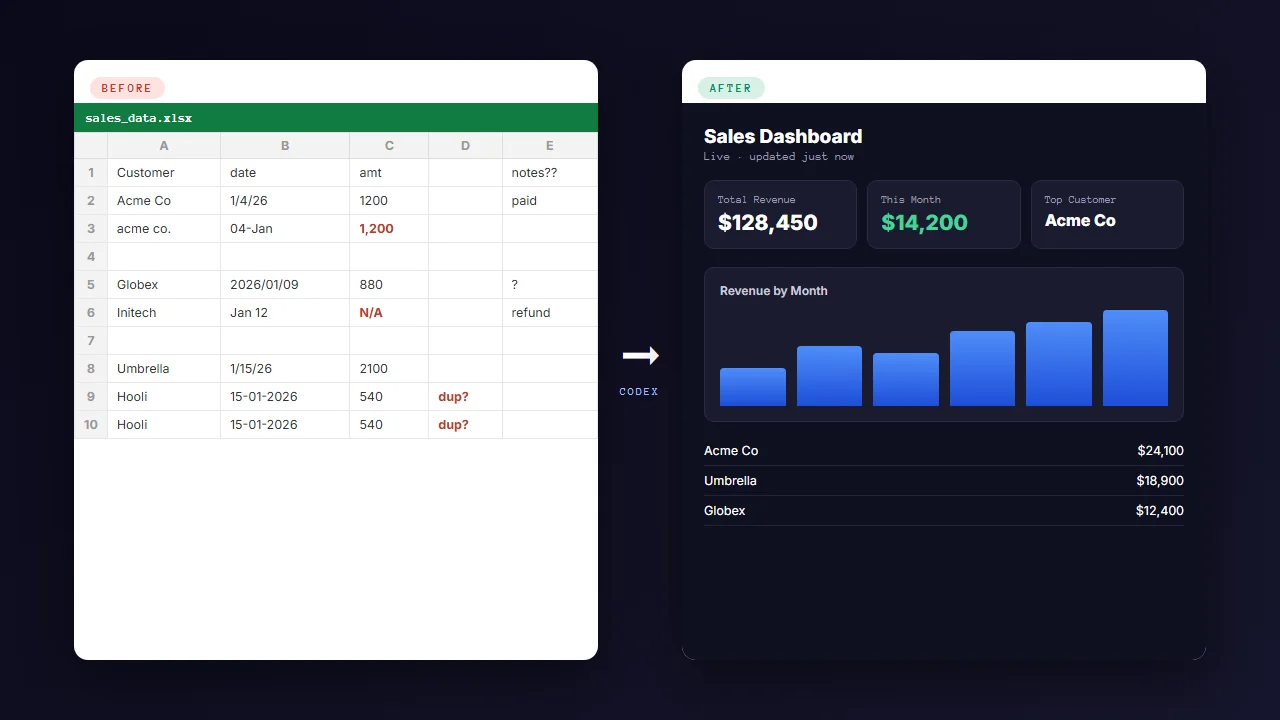
Here's the example we'll come back to throughout this article, because it's the kind of thing most small business owners actually have sitting on their desktop right now. Picture a messy spreadsheet. Customer names, order dates, amounts, a few columns nobody remembers adding, some blank rows. You want a clean dashboard you can glance at on your phone to see how the month is going. With ChatGPT on the web, you'd get advice and maybe some copy-paste formulas. With Codex, you can hand it the spreadsheet and ask for a live dashboard, and it will actually build and publish one.
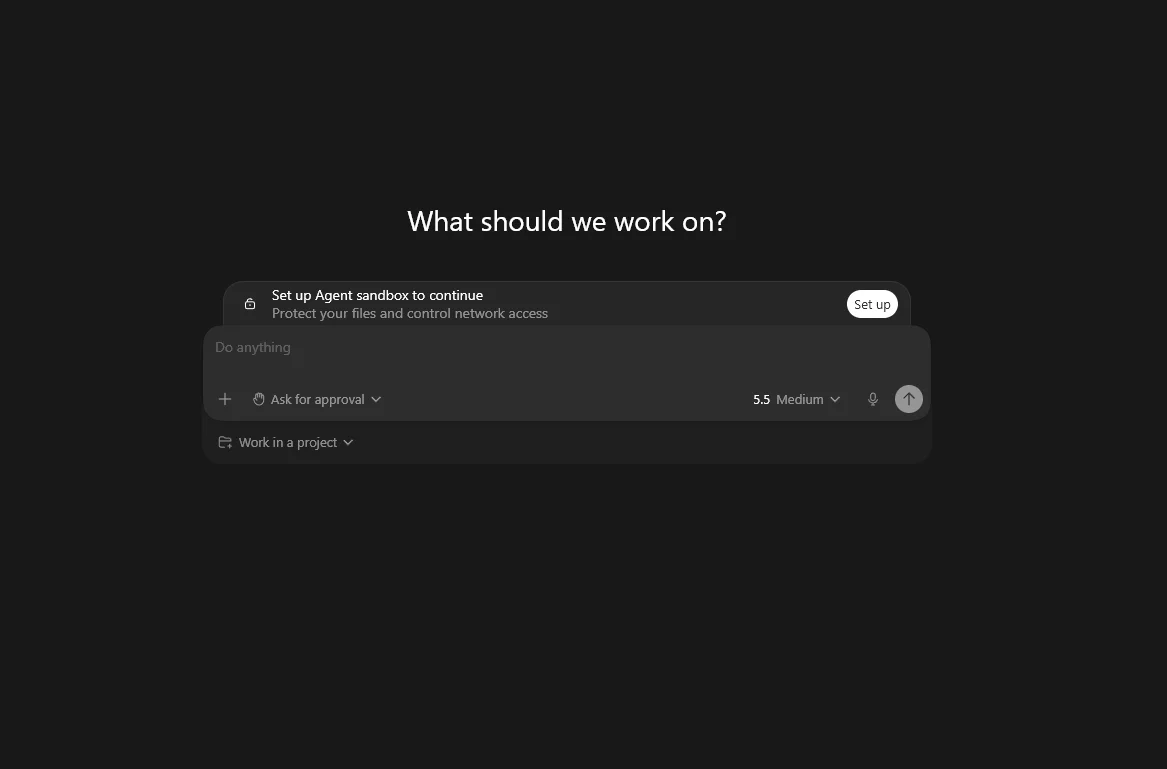
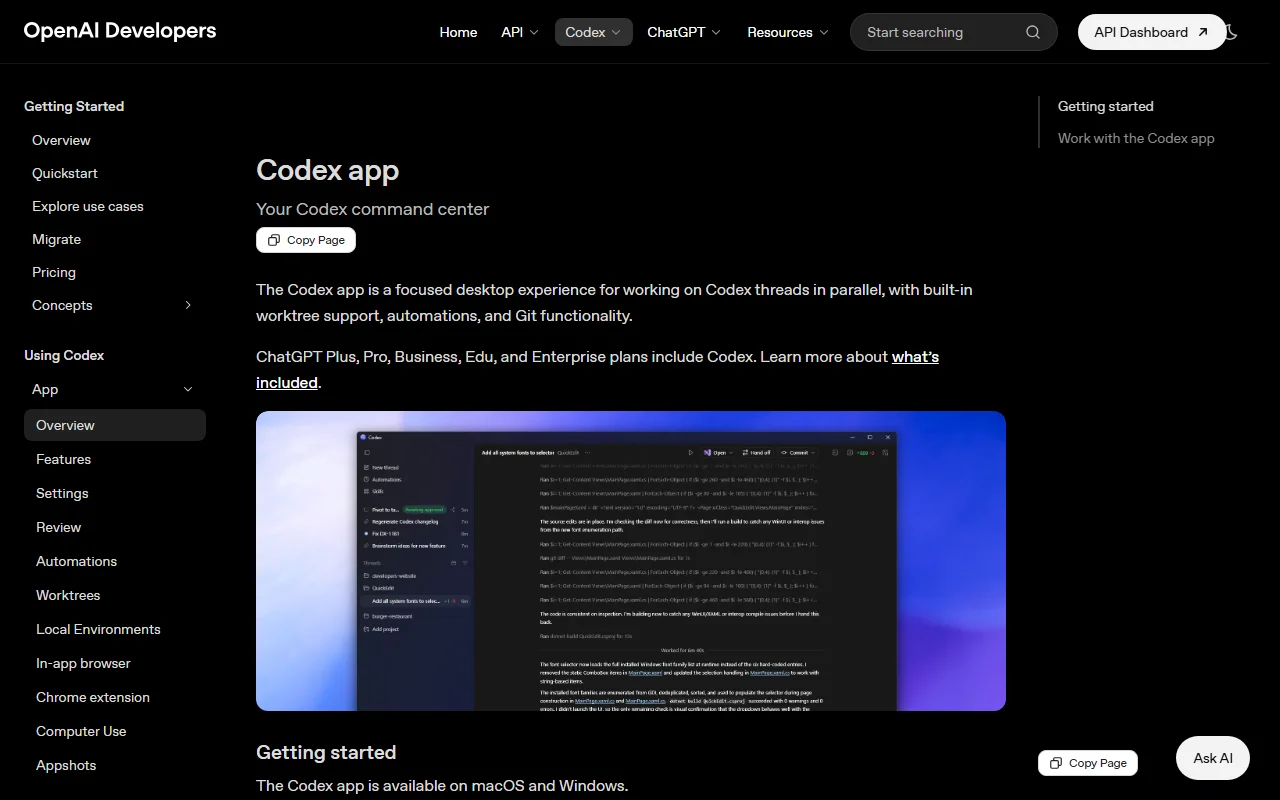
When you first open Codex, it looks reassuringly familiar. Projects and chats run down the left side, and you talk to it in the middle, same as ChatGPT. There's a little toggle to pick which model it uses and how hard it thinks. Don't let the simplicity fool you. Underneath that calm interface, this thing can read your files, write code, drive your web browser, and run jobs on a schedule.
New to all this? A "chatbot" answers questions. An "agent" does the work. The whole reason to use a tool like Codex instead of regular ChatGPT is that it can take real actions on your computer, not just describe them.
The One Idea That Makes Codex Click
If you remember nothing else, remember this: everything is just files and folders. Once that clicks, the whole tool stops feeling intimidating.
In Codex, a project is simply a folder on your computer. When you start a new project, you pick where it lives, maybe a folder on your desktop called "Sales Dashboard." From then on, Codex works inside that folder. Anything it builds gets saved there, in plain files you can open, back up, or move around like any other folder.
Inside a project, each task or conversation is a thread. You might have one thread for building the dashboard and another for cleaning up the data. They all share the same folder.
There's one special file worth knowing about: AGENTS.md. Think of it as the onboarding note you'd give a new assistant on their first day. It says who you are, what the project is for, and how you like things done. Codex reads it at the start of every new thread, so you don't have to re-explain yourself constantly. You can ask Codex to write this file for you in about thirty seconds.
The last habit to build early is plan mode. Before Codex builds anything, you can flip it into plan mode so it talks through what it intends to do, asks you questions, and waits for your go-ahead. It's the difference between a contractor who sketches the plan first and one who starts knocking down walls the second you say "kitchen." Always start in plan mode for anything bigger than a quick edit.
If you already use Claude Code: this will all feel like home. AGENTS.md is Codex's version of your CLAUDE.md. Projects, plan mode, and slash commands have direct equivalents. The very same folder you point Claude Code at will open in Codex too, because both tools just work out of plain files and folders.
What Codex Can Actually Do For You
"AI agent" is vague. Here's the concrete list of what this app does, framed around the kind of work a one-person business actually has.
Read and write your files
Point it at a folder and it can read your spreadsheets, documents, and notes, then create, edit, move, or organize them.
Build real things
Dashboards, simple websites, small apps, even little games. It writes the underlying code so you don't have to.
Drive your browser
It can open a browser, click around, fill forms, and test a page the way a person would. Useful when a site has no formal connection point.
Reusable skills
Teach it a workflow once and save it as a "skill" you can call up by name any time, instead of re-explaining it.
Connect your tools
Plug in Gmail, Google Drive, GitHub, Slack, Figma, Notion, Canva, and more so it can pull in real data and take action.
Run on a schedule
Set up an automation so a task runs every morning or every Monday, like refreshing that dashboard with the latest numbers.
Back to our spreadsheet. A realistic request looks like this: "Look at sales.xlsx in this folder, clean up the empty rows, and build me a dashboard that shows revenue by month and my top ten customers." Codex will read the file, ask a couple of clarifying questions, build the dashboard, take a screenshot to check its own work, fix anything that looks off, and hand you a working page. Our secondary example is even simpler and weirdly satisfying: point it at a chaotic Downloads folder and ask it to sort everything into sensible subfolders by type and date.
The "skills" idea deserves a second look, because it's how casual use turns into a real system over time. A skill is just a short text file that describes a task and the steps to do it. Once you've built a good dashboard, you can ask Codex to save that whole process as a skill. Next month you type its name, point it at a new spreadsheet, and it repeats the work. You're slowly building your own little team of specialists.
Worth knowing: these skills use an open format called SKILL.md that both Codex and Claude understand. A skill you write for one can usually be reused in the other. You're not locking yourself into a single company's tool.
The Big Difference: One Agent vs. Three Tabs
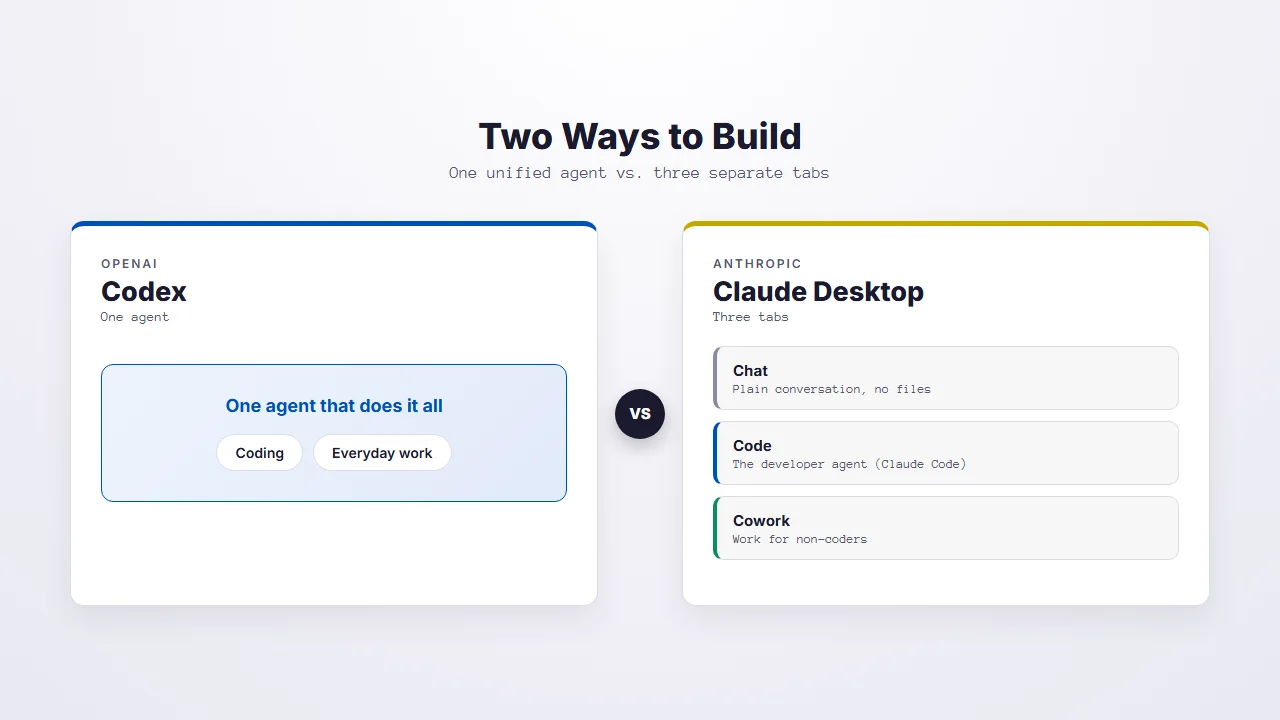
This is the heart of the comparison, so it's worth slowing down. Codex and the Claude desktop app are built on genuinely different philosophies, and understanding that one difference tells you most of what you need to know.
Codex is one unified agent. Coding work and everyday "knowledge work" happen in the same place, in the same thread. You don't decide upfront whether your task is a "coding" task or a "documents" task. You just describe what you want and it figures out the rest.
The Claude desktop app splits the experience into three tabs:
Chat is plain conversation, just like the Claude website. It can't touch your files. It's for thinking and writing.
Code is Claude Code with a friendly interface. This is the developer-leaning agent that reads and edits the files on your computer.
Cowork is the same powerful agent engine, repackaged for people who aren't coders. It handles documents, spreadsheets, research, and file organizing without ever showing you a line of code.
So why does this matter for our dashboard? In Codex, the whole job, cleaning the spreadsheet, building the dashboard, and putting it online, is one continuous task in one window. In the Claude app, you'd likely do the messy data and analysis side in Cowork, then move to the Code tab to build and ship the actual dashboard. Neither approach is wrong. Anthropic bets that matching the right tool to the right person is clearer. OpenAI bets that one agent doing everything is simpler. Which one feels better is genuinely a matter of taste.
If you already use Claude Code: the closest thing to "Codex doing general, non-coding work" is Cowork. If you've tried Cowork for organizing files or building a spreadsheet, you already understand most of what Codex offers, just delivered as one agent instead of a separate tab.
Myth-Busting: Both of These Run on Your Computer
There's a common belief floating around that Codex runs "in the cloud" while Claude runs "locally." It's wrong, and clearing it up will save you confusion. Both desktop apps are local-first. They both run the agent on your own machine, working directly with your own files. Codex even reminds you to keep "Local" selected so it works on your computer. Both also offer an optional cloud mode for certain jobs, but local is the default home base.
The real difference is how carefully each one fences off its work. Claude's Cowork runs inside a sealed-off sandbox on your computer, which is safer and a good fit for non-technical users who'd rather not worry about the agent wandering. Codex and Claude Code work more directly in your folder, guided by a permission system you control.
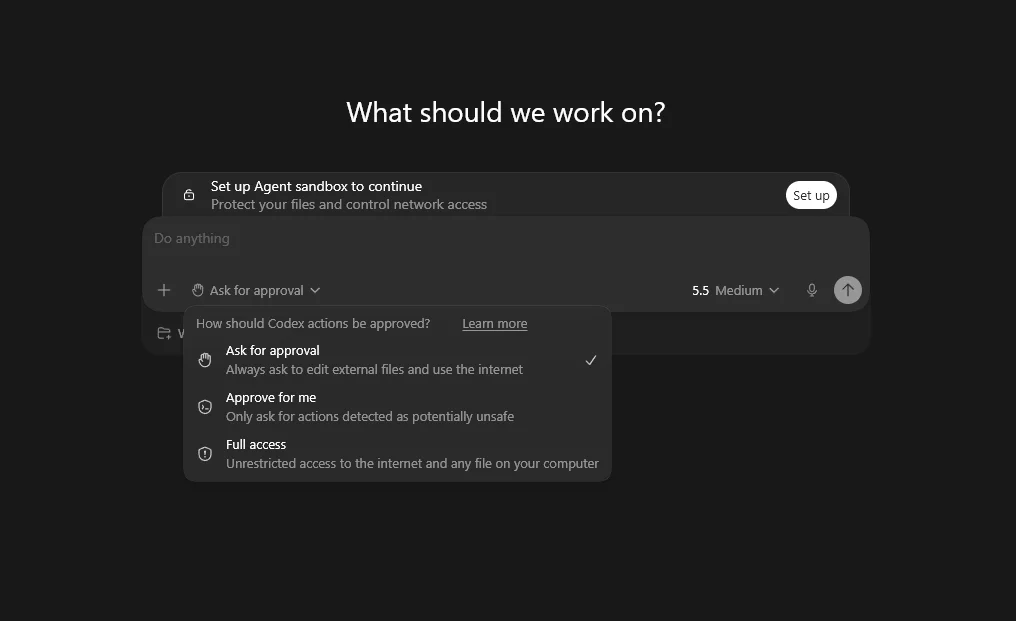
That permission system is the part to understand before you turn anything loose. When you first set up Codex, it asks you to create an "Agent sandbox" that protects your files and controls network access. After that, a dropdown right in the chat box lets you choose how much freedom the agent has:
- Ask for approval (the default): Codex always checks with you before it edits files outside your project folder or uses the internet.
- Approve for me: it handles routine work on its own and only stops to ask for actions it flags as potentially unsafe.
- Full access: unrestricted access to the internet and any file on your computer. Fast, and risky.
The sensible path is to start on "Ask for approval" while you're learning, watch how it behaves, and only move toward "Full access" once you trust your own instructions. The scary stories you've heard about AI agents deleting things almost always trace back to vague prompts and zero supervision, not the tool being evil.
Go slow with Full Access. It's a real time-saver once you know what you're doing, but for your first week, leave permissions on the default and actually read what the agent proposes. Five seconds of attention beats an hour of cleanup.
Head to Head: Where Each One Wins
Now the practical comparison. Here's how the two desktop apps stack up on the things you'll actually feel day to day.
| What you care about | Codex desktop | Claude desktop |
|---|---|---|
| Entry price | $20/mo (ChatGPT Plus). A $8 "Go" tier and a limited free tier also exist. | $20/mo (Claude Pro). Free tier exists but has no agent features. |
| Power tier | Around $100 and $200/mo for much higher limits. | Max plans at $100 and $200/mo. |
| How far $20 stretches | Looser. Heavy users often report not hitting limits. | Tighter. The 5-hour cap can bite fast during a long session. |
| Default model | GPT-5.5 | Claude Opus 4.8 |
| Structure | One agent for everything | Three tabs (Chat, Code, Cowork) |
| Scheduled tasks | Run on your machine. If the app is closed or the computer sleeps, they pause. | "Routines" run in Anthropic's cloud and keep going even with your laptop shut. |
| Shipping a website | Friendlier. Built-in tools to publish and deploy from the chat. | Capable, but the publish step is less hand-held. |
| Reusable skills | SKILL.md format | SKILL.md format (same standard) |
| Platforms | Mac and Windows | Mac and Windows |
The money point most people miss
At the $20 level, Codex tends to stretch noticeably further before you hit a wall. This comes up again and again from people who use both. Claude's Pro plan resets its usage on a rolling five-hour window, and a couple of heavy requests can use it up quickly. The underlying reason is that OpenAI's GPT-5.5 model is unusually efficient with its word budget, so the same amount of work costs you less of your daily allowance. If your plan is to leave an agent running on real projects for hours at a time on the cheapest paid tier, Codex is the more forgiving choice.
The models are closer than the marketing suggests
GPT-5.5 and Claude Opus 4.8 are both excellent and roughly even. The honest read from independent testing is that they trade wins depending on the job. Claude tends to be a little stronger at deep reasoning, careful code quality, and untangling vague or messy requests. Codex tends to be stronger at execution, command-line and technical tasks, and doing more with fewer words. For most small-business work, you will not feel a quality gap. You'll feel the difference in price, limits, and how the app is laid out.
The "while you sleep" detail
If the dream is automation that runs overnight, read this carefully. Codex automations run on your own computer, so the machine has to be awake and the app open for them to fire. There's a "prevent sleep while running" setting, but your laptop still needs to be on. Claude's "Routines" run in the cloud, so they keep working even when your computer is closed and in your bag. For true set-it-and-forget-it scheduling, that's a real point in Claude's favor.
The pattern that actually works: use the cheaper, looser Codex for hands-on daily building, and lean on Claude's cloud Routines when you need something to run reliably without you. You don't have to pick a single winner.
The Honest Verdict: Use Both, Route by Task
If you came here hoping for a clean "this one wins," here's the truth that nearly everyone who uses both lands on: use both, and pick based on the job in front of you. They're complementary, not competing religions. A common workflow is to have one tool build something and the other review it, since a second set of eyes catches what the first missed.
That said, you probably want a starting point. Here's a quick way to decide.
| If you are... | Lean toward |
|---|---|
| Brand new and just want to try an agent without overthinking cost | Codex (the $20 tier goes further) |
| Already comfortable in the Claude app and happy with it | Stay in Claude, add Codex later as a second opinion |
| Building and tinkering hands-on for hours at a time | Codex (looser limits, efficient model) |
| A non-coder doing documents, data, and research | Claude's Cowork tab |
| Trying to publish a simple website or dashboard | Codex (friendlier deploy flow) |
| Wanting tasks that run overnight with the laptop closed | Claude's cloud Routines |
One honest caveat that applies to everything above: this field moves fast. The model that's ahead this month may trail next month, and both companies ship updates constantly. So hold these verdicts loosely. The durable skill isn't loyalty to a brand. It's learning how to hand work to an agent well, which carries over no matter which tool is winning.
How to Install and Set Up Codex
Here's the whole setup, start to finish. It takes about ten minutes, and the app walks you through most of it.
Step 1: Make sure you have a ChatGPT plan
Codex runs on your ChatGPT account, so you need one to sign in. The $20 Plus plan is the sweet spot to start. The free tier lets you sample Codex first if you'd rather test the waters before paying.
Step 2: Download and install the app
Head to OpenAI's official Codex page (search for "OpenAI Codex download" if you can't find it) and grab the installer for your system, Mac or Windows. There's no Linux app yet. Run the installer like any other program, open it, and sign in with the same account you use for ChatGPT.
Step 3: Tell Codex what kind of work you do
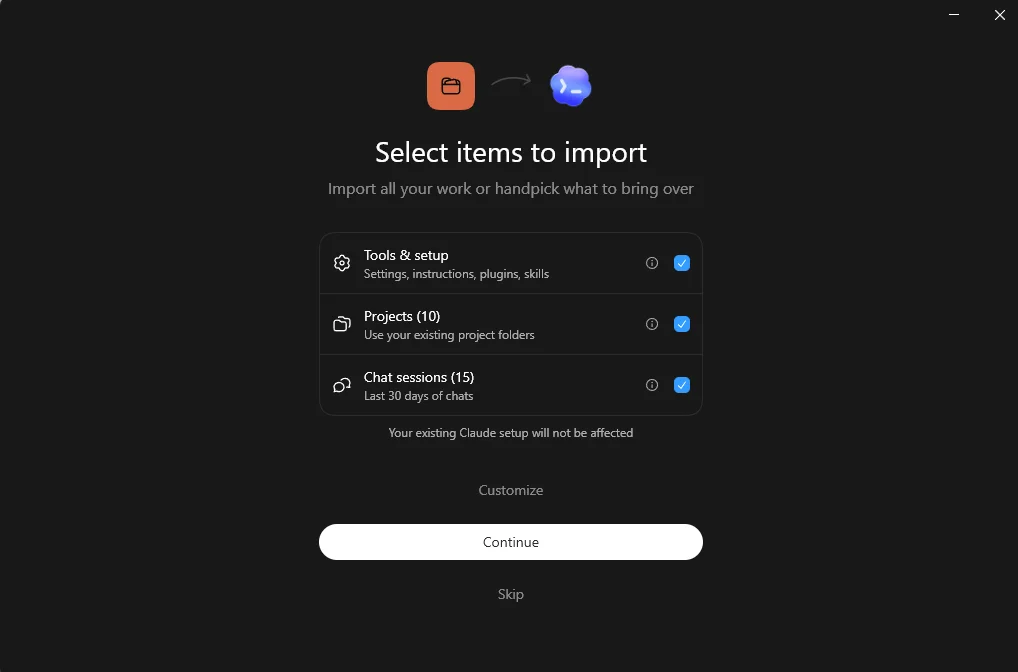
On first launch, Codex asks "What type of work do you do?" with options like Marketing, Sales, Finance, Operations, Design, and more. Pick whatever fits you best. This just helps it suggest relevant tasks later. Leave "Suggest personalized tasks" switched on if you'd like a few starter ideas, then click Continue.
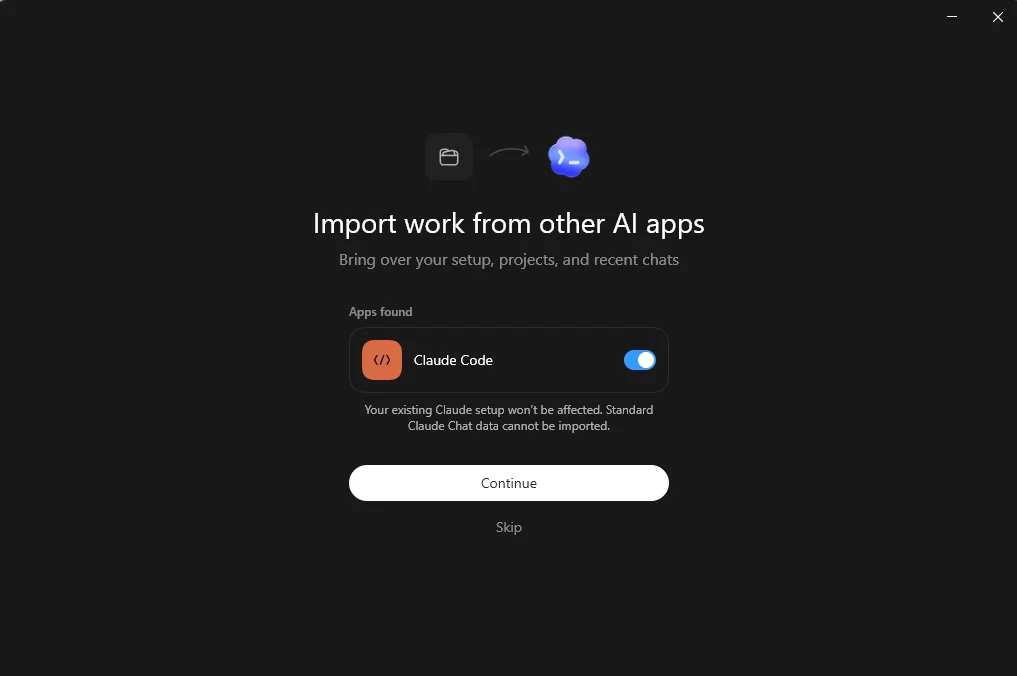
Step 4: Import from Claude Code (if you use it)
This is the part Claude users will appreciate. Codex scans your computer for other AI apps, and if it finds Claude Code, it offers to bring your setup straight over. Your existing Claude setup isn't touched, and your standard Claude chat history won't carry across, but your tools and projects can. It's a clean way to land in Codex without starting from scratch.
Step 5: Pick what to bring over
If you import, Codex lets you choose exactly what comes along: your tools and setup (settings, instructions, plugins, and skills), your existing project folders, and your recent chat sessions. Handpick what you want or take it all, then continue.
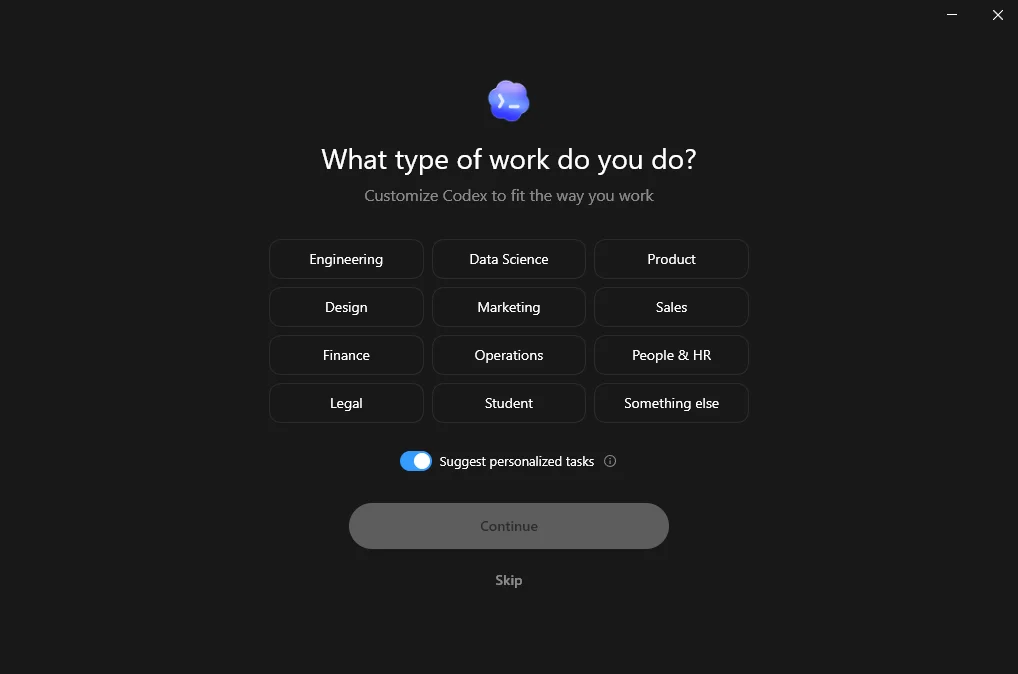
If you already use Claude Code: this import screen is proof of the "everything is just files and folders" idea. Codex can read the same project folders, plugins, and skills you set up in Claude Code, because both tools work out of the same plain files. Switching costs are low, and you can run both side by side.
Step 6: Land in the app and create a project
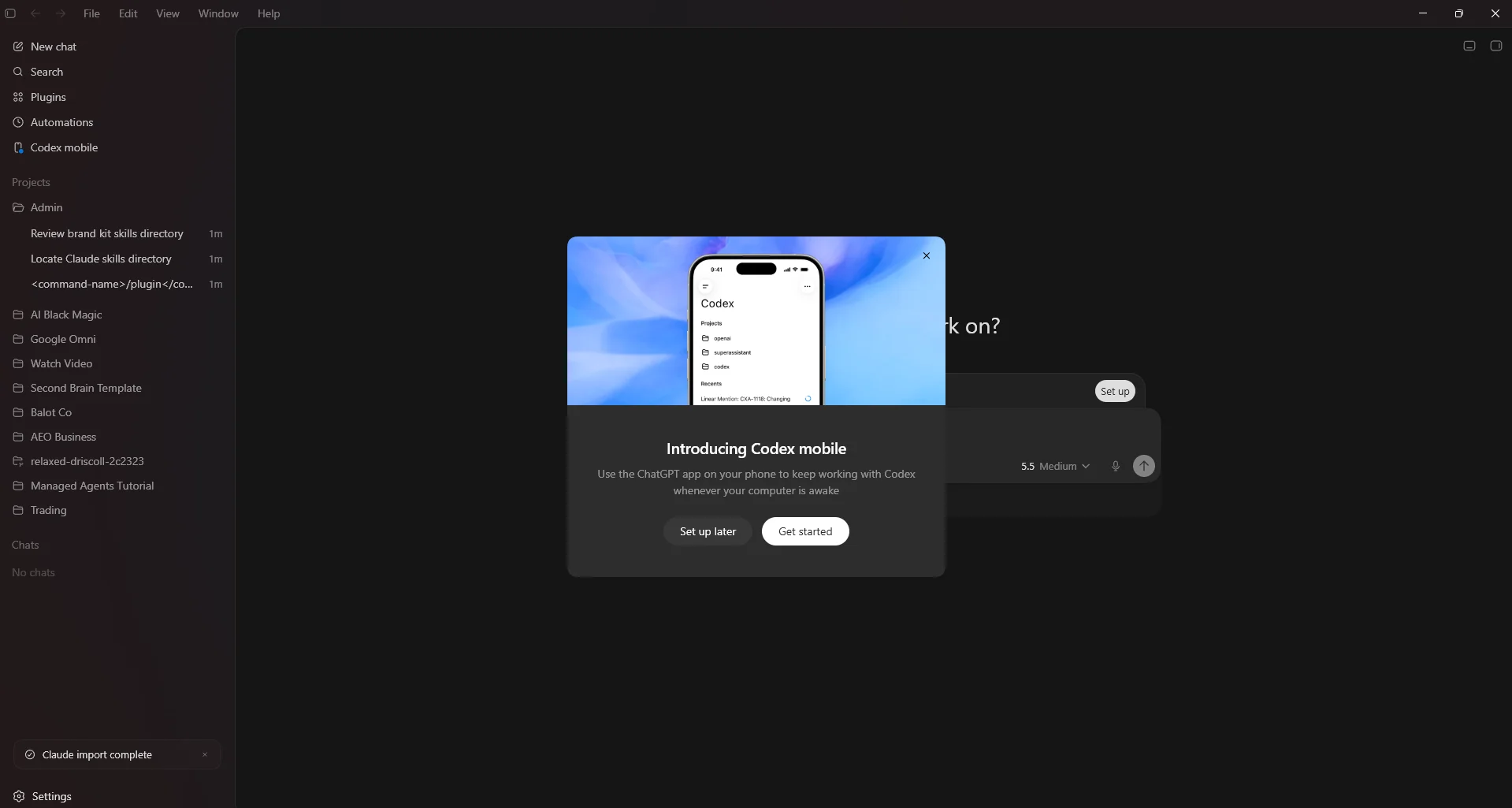
Now you're in. The sidebar shows New chat, Search, Plugins, Automations, and your Projects. To start something fresh, create a new project pointed at a folder on your computer, like a "Sales Dashboard" folder on your desktop. That folder is now your workspace.
Step 7: Set yourself up for a good first run
- Have it write an AGENTS.md. Ask Codex to set up a quick AGENTS.md describing who you are and what this project is for. Thirty seconds, and every future chat starts smarter.
- Turn on plan mode for your first real task, so it talks through the plan before touching anything.
- Leave the model on Medium. It's plenty for most work. Save the higher settings for when something genuinely stumps it.
- Keep permissions on the default until you've watched it work a few times.
Then give it a real job. Drop a spreadsheet into the folder and try something like this:
Pro tip: when something breaks or confuses the agent, don't panic and don't fight it. Tell it what went wrong and ask it to save a note about the fix in the project. That's how your setup gets smarter over time instead of repeating the same mistakes.
Where to Go From Here
The point of all this isn't to crown a favorite app. It's to get comfortable handing real work to an AI that can actually do it, and to notice how quickly that changes what a one-person business can produce. Codex and the Claude desktop app are two good front doors into the same room.
So here's your actual next step, and it's smaller than you think. Open a notebook and write down three things you do every week that are boring and repetitive. The kind of tasks you wish would just happen while you slept. Pick the most annoying one. That's your first project. Whether you build it in Codex or Claude matters far less than the fact that you start, because the moment you do, you stop reading about AI agents and start running one.