
Custom GPTs vs Workspace Agents
ChatGPT gives you two ways to build your own AI: a Custom GPT that answers, and a Workspace Agent that acts. Here's what each one is, and how to build your first with no code.
If you've spent any time in ChatGPT, you've probably wondered whether you could build your own version of it. One that already knows your business, writes in your voice, and handles the same tasks you keep asking for over and over. You can. And in 2026, OpenAI actually gives you two ways to do it.
The problem is that those two ways get talked about as if they're the same thing, and they really aren't. One is a custom assistant that waits for you to chat with it. The other is an agent that goes off and does multi-step work on its own. Picking the wrong one wastes your time, or your money. So this guide walks you through both, shows you how to build the beginner-friendly one step by step with no code, and helps you understand how OpenAI's approach stacks up against Claude and Gemini.
The two things "building an agent in ChatGPT" can mean
This is the confusion that trips up almost everyone, so let's clear it first. When someone says "I built an AI agent in ChatGPT," they could mean one of two completely different products:
- A Custom GPT. The original, around since late 2023. A specialized version of ChatGPT you set up once: your instructions, your uploaded files, a few abilities. It sits there and waits for someone to talk to it.
- A Workspace Agent. Brand new, launched in April 2026. A cloud-based agent that actually goes and completes multi-step work on its own, connected to your business apps, running on a schedule even after you close your laptop.
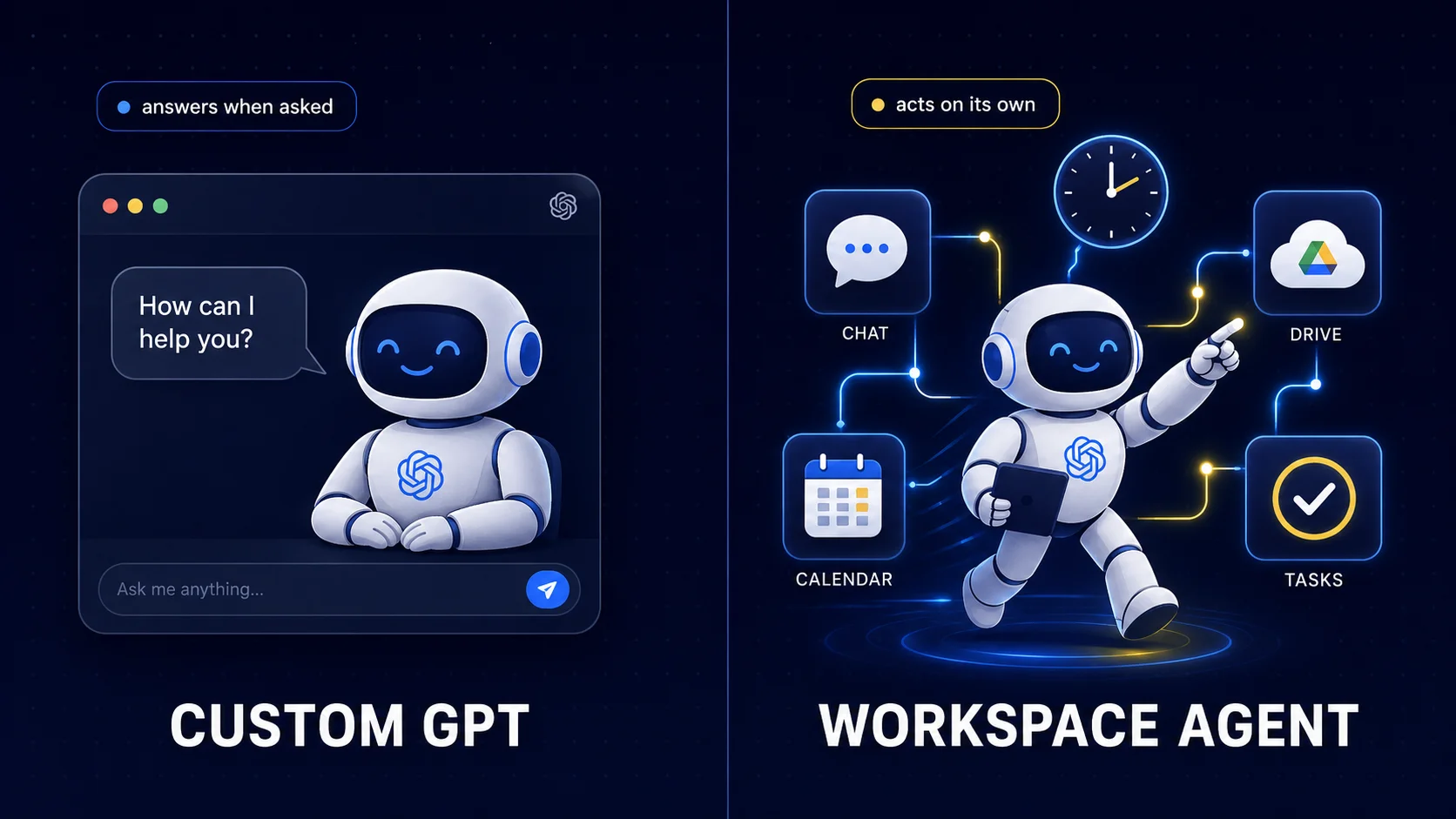
The cleanest way to hold the difference in your head: a Custom GPT answers. A Workspace Agent acts. A Custom GPT is like a really well-trained assistant who's brilliant the moment you ask a question. A Workspace Agent is like an employee you hand a recurring job to, who then does it without being asked each time.
There's also a third thing people mix up with these: ChatGPT agent mode, the built-in feature where ChatGPT browses the web and uses a virtual computer to do a task for you right inside a chat. That one is about using an agent, not building one, so we'll set it aside for this guide.
The bottom line for beginners: Start with a Custom GPT. It's the easiest, anyone with a $20 plan can build one, and it teaches you the core ideas you'll reuse everywhere. Workspace Agents are the next step up, and they need a paid business plan, which we'll get to.
What a Custom GPT really is
A Custom GPT is ChatGPT with a job. Instead of a blank assistant that knows nothing about you, you give it a fixed role, feed it your own reference material, and switch on the abilities it needs. From then on, it behaves like a specialist instead of a generalist.
Say you run a small skincare brand. You could build a Custom GPT called "Brand Voice Writer" that knows your tone, your product list, and your dos and don'ts, so every caption it writes already sounds like you. Or a "Customer Reply Helper" that answers support questions using your actual FAQ document. You build it once, and it stops being a blank slate every single time.
A Custom GPT is made of a few simple parts, and none of them require code:
Instructions
The job description. What it does, the tone it uses, rules to follow, things to avoid. This is where most of the quality comes from.
Knowledge
Files you upload (PDF, TXT, DOCX) that it can draw from, like your style guide, FAQ, or product sheet.
Capabilities
Toggles for web browsing, image generation, and a code tool that can crunch data and read spreadsheets.
Actions
Optional connections to outside services through their API. This is the one slightly technical part, and it's fully optional.
Build your first Custom GPT, step by step
Here's the part you came for. This is genuinely no-code, and you can have a working Custom GPT in about fifteen minutes. You'll need a ChatGPT Plus plan to build one (more on cost in the next section).
Step 1: Open the GPT Builder
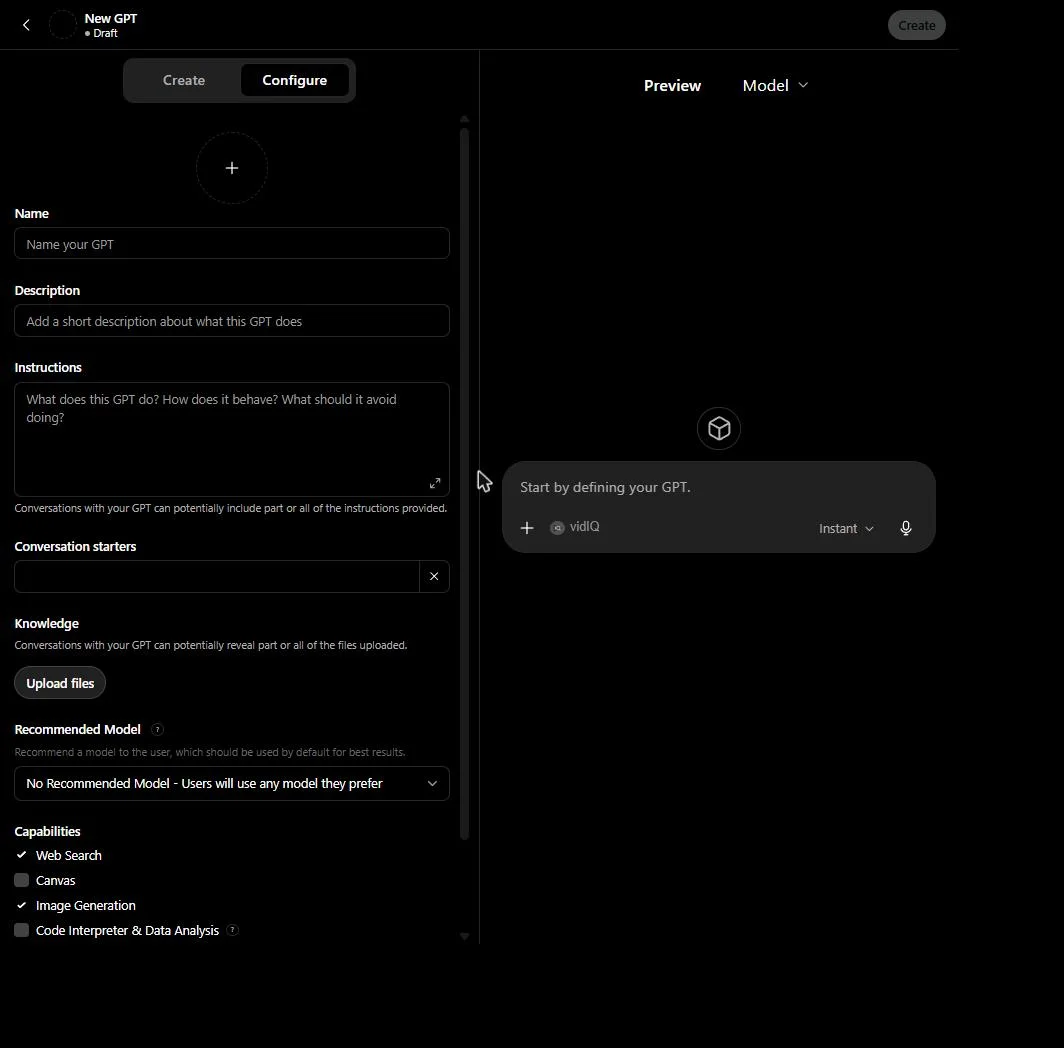
In ChatGPT, click your profile in the bottom left, then "My GPTs," then "Create a GPT." This opens the GPT Builder, which has two tabs at the top: Create and Configure.
Step 2: Build it by chatting (the easy way)
On the Create tab, you just talk to the builder. Type something like "Make a GPT that writes friendly Instagram captions for my coffee shop, never uses hashtags, and always ends with a question." The builder asks you a few follow-ups, names it, and sets it up. For a lot of users, this alone is enough.
Step 3: Fine-tune on the Configure tab
Switch to Configure when you want control. Here you can edit each piece by hand:
- Name and Description. Clear and specific.
- Instructions. The heart of it. Be detailed. Tell it who it is, how to respond, what to avoid.
- Conversation starters. Three or four example prompts that show up as clickable buttons so users know how to begin.
- Knowledge. Upload your reference files here.
- Capabilities. Turn on only what it needs.
Here's a simple instructions example you can adapt:
Write warm, simple captions in a friendly, down-to-earth tone.
Never use hashtags or emojis. Keep every caption under 40 words.
Always end with a short question to invite replies.
When unsure about a product detail, ask me instead of guessing.
Step 4: Test it in the preview
The panel on the right lets you chat with your GPT as you build. Try a few real prompts, see where it gets things wrong, and go back and tighten the instructions. This back-and-forth is the whole skill. Vague instructions give vague results.
Step 5: Save and choose who sees it
Click Save, then pick a sharing setting: Only me for private use, Anyone with the link for limited sharing, or Public to list it in the GPT Store where anyone can find it.
Before you go public: Anything you upload as Knowledge can sometimes be pulled out by a determined user of a public GPT. Never upload passwords, private customer data, or anything you wouldn't want a stranger to read.
The GPT Store is OpenAI's secret weapon: It's a public marketplace where millions of people can discover your GPT. Neither Claude nor Gemini has anything quite like it. If your goal is to put a tool in front of an audience, this is a real advantage.
What it costs and what you need
Here's the honest pricing picture for 2026, because the plan you're on decides what you can actually build.
| Plan | Price | Build Custom GPTs? | Build Workspace Agents? |
|---|---|---|---|
| Free | $0 (now shows ads in the US) | No, use only | No |
| Plus | $20 / month | Yes | No |
| Pro | $200 / month | Yes | No |
| Team / Business | ~$25 to $30 / user / month | Yes | Yes |
| Enterprise / Edu | Custom | Yes | Yes |
So for a solo creator or small business owner, the realistic entry point is ChatGPT Plus at $20 a month, which lets you build all the Custom GPTs you want. Free users can use public GPTs but can't build their own. If you want to share private GPTs across a team, that's where Team or Enterprise comes in.
Good to know: Building a Custom GPT doesn't cost anything extra on top of your plan. There's no per-message agent fee like you'll see with the bigger agent platforms. Your $20 Plus subscription covers it.
The next level: Workspace Agents
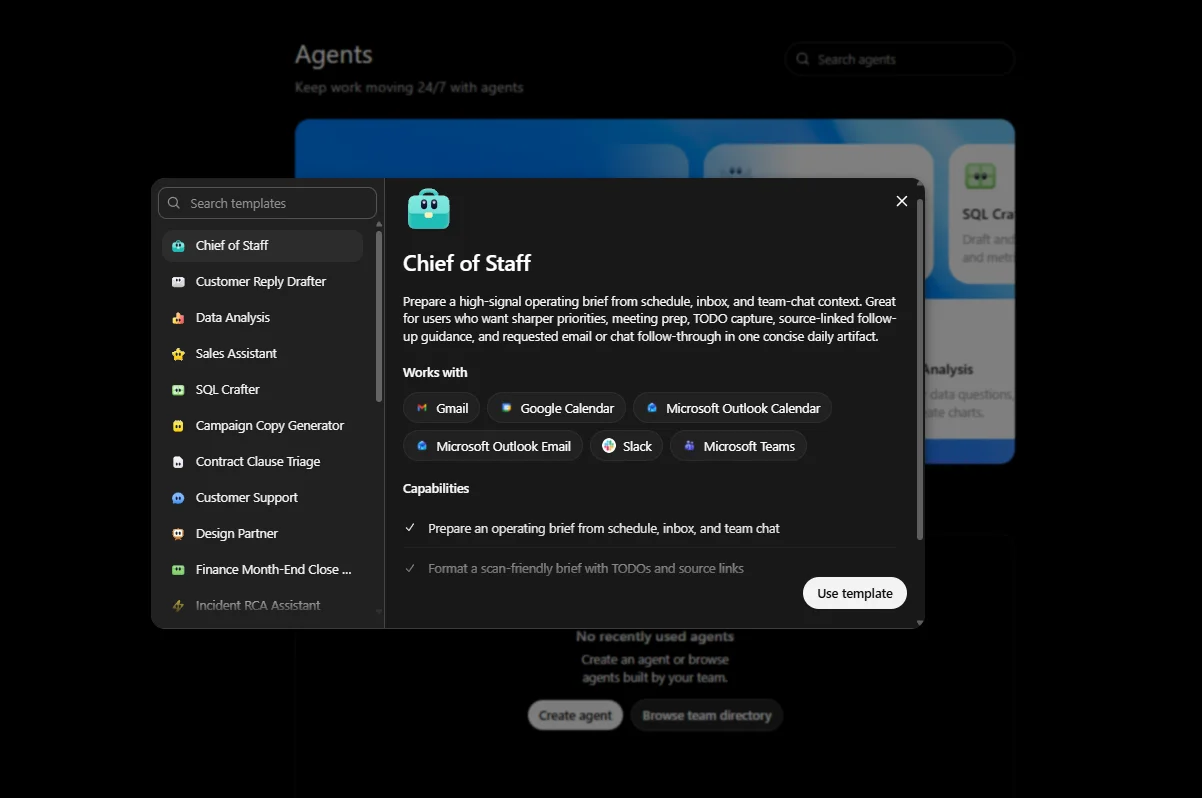
Once you've outgrown "an assistant that answers when asked," OpenAI's newer product steps in. Workspace Agents launched in April 2026, and OpenAI has openly described them as the successor to Custom GPTs for teams. A conversion tool to turn existing GPTs into agents is on the way.
The difference, in OpenAI's own words, is that a Custom GPT waits for you to ask it something, while a Workspace Agent goes and does things on its own, connected to real tools, running on a schedule, and improving over time. It plans, takes multiple steps, and finishes a whole workflow without anyone pressing a button each time.
What makes them powerful
- They run in the cloud and in the background. Close your laptop and the work continues. They can run on a schedule, like every morning.
- They connect to 60+ apps your team already uses: Google Drive, Google Calendar, SharePoint, Slack, Salesforce, CRM, and IT-ticketing systems.
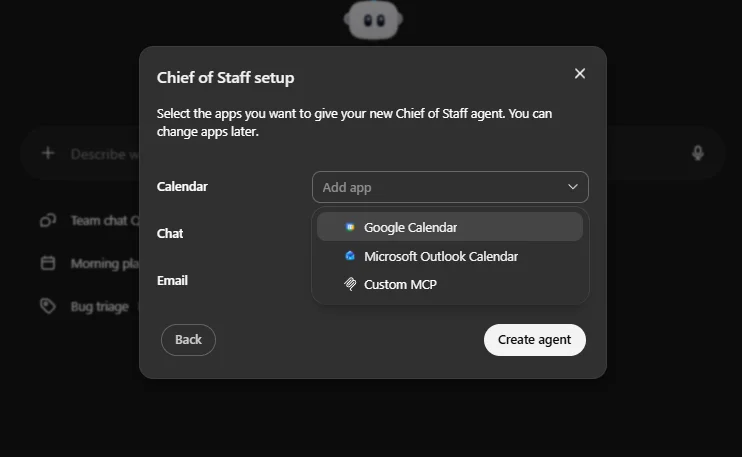
- You still build them with no code. You click "Agents" in the ChatGPT sidebar, describe a workflow your team does often, and ChatGPT walks you through turning it into an agent.
- Admins stay in control. On business plans, admins decide which tools each group can use and who can build or share agents.
A real example from OpenAI: a sales agent that researches accounts, summarizes call recordings, and posts deal briefs straight into the team's Slack, on its own.
The catch for solo users: Workspace Agents are only available on ChatGPT Business, Enterprise, Edu, and Teachers plans. They are not on Plus, Pro, or Free. They were free during a research preview until May 6, 2026, after which pricing moved to a credit-based model. Exact per-run costs aren't cleanly published yet, with early reporting suggesting a typical run uses a handful of credits, so treat any specific number as an estimate until OpenAI confirms it.
If that sounds familiar, it should. This is the same idea behind Claude Managed Agents, which we covered in a separate guide. The big difference is where the agent lives and who it's for, and that's the next section.
Custom GPTs vs Workspace Agents: which to pick
Here's the quick decision table. For most readers of this guide, the left column is where you start.
| Custom GPTs | Workspace Agents | |
|---|---|---|
| Behavior | Reactive, waits to be asked | Proactive, acts on its own |
| Best for | A specialized assistant or a tool to share | Automating a recurring team workflow |
| Runs in background? | No | Yes, on a schedule |
| Connects to your apps? | Limited, through Actions | Yes, 60+ built-in connectors |
| Who can build | Anyone on Plus ($20) | Business and Enterprise plans only |
| Share publicly? | Yes, GPT Store | No, internal to your team |
Build a Custom GPT when you want a smart helper you can summon, or a tool to hand to your audience. Reach for a Workspace Agent when you have a repetitive, multi-step process across several apps that you'd love to never do by hand again, and you're on a business plan.
How ChatGPT compares to Claude and Gemini
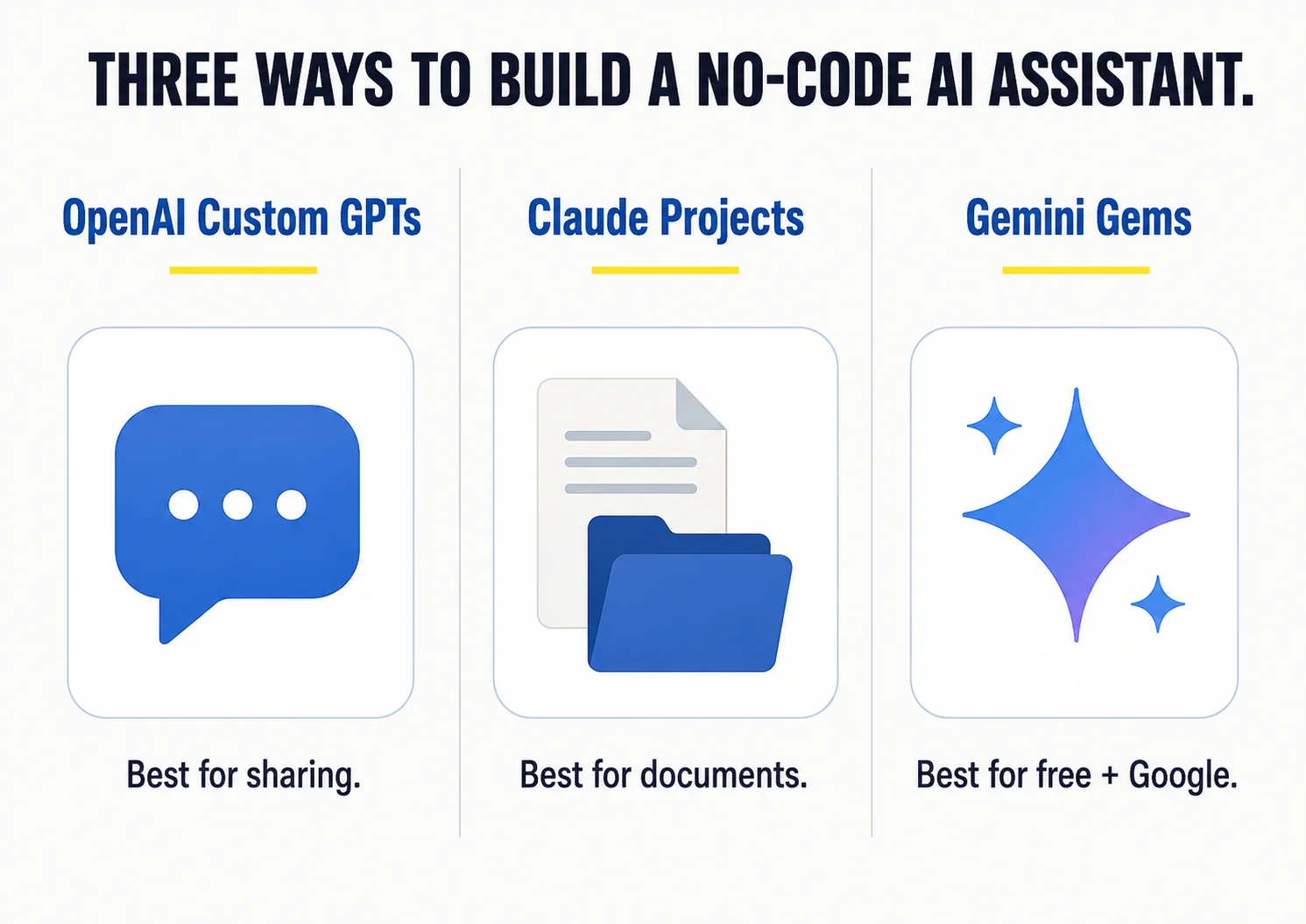
OpenAI isn't the only place to build a no-code AI assistant. Claude and Gemini both have their own versions, and honestly, for some users they're a better fit. Here's the beginner-level comparison of the easy, no-code "custom assistant" each one offers.
| OpenAI Custom GPTs | Claude Projects | Gemini Gems | |
|---|---|---|---|
| Cost to build | Plus, $20/mo | Claude Pro, ~$20/mo | Free on any plan |
| Public store? | Yes, GPT Store | No | No |
| Best at | Sharable tools, web and image and code | Long documents, writing, deep context | Google Workspace users, free access |
| Context size | Large | Larger | Largest (about 1M tokens) |
A few honest takes. Gemini Gems are free, even on a free Google account, and they plug straight into your Google Drive, so if you live in Gmail and Docs, that's the path of least resistance. Claude Projects shine when you're working with long documents and want thoughtful writing, because Claude holds more material at once. Custom GPTs win on ecosystem and sharing, thanks to the GPT Store and a huge user base.
At the bigger agent level, the same three-way pattern repeats. OpenAI has Workspace Agents, Anthropic has Claude Managed Agents, and Google has its Gemini Enterprise agent builder. They all do the same core job, a cloud agent that completes multi-step work, but they differ in who they're built for. OpenAI's lives inside the ChatGPT app your team already uses. Claude's is built for developers putting agents into their own products. Google's is for organizations already running on Google.
If you read our Claude guide: Claude Managed Agents and OpenAI Workspace Agents are direct cousins. Both run in the cloud, keep working after you close your laptop, and connect to your tools. The choice often comes down to which ecosystem you already pay for.
The choices that matter when you build
Whichever tool you pick, the decisions that make or break your assistant are the same. Get these right and a simple Custom GPT will outperform a sloppy expensive agent.
Write sharp instructions
Be specific about role, tone, format, and rules. "Write marketing copy" is weak. "Write 40-word product descriptions in a playful tone, no jargon" works.
Feed it good knowledge
Upload the real reference material it should rely on. Quality of input drives quality of output more than anything else.
Turn on only what it needs
Each capability you add is one more thing that can go sideways. If it doesn't need the web, don't give it the web.
Protect your data
Never upload secrets to a public GPT. On team plans, use admin controls to limit what each group can touch.
Give clear starting points
Conversation starters tell first-time users exactly how to use your assistant, which makes it feel polished.
Test like a skeptic
Throw real, messy prompts at it before you share. Fix the instructions where it stumbles. Repeat.
Beginner questions, answered straight
Do I need to know how to code?
No. Building a Custom GPT, a Workspace Agent, or a Gemini Gem is all done by typing in plain English. The only slightly technical piece is "Actions" in a Custom GPT, and that's optional.
What's the real difference between a GPT and an agent?
A GPT answers when you talk to it. An agent goes and completes a task on its own, often across several apps and steps. GPT equals answers, agent equals actions.
How much does it cost to start?
A Custom GPT needs ChatGPT Plus at $20 a month. A Gemini Gem is free. A Workspace Agent needs a paid business plan, so it's the priciest path and aimed at teams.
Will my Custom GPTs stop working?
Not right away. OpenAI says Custom GPTs stay available while teams test Workspace Agents, with a tool coming to convert GPTs into agents. Treat GPTs as a great place to learn, not the final destination.
Is my data safe?
On business and enterprise plans, OpenAI doesn't train on your data by default and adds admin controls. On a public Custom GPT, assume your uploaded files could be seen, so keep secrets out.
Should I use ChatGPT, Claude, or Gemini for this?
Start with whichever you already pay for. Gemini Gems are free and great for Google users. Claude is excellent for long documents and writing. ChatGPT has the biggest ecosystem and the only public store.
Good first projects
Don't overthink your first build. Pick something small and genuinely annoying that you do often. A few ideas that work well as a Custom GPT:
- A brand-voice writer that drafts captions or emails in your exact tone, from a style guide you upload.
- A support helper that answers common questions using your FAQ document.
- A meeting-notes cleaner that turns rough notes into a tidy summary with action items.
- A content repurposer that turns one blog post into a week of social posts.
Each of these takes fifteen minutes to set up and saves you hours every week. That's the right size for a first project.
Build one today
Here's the truth about all of this. Reading about Custom GPTs and Workspace Agents is useful, but it won't click until you've actually built one. The gap between "I think I understand this" and "oh, now I get it" is about one fifteen-minute build.
So here's your move. If you have ChatGPT Plus, open the GPT Builder and make a simple Custom GPT for one task you repeat every week. If you don't have Plus, go create a free Gemini Gem instead, same idea, no cost. Give it clear instructions, upload one reference file, test it with a few real prompts, and use it tomorrow.
Once you've felt how much time a single well-built assistant saves you, you'll start spotting these little jobs everywhere. And when one of them grows into a real, multi-step, runs-on-its-own workflow, you'll already understand exactly what a Workspace Agent is for. Start small. Build the simple thing first. The rest follows.