
Build Your Own Wispr Flow
Stop renting Wispr Flow at $180 a year. Use three Claude Code windows to build your own free, fully-local dictation app, then reuse the exact method on other tools you pay for.
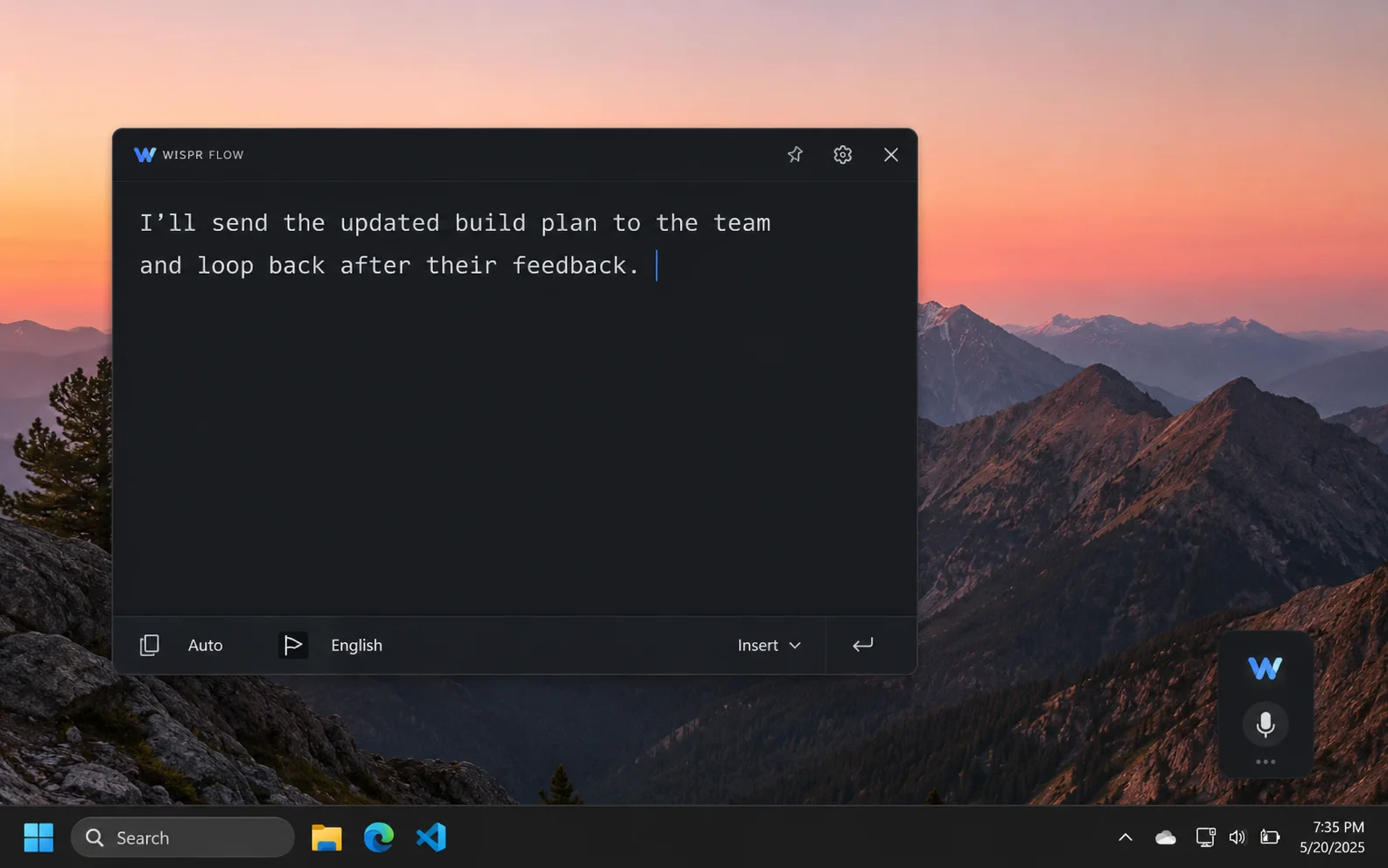
Wispr Flow is a voice dictation app. You hold a key, talk, and your words show up as clean text in whatever you're typing in. It's genuinely good. It also costs $15 a month, or about $144 a year on the annual plan, and every word you speak travels to someone else's server to get processed.
So here's a fair question. Why rent it forever when you could build your own version once, run it entirely on your own computer, and never pay or send your voice anywhere again?
That's what this tutorial walks you through. Not with a team of engineers, and not by stealing anyone's code, but with three windows of Claude Code and a workflow you can reuse on a whole category of apps. We'll rebuild the core of Wispr Flow as a free, offline dictation tool, and by the end you'll have a repeatable recipe you can point at other tools you're tired of paying for.
What you'll walk away with: a working local dictation app, the exact prompts to build it, and a three-step Claude pipeline (plan, review, build) that works for any app whose value you can rebuild from parts you control.
What you'll need before you start
This is an intermediate project. You don't need to know how to code, but you will be installing a couple of free tools and pasting prompts into windows. Nothing here is hard. Get these four things ready first, because two of them, the Ollama download and the model pull, take a few minutes.
The Claude desktop app
Everything here runs in Claude Code, which lives inside the Claude desktop app on Windows or Mac. Install the app first. All three windows open from there.
A Claude Max plan
Fable 5, the builder model, runs on paid plans, and Max gives you the room to let it work. Check current availability first (see the note below).
Ollama, plus a model
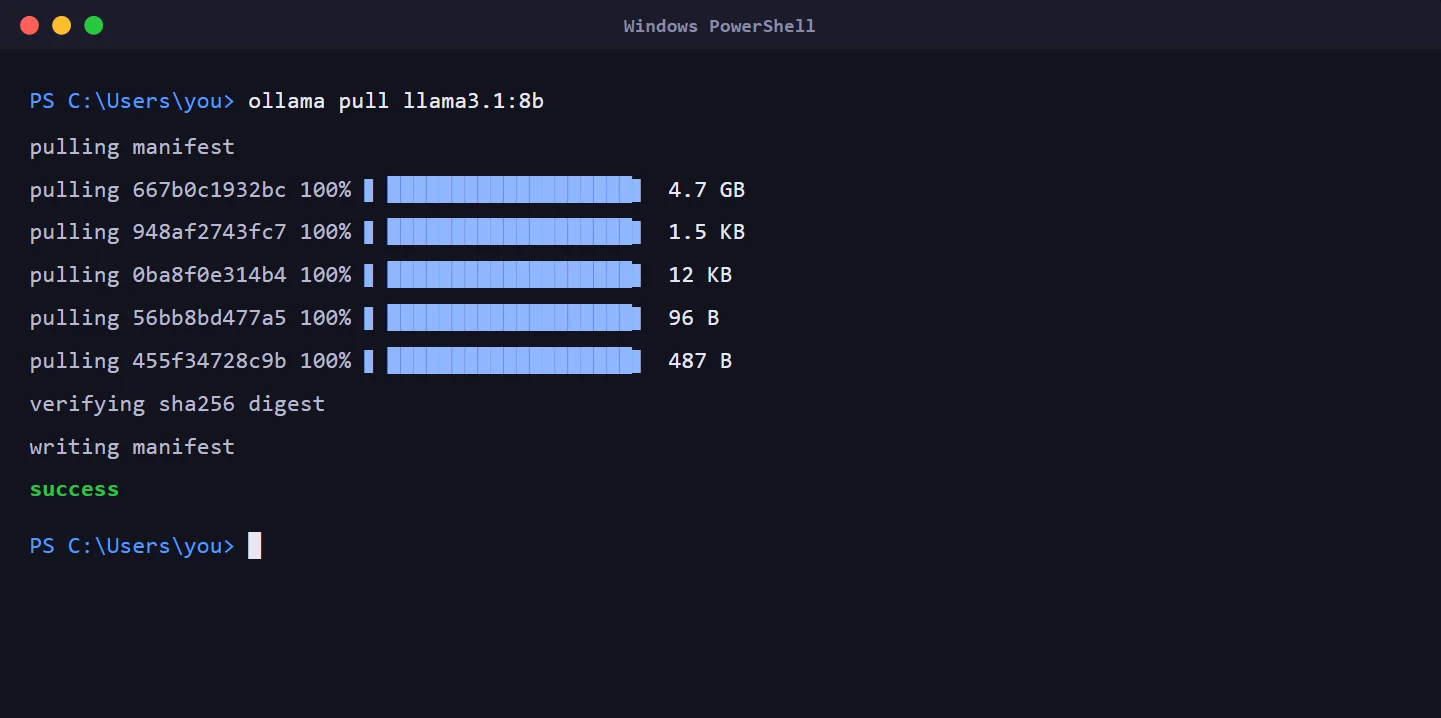
Ollama is a free download that runs AI models locally. After installing it, pull a small model such as llama3.1:8b for the text cleanup step.
Python
The app itself is a small Python program. The builder writes it, you just need Python installed so the code can run and test itself.
Fable 5 access changes, so check first. When Fable 5 launched, Anthropic included it free on paid plans for a limited window, then extended that window more than once after users asked for more time. At some point access shifts to metered usage credits. Before you plan a big build around it, confirm today's terms in your Claude account so you're not surprised by pricing.
What "cloning" actually means here
Let's clear this up first, because the word "clone" makes people nervous. We are not cracking Wispr Flow, copying its source code, or breaking any locks. We're doing something completely different, and completely legitimate: rebuilding what the app does from open, freely available parts.
Think about what Wispr Flow actually is when you break it down. You press a key. It listens to your microphone. It turns your speech into text. It cleans that text up so your "ums" and false starts disappear and the punctuation is right. Then it drops the finished text wherever your cursor is. That's the whole job.
Every one of those pieces has a free, local equivalent that runs on your machine:
- Speech to text: Whisper, the open speech model, running through a fast local version called faster-whisper.
- Cleanup: a small local language model served by Ollama, the free tool that runs AI models on your own computer.
- The key press and the typing: standard system features any app can use.
None of that is Wispr Flow's private property. It's the same box of ingredients anyone can buy. We're just assembling our own version of the dish. That's the difference between copying a recipe and stealing a restaurant's kitchen.
The legitimate lane: rebuilding an app's function from open-source parts, for your own local use, is fine. Copying its actual code, or breaking a paid app's license or protection, is not, and "it's just for me" doesn't change that. This tutorial stays firmly on the safe side.
Not every app can be rebuilt this way
This is the honest part most tutorials skip. This approach works beautifully for a specific kind of app, and it falls flat for others. Before you spend any time, it helps to know which side of the line your target sits on.
| App type | Rebuildable? | Why |
|---|---|---|
| Local utility tools (dictation, transcription, screenshot OCR, clipboard managers) | Yes | They wrap capabilities you can run locally. This is the sweet spot. |
| Simple web or desktop apps (a nice interface over basic logic) | Often | You can see the behavior and rebuild it from what you observe. |
| Server-backed products (a private AI model, your cloud data, network effects) | No | The real value lives on their servers, where you can't see or copy it. |
| DRM or license-locked software | No | Bypassing protection is a different thing entirely, and off-limits. |
Wispr Flow sits right in the top row. Its value is convenience, not a secret. That's exactly why it's a great first project, and it's why a search of GitHub already turns up real, working local versions like bubnyukab/whisperflow-windows and drajb/whisper-local. People have done this. You're not breaking new ground, you're following a proven path with better tools.
The three-window pipeline
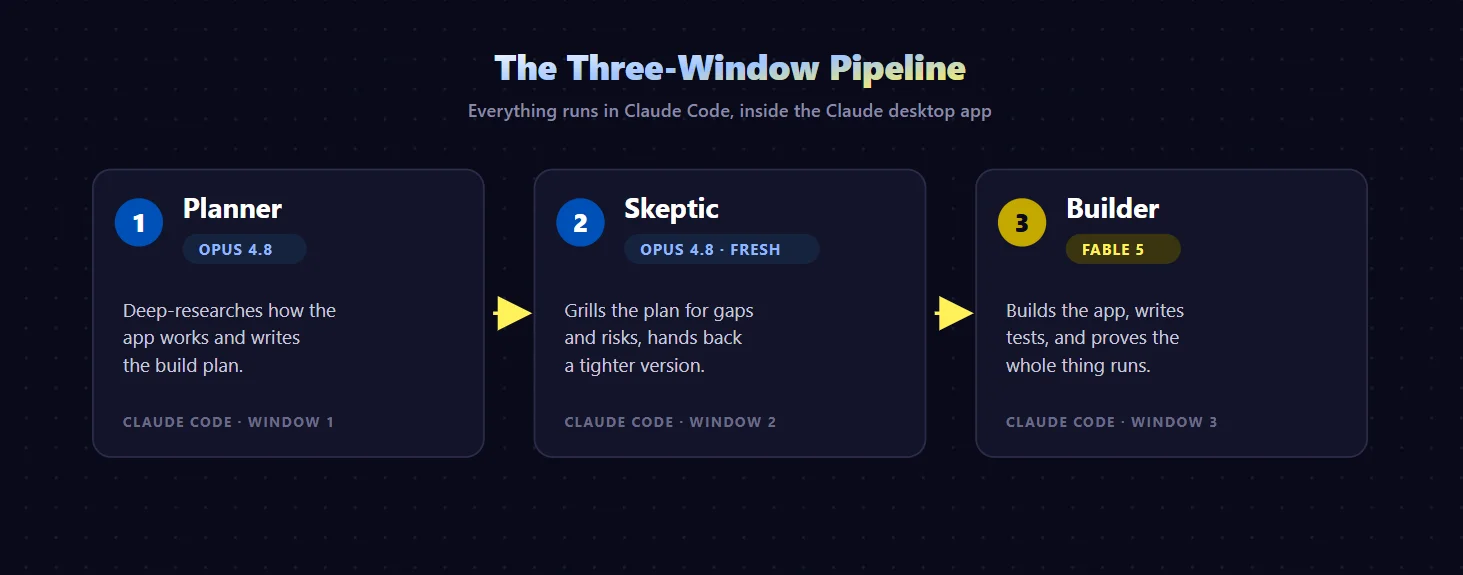
Here's the idea that makes this reliable instead of a coin flip. Instead of opening one chat and typing "build me Wispr Flow," you split the work across three separate Claude Code windows, each with a single job. Everything stays inside Claude, running in the Claude desktop app.
The Planner
A Claude Code window running Opus 4.8 does deep research on how the app works and writes a real build plan: which tools to use, how the pieces fit, and what "finished" looks like.
The Skeptic
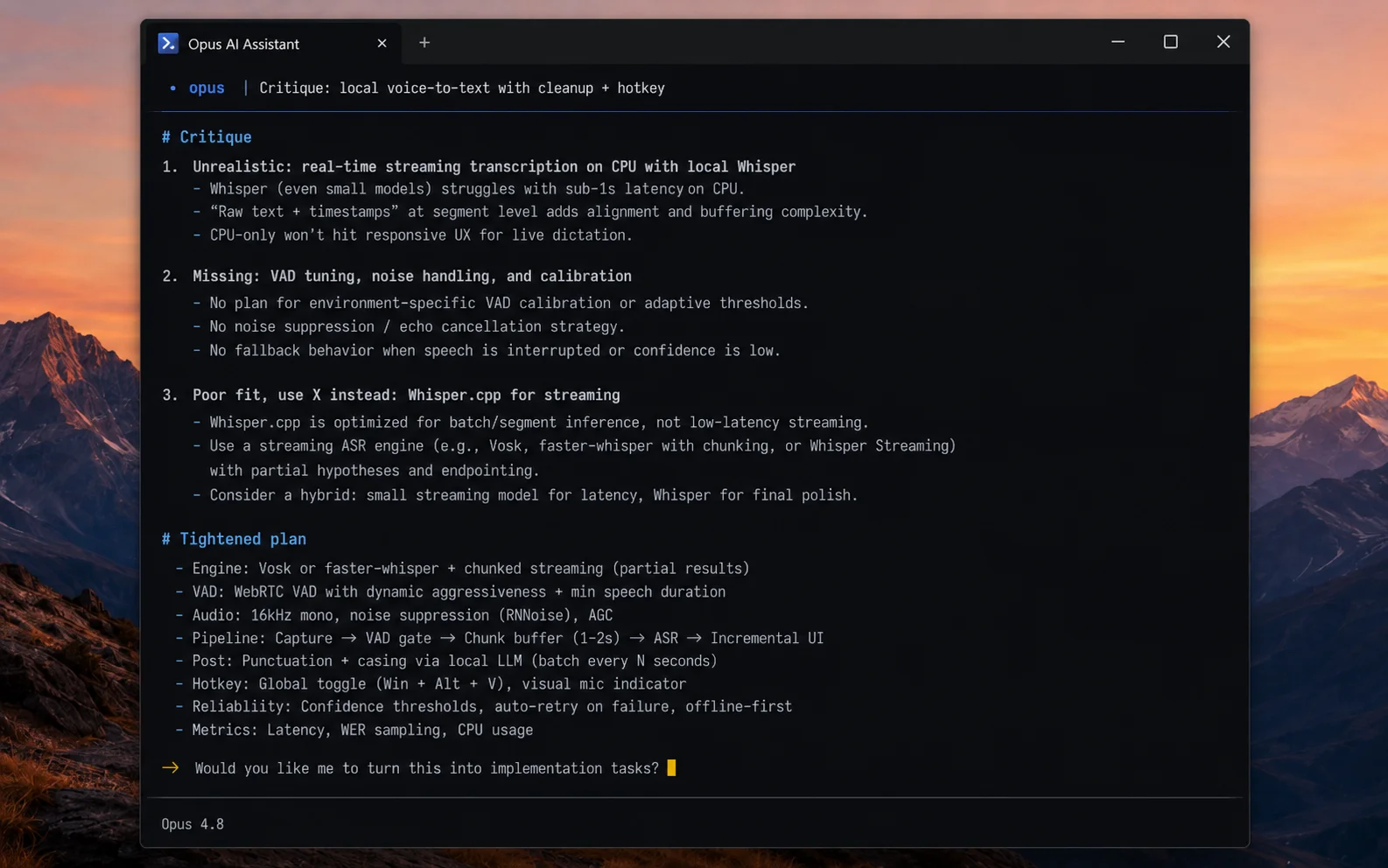
A second, fresh Claude Code window (also Opus 4.8) reads that plan cold and tears into it: what's unrealistic, what's missing, what's overbuilt. It hands back a tightened version.
The Builder
A third Claude Code window running Fable 5 takes the finished plan and actually writes the app, tests it, and keeps working until it proves the thing runs.
Why bother with three windows instead of one? Because a single chat that plans, critiques, and builds all at once tends to fall in love with its own first idea. When a fresh window reviews the plan with no memory of writing it, it argues honestly. Separating the jobs is what catches the mistake before it becomes 400 lines of broken code.
The original used a rival AI for the review step. The popular version of this workflow sends the plan to a competing tool to double-check it. We're keeping everything in Claude by using a fresh Opus window instead. You lose a little cross-brand diversity, but you gain simplicity, and a blank Claude session with no attachment to the plan still pokes real holes in it.
Window 1: plan it with Opus 4.8
Open your first Claude Code window and set the model to Opus 4.8 on its highest effort setting. This is your planner. You're not asking it to build anything yet. You're asking it to think.
The tool to reach for is deep research. Instead of guessing, Opus goes and studies how the real app works, then proposes how you'd rebuild the core of it on your own machine. Here's the exact prompt to start with:
Notice what this prompt does and does not do. It asks for research and a plan, not a finished app. It states the hard constraints up front: local, Ollama, base functionality. And it never says "make it amazing." Vague prompts get vague results. This one gives the model a clear job with clear edges.
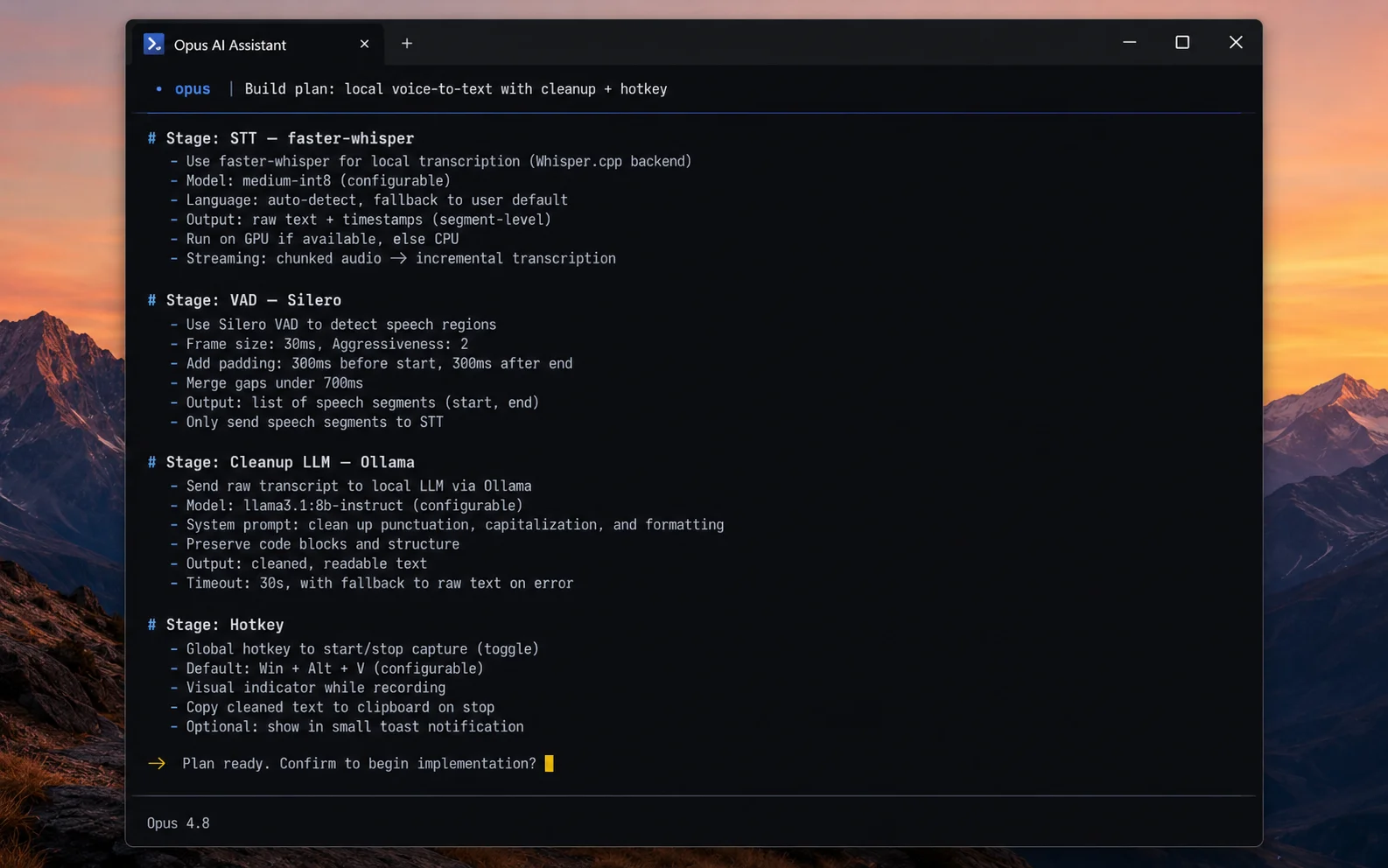
After it works for a bit, Opus comes back with a real plan. In our run it settled on a sensible, specific stack: faster-whisper for the speech-to-text (a few times faster than the standard version), Silero VAD to detect when you've stopped talking, Ollama running a small model to clean up the text, and a global hotkey to trigger the whole thing. That's not a vague wish. That's an architecture.
Research beats "just build it." The single biggest reason these projects fail is skipping straight to building. A plan grounded in how the real thing works, with named tools and real trade-offs, is what turns a chaotic build into a boring, predictable one. Boring is what you want here.
Window 2: grill the plan with a fresh Opus
Do not hand the plan straight to the builder. First, put it on trial.
Open a second Claude Code window, brand new, also on Opus 4.8. This one has never seen the plan and has no ego invested in it, which is exactly what makes it useful. Its only job is to be a hard reviewer. Paste the plan from window one into this prompt:
This is the step that replaces the rival-AI check from the original workflow. A fresh Opus window won't have quite the same outside perspective a different company's model would, but it will still question assumptions the first window treated as settled. It catches the library that won't behave on Windows, the missing config option, the success criteria that sound nice but can't actually be tested.
Take its feedback, fold the good parts back into your plan, and now you have something worth building. You've spent maybe ten extra minutes and saved yourself an hour of watching the builder chase a bad idea.
Why "fresh" matters: if you ask the same window that wrote the plan to review it, it defends its own work. A new window reads the plan as a stranger would, which is the whole point of a second opinion.
Turn the plan into a build prompt
Before you switch to the builder, do one more thing in window one: have Opus convert the reviewed plan into a single, tight build instruction. You're using the AI to write the next AI's prompt. Ask it something like this:
What comes out is the real payload of this whole process. Here's the actual build prompt from our run, cleaned up and ready to paste. Read it once, because the shape of it is the lesson:
Look at the "DONE WHEN" section, because that's the part that actually matters. It never says "make it good." It says the code has to build, a test suite has to pass, and a dry run has to print real cleaned text. Those are things a computer can check on its own, without you sitting there. That is the entire trick to letting an AI run a long build unattended.
The one idea to steal from this: define "finished" as proofs a machine can verify, then add a hard stop ("stop after 25 turns and report what's left"). Checkable success criteria plus a stop cap are what turn a build request into something that can run on its own and tell you honestly whether it worked.
There's a smart detail hiding in here, too. The prompt tests the cleanup logic and the dry-run with a sample audio file, not with a live microphone. That's deliberate. An AI running on its own can't physically press a hotkey or talk into your mic, so the finish line is built around what it can prove by itself. The live mic test stays a manual thing you do at the end.
Window 3: build it with Fable 5
Now for the fun part. Open your third Claude Code window and set the model to Fable 5 on high effort. Fable 5 is built for exactly this kind of long, patient, build-and-check work. Paste in the build prompt from the last step and let it go.
Because the prompt used the goal format, Fable 5 doesn't just spit out code and stop. It builds the pieces, writes the tests the prompt asked for, runs them, reads its own results, fixes what failed, and keeps circling until the success criteria hold or it hits the turn limit. You're supervising, not babysitting.
Be honest with yourself about what "done" looks like here. After some back and forth, you get a working local dictation tool. It listens to your microphone, transcribes what you say, sends it to the local model to tidy up, and drops the finished text into the box you're typing in. Nothing leaves your computer. It won't have every feature of the paid app on day one. It will do the main thing the paid app does.
The rough version is the easy 80%. Getting a basic dictation tool working is quick. Matching the paid app's polish, its speed, its accuracy on your accent, its handling of odd words, takes real effort. For personal use, "good enough and free" usually wins. Just don't expect a pixel-perfect copy from one build.
One more time-saver worth knowing: you don't always have to start from a blank page. Those real GitHub projects from Section 01, like drajb/whisper-local, already do most of this. You can point the builder at one as a reference, or even just run it and customize from there. Sometimes the fastest "build" is a smart starting point plus your own changes.
Make it work for any app
The Wispr Flow build was the example. The real prize is the pattern, because it doesn't care what you point it at. Any time you want your own version of a local-utility app, you run the same three windows: plan, grill, build. And the build prompt always has the same skeleton. Here it is as a fill-in-the-blank you can keep:
Fill each slot and you've got a build brief for a screenshot-to-text tool, a clipboard manager, a meeting transcriber, or any other tool that wraps capabilities you can run yourself. The plan-and-grill steps stay identical. You're not learning a one-off trick, you're learning a way of working.
Keep a swipe file. Save your best build prompts, your review prompt, and any references that worked. The second app you build this way goes twice as fast as the first, because most of the thinking is already written down.
The takeaway
Here's what actually happened in this tutorial. You didn't steal anything. You looked at a paid app, understood it as a set of simple jobs, and rebuilt those jobs from free parts you control, using three Claude windows that plan, argue, and build. The result runs on your machine, keeps your voice private, and costs nothing to use.
And the money is real. Wispr Flow runs $144 or more a year, forever. A local version you built once keeps working for free. Do that across two or three tools and it adds up to a genuine line item you've erased.
But the bigger win is the habit. Most people look at software they pay for and assume it's untouchable. You now know that a whole class of it isn't, and you have a repeatable way to find out. So here's your next step: pick one tool you pay for that feels like it's "just" a convenience wrapper, and run it through the three windows. Worst case, you learn where the line is. Best case, you never pay for it again.
Your move: open one Claude Code window, set it to Opus 4.8, and run the research prompt on an app you're tired of paying for. Everything else in this guide follows from that first step.