
Assets First, Then Animate
Everyone's copying the Seedance styles. The creators actually landing hits are copying something else first. Four working prompts, and the one step nobody names.
What's Actually Trending
If you've been anywhere near AI video in the last few months, you've seen the output. Manga panels turning into animated anime. A single photo becoming a fantasy warrior. Eight-scene short films where every scene is a completely different animation style. Somebody's cat, rendered as claymation, screaming.
Most of it is coming from one model: ByteDance's Seedance 2.0.
Here's the thing worth knowing before you spend a dollar on it. Seedance 2.0 is not hype. On Artificial Analysis, which runs blind head-to-head human preference tests, Seedance 2.0 is currently the highest-rated image-to-video model in the world. It beats Google's Veo 3.1 and Kling 3.0 on both the image-to-video and text-to-video boards, at roughly a third to half their price per minute. That's an independent leaderboard, not a press release.
So the model is real. But here's where most people go wrong, and it's the reason this article exists.
Everybody looks at the viral output and asks "what was the prompt?" They copy the style words. They paste in "Studio Ghibli style, cinematic, breathtaking, 8K" and they get slop, and they conclude the model is overhyped or that they're bad at this.
The prompt was never the trick.
The real pattern: Go read the actual production breakdowns from the teams landing these hits. Every single one does the same thing before writing a video prompt. They build reference assets first. Nobody calls it a trend, because it isn't a style. It's a workflow.
That's what this article teaches. We'll cover what's actually spreading, how to get access if you're in the US (there's a wrinkle there), the asset-first workflow, why your prompt is probably built wrong, and where the legal line sits. By the end you'll have four working prompts and, more usefully, the reason they work.
The Thing Every Viral Seedance Piece Has in Common
Let's look at two real productions.
The eight-style short film
Higgsfield's team made a short film where a man teleports through eight worlds, each in a different animation style: anime, Moebius-style French graphic novel, chibi low-poly, cyberpunk claymation, 1980s black-and-white seinen manga, clay hell, a 2D cartoon dropped into a live-action wedding, and a live-action ending.
Read their breakdown and the first instruction has nothing to do with animation:
A prop sheet. For a wristwatch. Before a single frame of video. That's the whole lesson in one line, and most people skip straight past it to the fun part.
The K-pop sci-fi series
Same team, bigger swing: a fully AI-generated sci-fi trailer with five original characters, mech suits, a monster invasion, and a K-pop dance sequence. Roughly a hundred generations made the final cut. Hundreds more didn't.
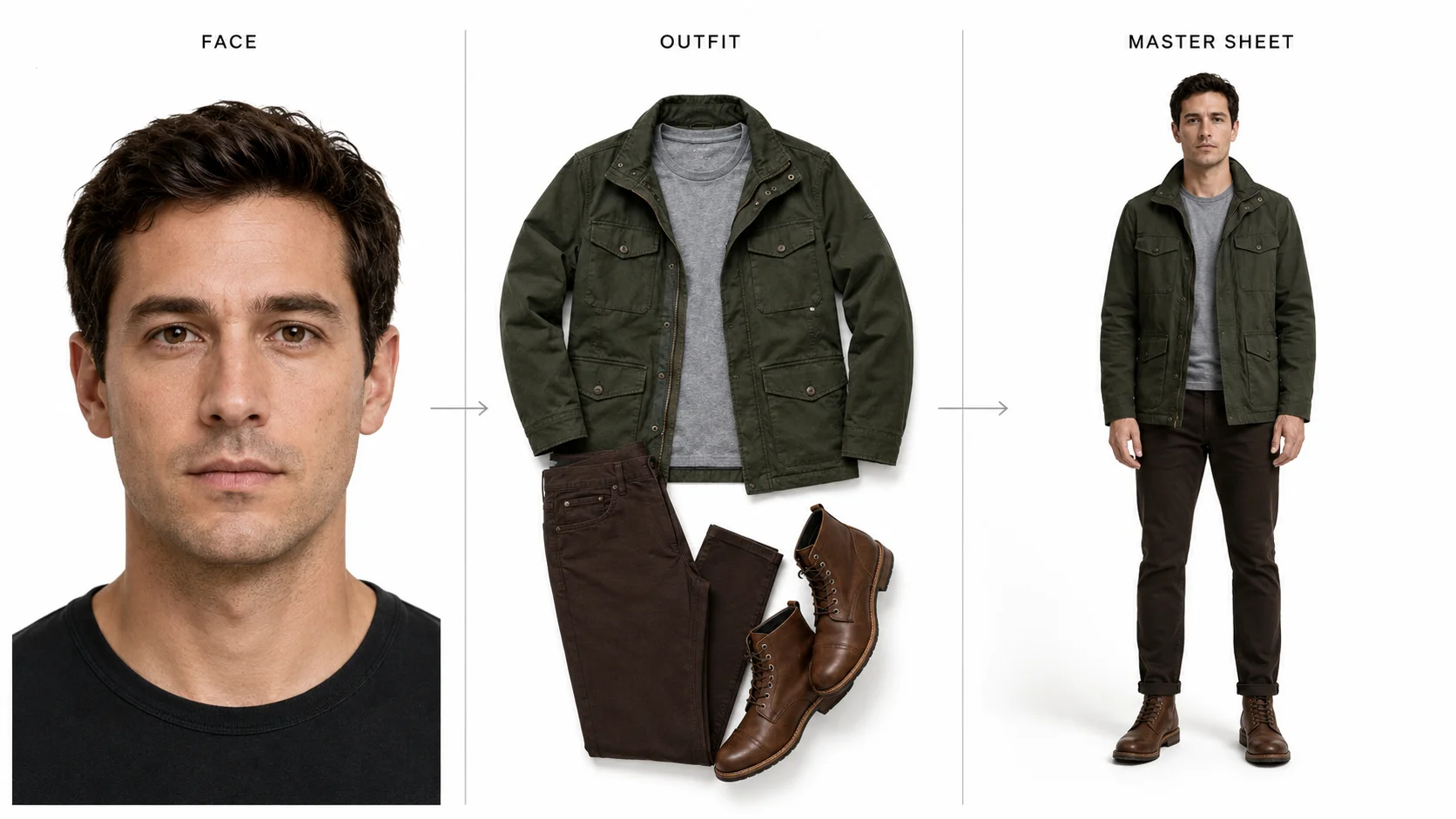
Their character pipeline ran three steps, per character, before any video existed:
Their words: "Run this pipeline once per character. Five master assets. Cast is locked."
The part that should convince you
Here's what makes this more than one company's house style. China's micro-drama industry went almost fully AI in about ninety days. In the first quarter of 2026, roughly 128,000 micro-dramas were released nationwide and over 95% of them were AI-made. A production that cost $200,000 now costs $7,000 to $14,000.
And a brand new job appeared on Chinese job boards, hundreds of listings deep, most requiring no prior industry experience. The title translates roughly to AI asset curator. The job: read the script, and generate the reference images of characters, costumes, and scenes for the video model to anchor to.
An entire industry, working independently, at enormous scale, invented a full-time role for the step everyone else skips. That's not a coincidence. That's the actual bottleneck revealing itself.
Internalize this one: Seedance is not a slot machine you feed words into. It's a renderer that needs something to render against. The prompt describes the motion. The assets decide what things look like. If your character drifts between shots, that is almost never a prompt problem.
Getting In
There's a wrinkle here, and it's poorly covered elsewhere, so let's be direct about it.
BytePlus, ByteDance's own enterprise platform, is not available in the United States. That's not a slow rollout or a waitlist. Their own terms say the services "are not available in the United States," and the US is absent from their published availability list of roughly 170 countries. Canada, the UK, the EU, Japan, and Australia are all on it. The US isn't.
So if you're American and you want to use Seedance, you go through a platform that has its own arrangement with ByteDance. You're a customer of that platform, not of ByteDance. Higgsfield is a San Francisco company with an official ByteDance partnership, which is why it's the route we're using here.
Prices as published by Higgsfield in June 2026, comparing a standard 720p 8-second clip across the main options:
| Platform | Per clip | Subscription | Catch |
|---|---|---|---|
| Dreamina (CapCut) | $1.29 | $18 to $82/mo | Regional gaps, daily token ceiling |
| Higgsfield | $1.55 | $9 to $129/mo | Web only, no API |
| Magnific | $1.86 | $7 to $249/mo | Design tool first, video second |
| fal.ai | $2.43 | Pay per use | API only, no interface |
| Runway | $2.88 | $15 to $95/mo | Priciest, updates arrive late |
Two honest notes on that table. First, it's published by Higgsfield, who obviously have a preferred answer, so treat the framing with the skepticism you'd apply to any vendor comparison. The numbers themselves are checkable and they held up when we spot-checked fal.ai's public rate of $0.3034 per second.
Second, Dreamina is genuinely cheaper per clip and gets model updates first, being ByteDance's own. If you're outside the US and outside the affected European regions, it's a reasonable pick. The daily token ceiling is the thing that bites at real volume.
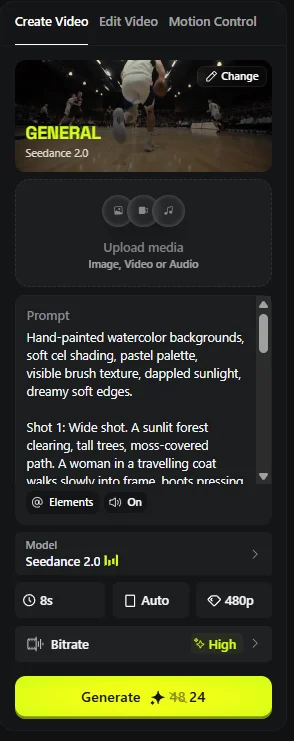
Why Higgsfield for this workflow specifically: the asset-first pipeline needs an image generator and a video generator in the same place. Higgsfield bundles Nano Banana Pro, Soul Cinema, and Seedance under one credit pool, so your character sheets and your video draw from the same balance. Doing this across three tools with three logins is where the workflow falls apart in practice.
Budget reality: the $129/mo Ultra plan gives about 83 standard clips or 107 fast clips a month. That sounds like a lot. It isn't. The K-pop trailer burned roughly a hundred generations for a piece measured in seconds, and hundreds more that didn't make it. Plan for a hit rate, not a headcount.
Build the Cast Before You Roll Camera
Now the workflow itself. Three stages.
Stage 1: Generate your assets in isolation
One thing per image. Face on a white background. Outfit on a white background. Prop on a white background, ideally as a multi-angle sheet. Location as its own frame.
ByteDance's own documentation is unusually blunt about why this matters. Two named causes of character drift, in their words:
Their prescribed fix, again in their words: prepare "a close-up face image (headshot, retaining only the face; no expression is best; minimize interfering elements such as shoulders, neck, and background)."
No expression is best. That's counterintuitive and worth sitting with. You want a neutral face, because you're giving the model an identity to work from, not a performance to copy.
Stage 2: Fuse into a master sheet
Combine your isolated assets into one production reference. Higgsfield's fusion prompt is almost comically plain:
That's it. Fifteen words. The complexity lives in the assets, not the sentence.
The mistake almost everyone makes: ByteDance says outright that "using multi-view character images is not recommended." Multi-view sheets contain the same character at different angles, and the model may read those angles as different people, which makes identity drift worse. Your instinct to hand it a turnaround sheet is wrong. One clean headshot beats six angles.
Stage 3: Write the video prompt against your assets
Only now do you write motion. And you write less than you think.
Seedance 2.0 accepts up to 9 images, 3 video clips, and 3 audio files at once. Do not use all of it. ByteDance's own recommendation:
Two more rules from the same doc that carry real weight. Place important assets first, because the earlier an asset appears in the prompt, the more precisely it gets referenced. And keep reference people at four or fewer, because past four, output stability drops.
The shot-planning rule worth stealing: the K-pop team introduced every character exactly twice. Once establishing who she is, once establishing what she can do. That's it. A rule that simple is what keeps a hundred generations from becoming incoherent.
Why Your Prompt Is Probably Wrong
Here's a prompt of the kind that circulates in every AI prompt pack on social media. It's for a Ghibli-style scene:
It reads beautifully. It will not produce what it describes. Six reasons.
It's a treatment, not a prompt. "The video opens with" means you're narrating a finished film to a person. Seedance isn't an audience. ByteDance says it plainly: a good prompt "is not simply 'copywriting-style description', but an engineering-style instruction."
Three camera moves in one shot. It pans, then follows, then zooms. The official guidance: "Try to specify only 1 type of camera movement in a single shot. Do not require push, pull, pan, and move at the same time, as this will increase image instability."
It's wildly over budget. Count the beats: landscape pan, walking, creature appears, moving deeper, streams, ancient rocks, stop at tree, zoom on face. That's about forty seconds of story. Seedance 2.0 caps at fifteen. Something gets rushed or dropped, and you don't get to choose which.
The emotion is unrenderable. "A sense of wonder and innocence" is not a thing a camera can see. ByteDance ships an actual lookup table for this, and it's the most useful thing in their docs:
| Don't write | Write this instead |
|---|---|
| Sadness | lowering the head, shoulders trembling slightly, eyes reddening, fingers unconsciously clutching the corner of clothing, tears welling in the eyes but not falling |
| Nervousness | frequently checking the watch, fingers constantly tapping the tabletop, rapid breathing, eyes darting away, unconsciously biting fingernails |
| Anger | both fists clenched, jawline tense, chest heaving violently, eyes as sharp as knives, squeezing words out through gritted teeth |
The audio is wasted. "The soundtrack is filled with delicate piano notes" is prose. Seedance 2.0 has literal special-character syntax for this, and most users have no idea it exists:
There are no constraints. This is a named, required element of the official formula, and it's missing from essentially every prompt pack in circulation. ByteDance: "Constraint words are very important. They can effectively avoid visual flaws, deformities, breakdowns, and unreasonable elements."
Here's the official formula, verbatim:
Four Styles, Four Prompts
These are built to the formula above. Three shots each, one camera move per shot, audio in native syntax, constraints block, and they fit inside fifteen seconds. Paste the block, not the heading.
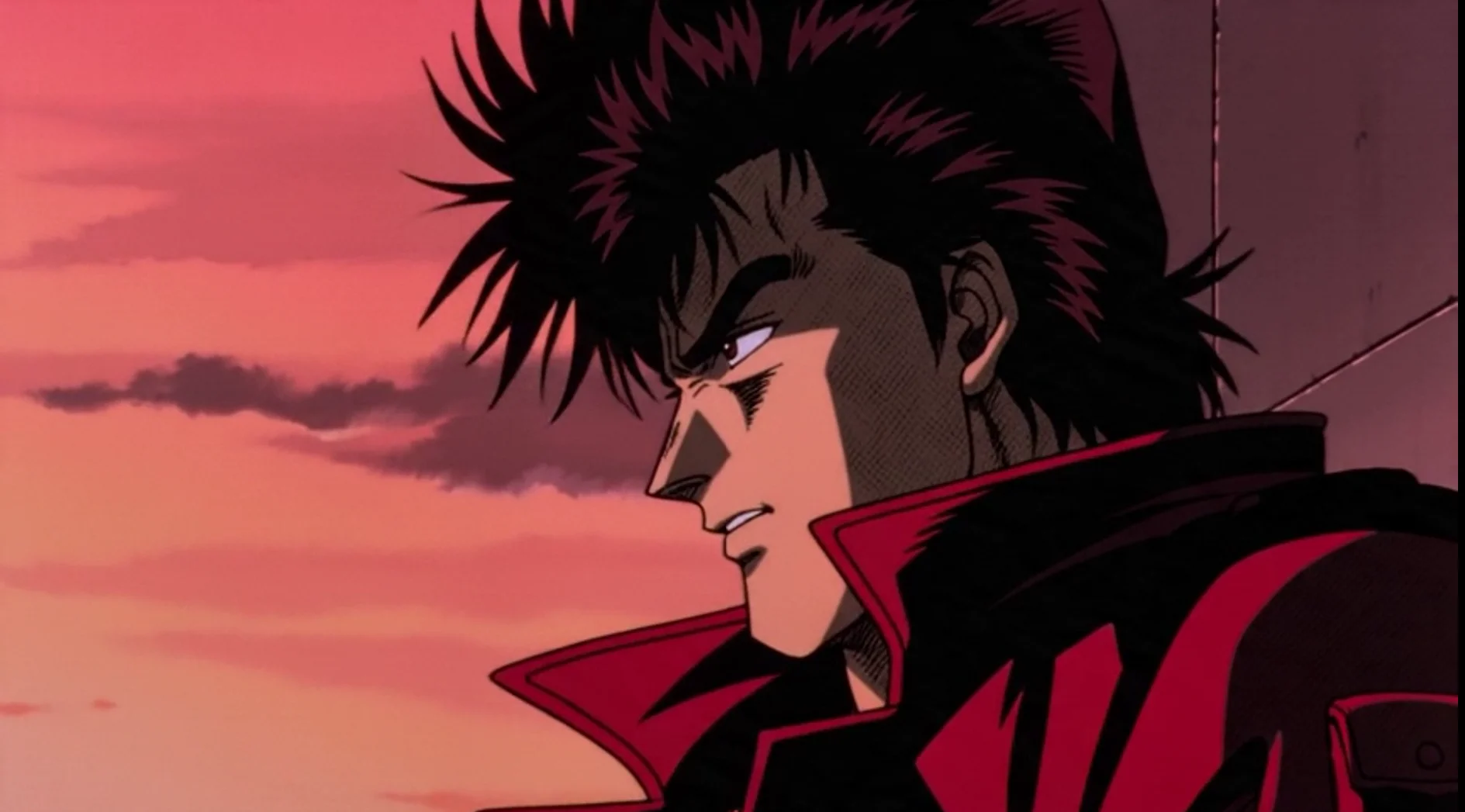
1980s anime
Do not ask for "choppy frames." Good instinct, since real 1980s anime is animated on twos and genuinely is choppy. But Seedance runs locked at 24fps and can't animate on twos. It reads "choppy" as stutter, which is a documented failure mode, not a style. You'll get artifacting and blame the model. The linework and screentone carry the era instead.
An earlier version of this prompt said "a young hero with spiky hair" who leaps from the roof and lands in a crouch. It named no studio, no character, and no celebrity. Higgsfield rendered it and then blurred it behind a rights gate: "This output may contain copyright or likeness-protected content." Spiky-haired figure plus rooftop plus jacket plus neon at dusk is a silhouette the filter recognizes, whatever you call it. The version above trades the hair and the leap for a coat and a fire escape. Section 08 covers why that works.
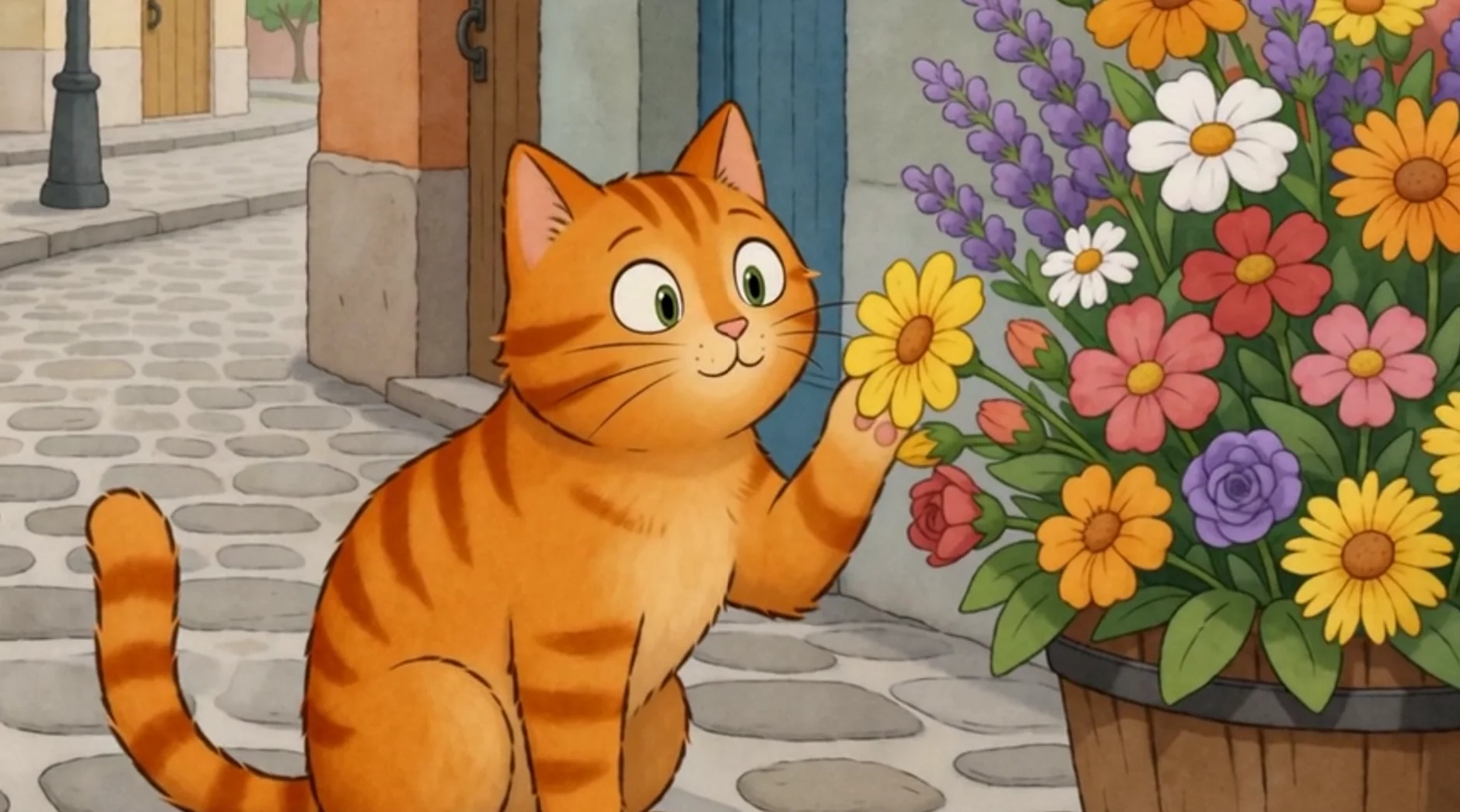
Illustrative 2D
Two things got fixed here, and the second one cost us a generation to learn.
The first version handed the camera off to the flowers halfway through, so they glowed and danced while the girl was still meant to be the subject. Two subjects competing for focus is a known breaker. Seedance wants one primary action with supporting environmental motion around it.
The second version fixed that and still failed, flagged as sensitive content before it rendered a frame. The subject was a young girl, and shot 3 put a medium close-up on her with "her eyes close, shoulders drop slightly." A minor, in close-up, with a described physical reaction is the exact shape an automated classifier is built to catch. It was over-triggering. It was also, given what it is built to prevent, over-triggering correctly.
Swapping the girl for a cat isn't a dodge, it's a better prompt. Animals are native to picture books, they carry the storybook read more strongly than a human does, and ears and paws externalize emotion just as well as eyes and shoulders.
The technique and the filter are in tension. Section 05 tells you to replace abstract emotion with physical tells, and that advice is right. But when the tells are lips, eyes, and shoulders, and the subject is a child or a young woman in close-up, you have written something a classifier will read badly. Use adults, use animals, or keep the tell gestural. Hands in pockets. Ears forward. A hand that rises halfway and stills.
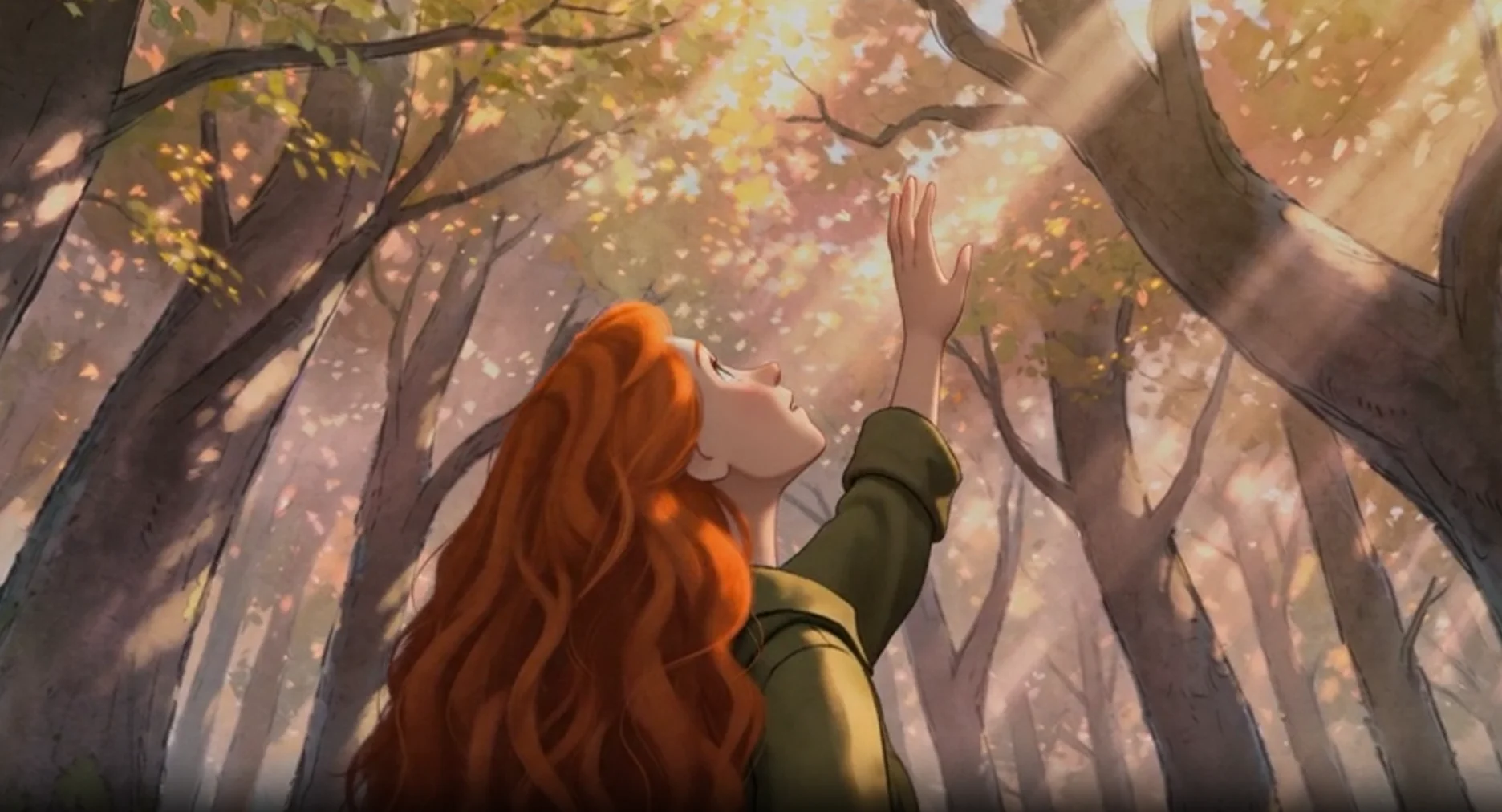
Soft watercolor forest
Shot 3 originally read "medium close-up on her face... her lips part slightly, eyes widen." Same trap as the prompt above, so it's now an over-the-shoulder with a stilled hand. It reads as wonder without pointing a camera at a young woman's mouth.
You'll also notice this one isn't called the Ghibli prompt. Section 08 explains why, and it's the most useful thing in this article if you plan to sell anything you make.
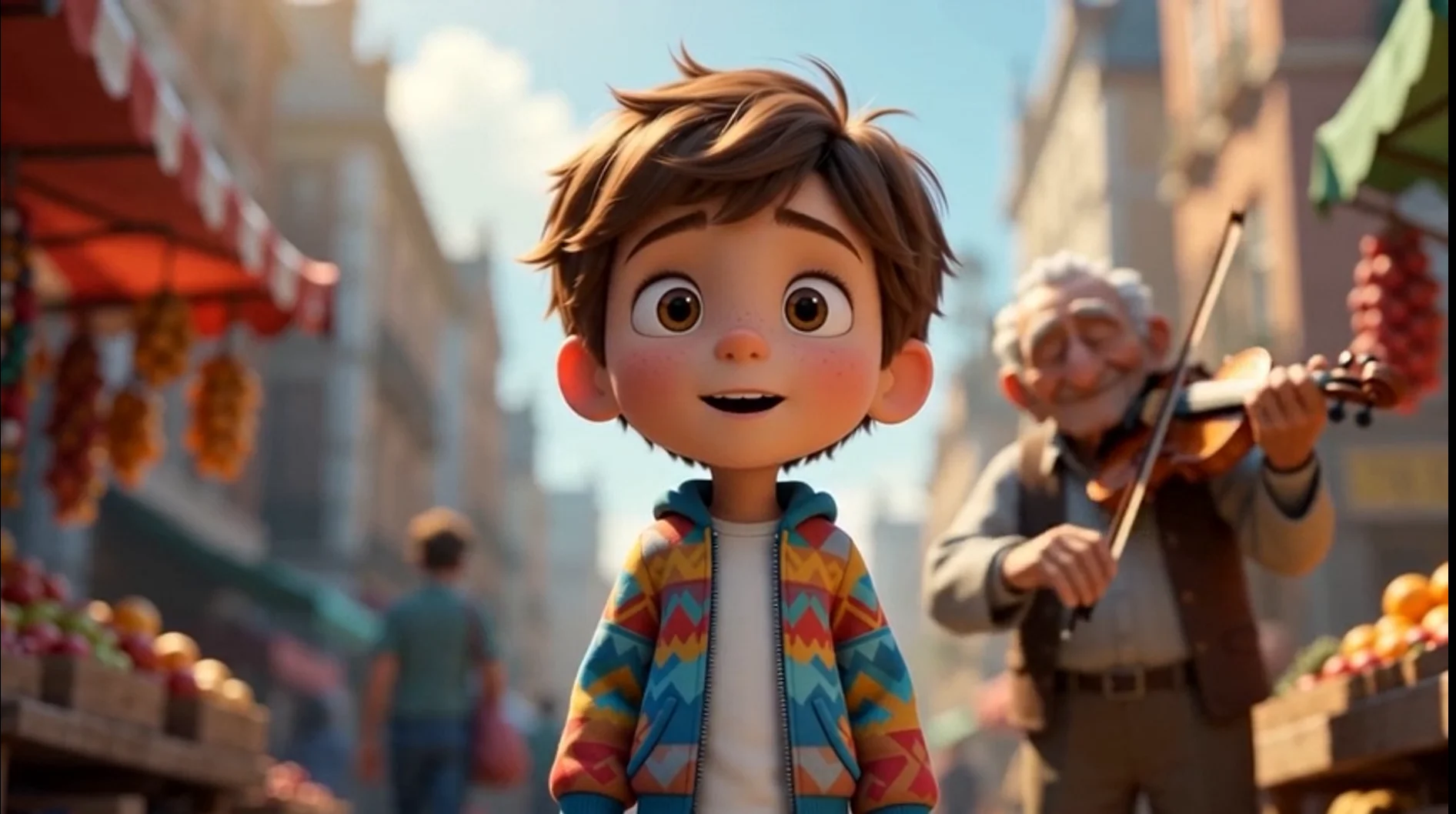
Polished 3D street scene
The first version had a child running through a crowd to watch a street performer juggling. All three details had to go. Sprinting is explicitly on ByteDance's avoid list. Juggling is multiple objects in ballistic arcs with hand contact, in a model whose own docs admit weakness in "physical stability in complex motion," which made it the single most likely thing across four prompts to visibly break. And the child in close-up was heading for the same sensitive-content flag that killed the picture book prompt. An adult, a violinist, and hands in pockets keep the beat and clear all three.
What Breaks, and How to Fix It
ByteDance publishes a candid failure FAQ, which is rare and worth reading. Three admissions in it stand out because they say a problem "cannot be avoided 100%." Here are the fixes that matter most.
| Problem | Fix |
|---|---|
| Subtitles you never asked for | Can't be fully prevented. But: "prioritize generating videos in landscape (the probability of generating subtitles in landscape is significantly lower than in portrait). You can later crop it to portrait." |
| Duplicate characters, the "twin" effect | Bind each role to one image. Use single-person references. And: "Do not directly use the complete script as the prompt. Overly redundant copy can easily cause confusion." |
| Jump cuts when extending a clip | Post-production, not prompting. Trim 6 frames off the end of the previous segment and 1 frame off the start of the next. Repeat at every seam. |
| Quality decay on repeated extension | "Multiple continuations will compound the degradation, and mottled color blocks are especially likely to appear in character face regions." Limit your continuations. |
| Wrong number of people | Keep reference people at four or fewer per image, then image-to-video from there. |
| Plasticky skin | Add "no 3D, no cartoon, no VFX" to force realism. |
| Bland, generic output | Cut adjective stacking. "Beautiful, stunning, gorgeous light" becomes one strong word. Clarity beats intensity. |
And one that fails silently, which makes it the nastiest: conflicting instructions produce garbage rather than an error. The model cannot reconcile "peaceful meditation garden with loud rock concert and quiet library atmosphere." It won't tell you. It'll just hand you something wrong and take your credits.
How to iterate without burning money: prototype at 480p, ship at 720p. Lock your seed, because without seed control you cannot tell whether a change came from your edit or from randomness. Change one phrase at a time. And expect two or three takes as normal. Treat it like casting, not a one-shot.
The Line Between Style and Theft
You need the background here, because it explains the filters you're going to run into.
Seedance 2.0 launched on 12 February 2026. Within 24 hours, an AI clip of Tom Cruise fighting Brad Pitt on a rooftop had millions of views. Within four days, Disney, the Motion Picture Association, Paramount Skydance, Warner Bros., Netflix, and Sony had all sent cease-and-desist letters. The MPA's was its first ever to a major AI company. Disney called Seedance "a pirated library of Disney's copyrighted characters." SAG-AFTRA condemned it. By March, two US senators were demanding ByteDance shut it down, and the global rollout was paused.
ByteDance responded with C2PA content credentials, visible and invisible watermarks, face detection filters, and copyrighted-character blocking. Those filters are in the model. They don't care which platform you're on.
Which brings us to the useful part.
The filter reads what's in the frame, not what you called it. This is the insight most guides miss entirely. People obsess over whether they can type "Ghibli" or "Pixar." That's the wrong worry.
Take the original Ghibli prompt from Section 05. It never actually says the word "Ghibli" in the body. It describes soft watercolor and pastel light. Sounds safe.
But look at what it puts on screen: a young girl, in a forest, when a small glowing creature appears beside her, and they walk to a magic tree. That's a Totoro composite. The style label was never the risk. The ingredients were.
Our rewrite swapped the creature for drifting light motes. Same feeling of wonder, no character to recognize.
This happened to us while writing this article
We ran the four prompts from Section 06 through Higgsfield before publishing. The 1980s anime one, in its first form, read: "a young hero with spiky hair stands at the edge of a rooftop... steps off the roof edge and drops through frame. A neon sign flickers in the background."
No studio. No character name. No celebrity. Written deliberately clean, by someone who had just spent a week researching exactly which words trip the filters.
Seedance rendered it. Then Higgsfield blurred it and put a gate over it: "Rights verification required. This output may contain copyright or likeness-protected content." Underneath, a button reading "I own rights to this content."
Nothing in the prompt named anything. But a spiky-haired figure on a rooftop in a jacket, against a neon skyline at dusk, in 1980s cel style, is a silhouette. The filter isn't reading the sentence. It's looking at the picture the sentence made.
That button deserves a hard look. "I own rights to this content" is not a dismiss button. It's an attestation, and clicking it moves the liability from the platform to you. If you don't actually know whether you own what came out, that click is the most expensive thing in this entire workflow.
The fix that cleared it: a woman in a long coat, and a fire escape instead of a leap. Same era, same grade, same three-shot structure. Different silhouette.
Same problem with the Pixar prompt. "Big expressive eyes" plus "exaggerated proportions" plus a child character isn't describing a style, it's describing a specific studio's character design language, which is trade dress rather than copyright and a different kind of problem. So the rewrite specifies rendering instead: global illumination, subsurface scattering, cloth simulation, shallow depth of field. Same look. No house invoked.
Worth knowing on that last point: disclosed AI content reportedly earns roughly the same RPM as non-AI content in the same niche. AI is not the disqualifier. Undisclosed AI and low-effort AI are. YouTube's renamed "inauthentic content" policy now targets channels built on mass-produced, templated output, with a three-strike path to permanent removal from the partner program.
And here's the uncomfortable truth about this trend. Its biggest hits are Dragon Ball panels. Somebody's intellectual property. The stuff going most viral is exactly the stuff you can't build a business on. Plan accordingly.
This is practical guidance from published reporting and terms of service, not legal advice. If real money depends on the answer, ask a lawyer rather than an article.
Where to Start
Don't start with a film. Start with one character and one shot.
Generate a face on a white background, no expression, nothing else in frame. Generate an outfit separately. Fuse them into one master sheet. Then write a three-shot prompt against that sheet, one camera move per shot, with a constraints block on the end. Run it at 480p. Look at what you got. Change one phrase. Run it again.
That loop is the whole skill. Everything in this article is an elaboration of it.
Here's the part worth sitting with, though. The reason to learn this isn't that cheap video is valuable. It's the opposite. In China's micro-drama industry, where all of this landed first and hardest, production costs fell by about 90% in ninety days. And of the roughly 128,000 AI dramas in circulation by February, only 0.117% crossed 100 million views. ByteDance's own model team concedes that output quality "does not differ much" between productions, and that standardized prompts converge on the same look.
By April, ByteDance's own Douyin announced a $27.5 million fund to support live-action short drama again. Read that how you like, but the industry read it as an admission the swing had overshot.
Cheap video is not an advantage. It's a commodity input that just got commoditized. Once everyone can make it, the thing that matters is what you make and who you make it for. The workflow in this article won't give you an idea. It'll just stop the idea you already have from falling apart at the render.
So go build the asset sheet. Then go have something to say.