
Claude Works While You're Gone
Close your laptop and Claude keeps working. Here's everything that changed in Claude this past month, and exactly what a one-person business should do about it.
The One-Month Version
Claude changed more in the last four weeks than it did in the previous four months, and almost none of it got explained in plain English. So here's the plain English.
The headline: Cowork now runs in the cloud. Before July 7, Cowork was a desktop app. Your laptop had to be on, awake, and running Claude for anything to happen. Now the work runs on Anthropic's servers instead. You can start a job on your laptop, close it, drive to a meeting, and check on the results from your phone. Scheduled jobs run overnight with nothing of yours turned on at all.
That's the change most people will feel. But three other things happened in the same window that will affect your bill and your results, and nobody sent you an email about them.
Announced July 7. Still in beta, and still limited to Max, Team, and Enterprise plans. Pro users are next in line.
Released July 24 at the same price as the model it replaces. It's now the default on Max and the best option on Pro.
Two usage promotions expired within a day of each other in late July. If your limits felt like they shrank, they did.
Claude now stores memories as individual categorized entries you can read and edit, instead of a rolling daily summary.
We'll take each of these apart, but the order matters. If you've never used Cowork, start at Section 02. If you use it every day and just want to know what broke, skip to Section 07.
What Cowork Actually Is
Most people meet Claude as a chat window. You ask, it answers, you copy the answer somewhere else. That loop works fine for questions. It's terrible for work.
Cowork is the other mode. Instead of asking a question, you hand over a job. You describe the outcome you want, point Claude at the files or tools it needs, and walk away. It works through the task on its own and comes back with finished output: an actual spreadsheet with working formulas, an actual slide deck, an actual folder of renamed and sorted files.
The difference is worth being precise about, because it changes how you should write your requests. In chat, you're having a conversation. In Cowork, you're writing a brief.
Rule of thumb: if you want to react to every paragraph as it appears, use chat. If you'd be happy to walk away for twenty minutes and come back to a finished thing, use Cowork. Handing a tightly collaborative task to Cowork feels slow and frustrating, and it's the most common reason people bounce off it.
Anthropic published data on what people actually use it for, drawn from 1.2 million anonymized sessions across more than 600,000 organizations. The results are less exciting than you'd expect, and that's the interesting part.
| What people use Cowork for | Share of sessions |
|---|---|
| Business process and operations | 33.4% |
| Content creation and copywriting | 16.4% |
| Software development | 8.7% |
| DevOps and infrastructure | 7.0% |
| Research and intelligence | 6.4% |
| Data analysis and business intelligence | 5.8% |
| Document processing and extraction | 4.1% |
| Sales and revenue operations | 4.0% |
More than 90% of it isn't coding. Half of it is business operations and writing. Anthropic's own phrase for this is "the work around the work," which is a good description of what eats a solo operator's week: the status update, the recurring report, the spreadsheet nobody wants to reconcile, the client onboarding checklist. Not your actual skill. Just the admin that surrounds it.
One honest caveat, and Anthropic flags it themselves: the study has no separate categories for marketing, finance, or HR, so those get absorbed into the bigger buckets. Roughly 5% of the sample is personal use, not work. And the sampling method deliberately doesn't measure growth, so you can't read adoption numbers into it.
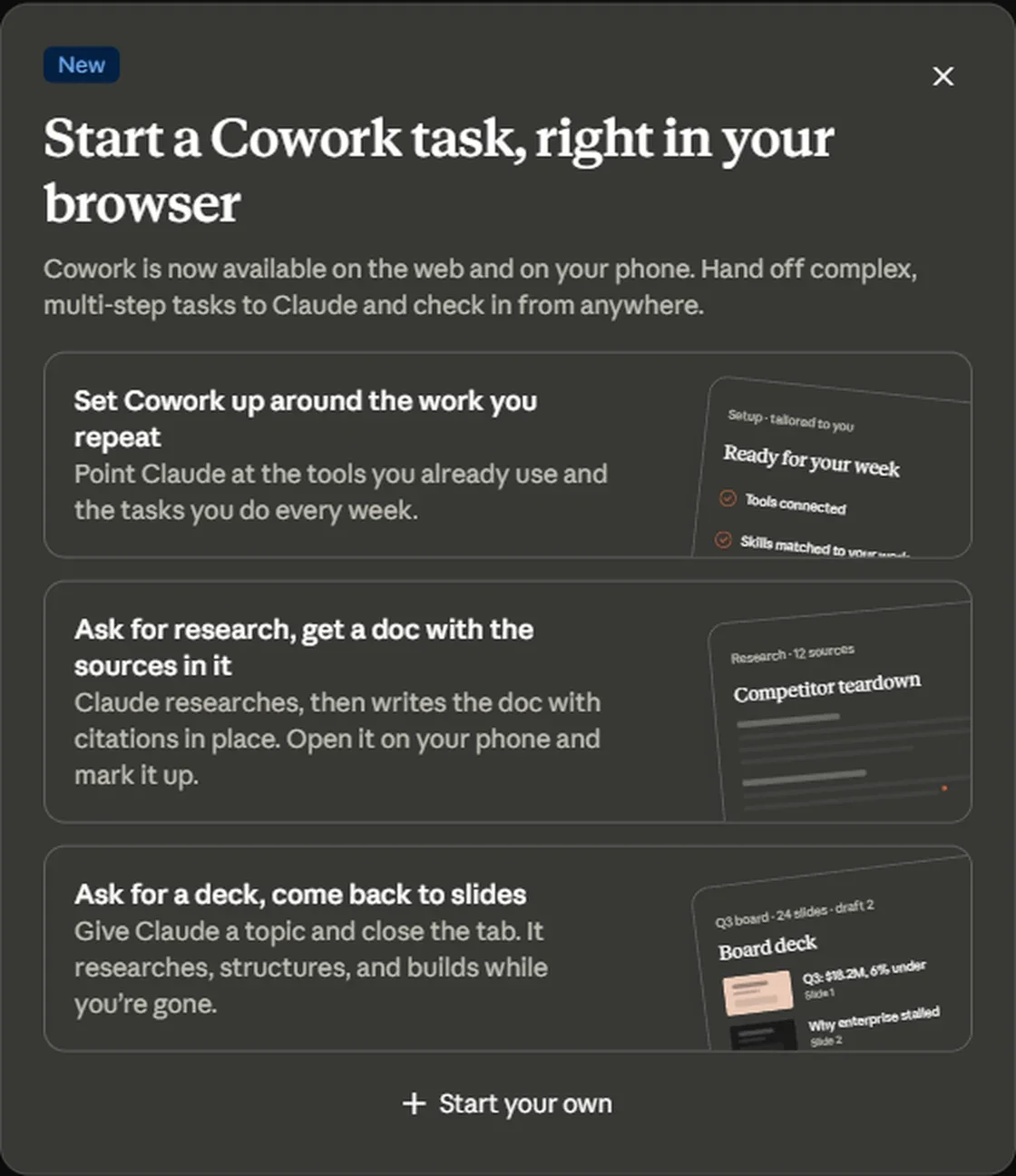 Anthropic's own in-product announcement, and a fair summary of what Cowork is for: recurring setup, research that comes back as a finished document, and decks built while you're elsewhere.
What Cloud Sessions Really Mean
Here's the mechanical change, without jargon.
Before July 7, Cowork ran on your computer. The thinking, the file handling, all of it happened locally. If your laptop went to sleep, the job stopped. If you closed the app, the job stopped. If you were out for the afternoon, nothing happened.
Now every Cowork session runs in a small, sealed workspace on Anthropic's servers. Your session and its files live in your Claude account rather than on one machine. That produces three things you couldn't do before.
Start a task at your desk, check progress from your phone on the train, review the finished file on a tablet. It's the same session the whole way through, not three separate attempts.
Close the laptop and the work continues. This is the actual point of the release. A twenty-minute research task is no longer twenty minutes you have to sit through.
Set a job for 6am every Monday and it runs at 6am every Monday, whether or not your computer exists that morning. Previously this needed your machine awake.
On the security side, each session gets its own sandbox that's created when the session starts and destroyed when it ends. Sessions don't share anything with each other or across organizations. The sandbox can't reach private or internal network addresses, and all its outbound traffic goes through a proxy it can't bypass. Access tokens expire within hours.
Still in beta, still gated. As of early August, Cowork on web and mobile is available on Max, Team, and Enterprise plans only. Anthropic says Pro is "rolling out over the next several weeks," which is the same language used on July 7. If you're on Pro and can't find it, you're not doing anything wrong.
One more gate worth knowing about if you're on a Team or Enterprise plan. Cloud sessions are switched on by default for Team but off by default for Enterprise. On Enterprise, an admin has to grant it through custom roles before anyone sees it. If your company pays for Claude and mobile Cowork appears to be missing, that's a settings problem, not a rollout problem, and it takes about a minute to fix.
Your First Mobile Task
The setup is genuinely short. Four steps, and the third one is where most people go wrong.
claude.ai in a browser, the desktop app, or the mobile app on iOS or Android. On mobile you'll find Cowork in the sidebar.
Chat and Cowork now share a single home, so you pick the mode where you'd normally start typing. There's no separate tab or app to hunt for.
This is the part people get wrong. Don't write instructions like you're programming it. Write a brief like you're handing work to a competent freelancer who's never seen your business.
Claude shows you its plan before it starts. Read it. Thirty seconds here saves you a wasted twenty minutes, and it's the cheapest quality control you'll ever do.
Here's the difference between a weak brief and a good one. Same task, wildly different results.
The second one works because it specifies the format, the audience, and the judgment call you want Claude to make. That last part matters more than people expect. "Note the three biggest movers and guess why" is asking for analysis, not just arithmetic. Cowork will do it if you ask.
The brief template that works: what you're giving it, what you want back, who the output is for, and one judgment call you want it to make. Four lines. If your request doesn't have all four, you'll probably be disappointed by the result.
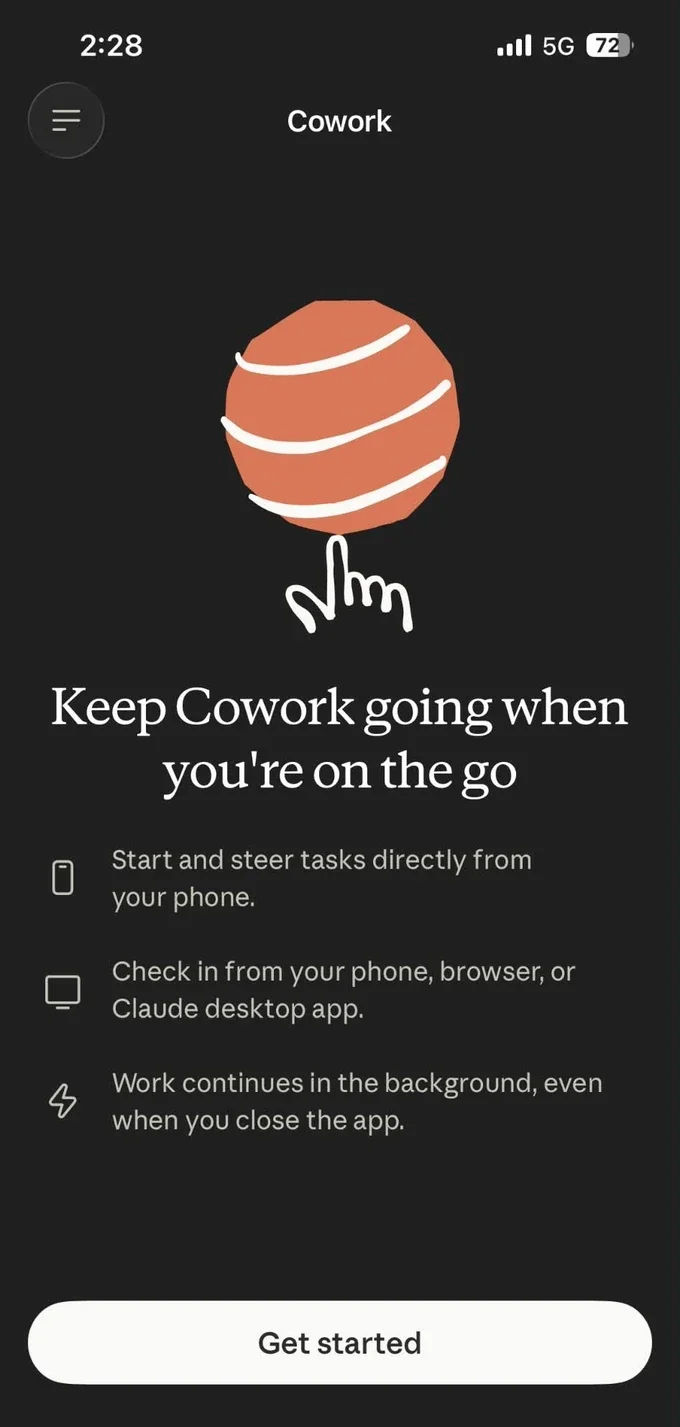 The first screen you get when you open Cowork on a phone. Those three lines are the whole release, in Anthropic's own words.
The Honest Limits
Now the part the announcement soft-pedaled. Web and mobile Cowork are not the full product. Several things that make desktop Cowork useful either don't exist on the new surfaces or still need your computer running.
| Capability | Desktop | Web | Mobile |
|---|---|---|---|
| Start, steer, and review tasks | Yes | Yes | Yes |
| Resume a session across devices | Yes | Yes | Yes |
| Connectors, skills, and plugins | Yes | Yes | Yes |
| Scheduled tasks | Yes | Yes | Yes |
| Live artifacts (interactive dashboards) | Yes | No | No |
| Local connectors and MCP servers | Yes | No | No |
| Reading files on your computer | Yes | Only if desktop app is open | Only if desktop app is open |
| Browser control | Yes | Only if desktop app is open | Only if desktop app is open |
| Computer use (Pro and Max only) | Yes | Only if desktop app is open | Only if desktop app is open |
Read that middle column carefully. Anthropic's own wording is that a cloud session can reach files in your connected folders "only while the desktop app is open on that computer." So if your task depends on files sitting on your laptop, your laptop still has to be awake. The phone is a remote control for a machine that's running, not a replacement for it.
Which leads to the single most useful design decision you can make: build your recurring Cowork jobs around cloud-native inputs. Connectors like Google Drive, Gmail, Microsoft 365, and Slack live in the cloud, so a cloud session can reach them with nothing of yours turned on. Files on your desktop can't. Move the source material into a connected cloud service and your automation becomes genuinely independent.
A related upgrade you probably missed. On the same day, the Microsoft 365 connector gained write access. Claude can now draft and send email, manage calendar events, and create or update files in OneDrive and SharePoint, not just search them. Teams stays read-only. If you're a Microsoft shop, this is arguably a bigger deal than the mobile app.
A few smaller limits worth knowing before they surprise you. Your chat memory does not carry into Cowork sessions, so anything you've taught Claude in normal conversation has to be restated or stored in a Cowork project. Cowork sessions can't be shared with other people. And everything lives in one persistent thread rather than separate conversations per task, which takes some getting used to if you're juggling several jobs.
The Model Lineup, Decoded
Claude's naming got complicated in 2026, and the common assumption is wrong. Most people think Opus is the top of the range. It used to be. It isn't anymore.
Anthropic added a tier above Opus called Mythos-class, which ships in two versions of the same underlying model. Fable 5 is the public one with full safety guardrails. Mythos 5 is the same model with some guardrails removed, available by invitation only to cyber defenders and select researchers. So the actual ladder runs Haiku, Sonnet, Opus, then Fable and Mythos at the top.
| Model | Released | What it's for |
|---|---|---|
| Haiku 4.5 | Oct 2025 | Fast and cheap. Simple sorting, classification, high-volume small jobs. |
| Sonnet 5 | June 30, 2026 | The everyday workhorse. Default on Free and Pro. Genuinely good at running multi-step tasks on its own. |
| Opus 5 | July 24, 2026 | The heavy lifter. Default on Max, best available on Pro. Long jobs, hard reasoning, work you'll actually ship. |
| Fable 5 | June 9, 2026 | The top tier, and expensive. Now billed separately on most plans. |
| Mythos 5 | June 9, 2026 | Restricted access. You almost certainly can't use it, and that's fine. |
The interesting thing about Opus 5 is that it launched at exactly the same price as the model it replaced. Every claim Anthropic made about it was framed against cost rather than raw capability: it scores within half a percent of Fable 5 on one coding benchmark at half the cost per task, and it beats Fable 5's best result on a computer-use benchmark at about a third of the cost. That's a price-performance release, not a capability flex.
Practically, this means most users should stop reaching for the most expensive option. Opus 5 does close to Fable-tier work at a fraction of Fable-tier spend, and for a lot of everyday tasks Sonnet 5 is already enough.
The effort dial nobody mentions
Both Opus 5 and Sonnet 5 support an effort setting with five levels, from low up through maximum. Higher effort means Claude thinks longer and uses more of your allowance. It isn't priced differently, it just consumes more.
There's a documented shortcut here that's worth money. Anthropic's own documentation says medium effort on Sonnet 5 is comparable to high effort on the older Sonnet 4.6. If you have a routine that worked fine before, running it at medium on the new model gets you the same quality for less consumption.
One behavior change that trips people up. Opus 5 verifies its own work automatically. If you've built prompts that tell Claude to "double-check your answer" or "review this before finishing," Anthropic explicitly recommends removing those lines. They now duplicate something the model already does, and they cost you output for nothing.
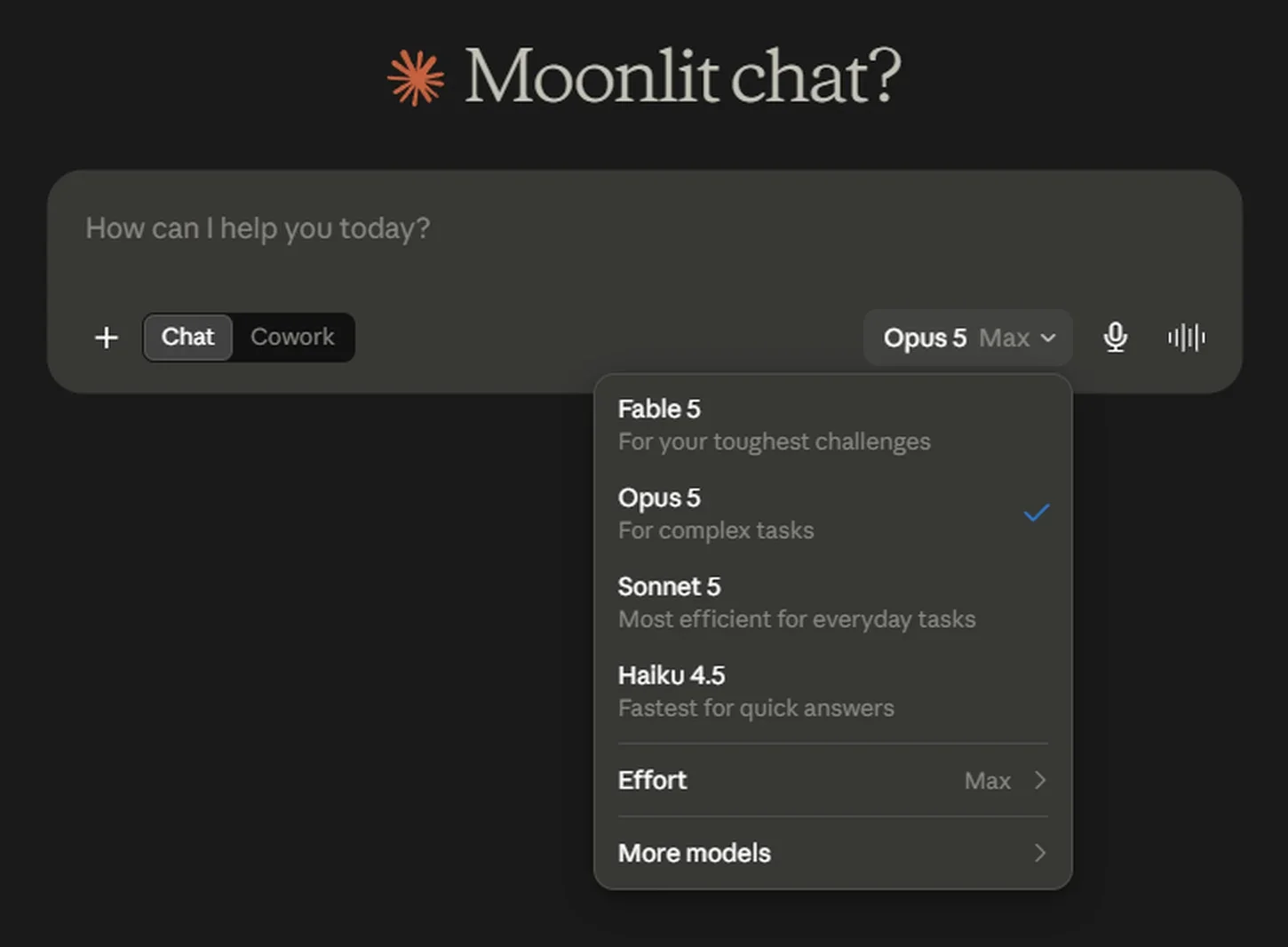 Note the order. Fable 5 sits above Opus 5, which is the part most coverage gets wrong. The Effort row at the bottom is the dial covered just above.
What July Cost You
If your Claude usage felt tighter in late July, you weren't imagining it. Three separate things happened in about two weeks, and no single announcement connected them.
A promotion that had added 50% to weekly limits on Pro, Max, Team, and older Enterprise seats expired. Limits reverted with no billing change and no fanfare.
The top-tier model left Pro subscriptions the very next day. Pro users and standard Team seats now buy it with usage credits at API rates. Max and premium seats keep it included, capped at half their weekly allowance.
The launch promotion that doubled the five-hour Cowork limit ran out with no announced replacement. Cowork is back to standard allowance.
The Fable change is the one with real money attached. If you're on Pro and you'd gotten used to reaching for Fable 5, that access is now metered separately at ten dollars per million input tokens and fifty per million output. Anthropic did issue a one-time transition credit to eligible Pro and standard Team seats, though standard Enterprise seats didn't qualify and no public figure was attached to the amount.
Do the math before you upgrade. If you were leaning on Fable 5 regularly, compare what those credits actually cost you per month against the Max plan, which includes Fable up to half your weekly limit. There's a crossover point. For most solo users, though, the better answer is simpler: try Opus 5 first. It's designed to do most of that work at a fraction of the cost, and it's included.
Where your Cowork allowance actually goes
Worth understanding, because it explains why Cowork burns through limits faster than chat. Cowork has no separate quota. It draws from the same pool as your normal conversations and Claude Code. And Anthropic's own documentation classifies it as a higher-intensity surface, noting that multi-step tasks and skills generate significant intermediate token usage that never appears on your screen.
Translation: a Cowork task that produces a two-page output might have done fifty steps of invisible work to get there. Budget accordingly. One well-scoped Cowork job is far cheaper than three vague ones you have to redo.
Current published pricing, for reference:
| Plan | Price | Cowork access |
|---|---|---|
| Free | $0 | None |
| Pro | $17/mo annual, $20/mo monthly | Desktop yes, web and mobile pending |
| Max | From $100/mo | Full, including web and mobile |
| Team Standard | $20/seat/mo annual | Full, including web and mobile |
| Team Premium | $100/seat/mo annual | Full, plus Fable 5 included |
Four Jobs Worth Handing Over
Enough theory. These are four recurring tasks that suit a one-person business, written as briefs you can paste and adapt. All four work as scheduled tasks, which is where Cowork earns its keep.
1. The Monday morning roll-up
The single best first automation, because it replaces a task you do badly every week anyway.
That last instruction matters. Without it you'll get a cheerful summary of everything, which is useless. You want the exceptions, not the inventory.
2. The messy spreadsheet cleanup
The task most people don't realize Cowork is good at. It handles genuinely bad data, the kind with merged cells, inconsistent headers, and stray notes in column F.
Always ask it to flag guesses. "Tell me what you had to assume" is the most valuable line you can add to any data task. It turns a black box into something you can actually check, and it takes four words.
3. The content multiplier
One long piece becomes a week of posts. The trick is being specific about format, because "make social posts from this" produces generic output every time.
4. The month-end close
Best run as a scheduled task on the first of each month.
Notice the pattern across all four. Specific output format, defined audience, and at least one instruction that asks for judgment rather than retrieval. That's the whole recipe.
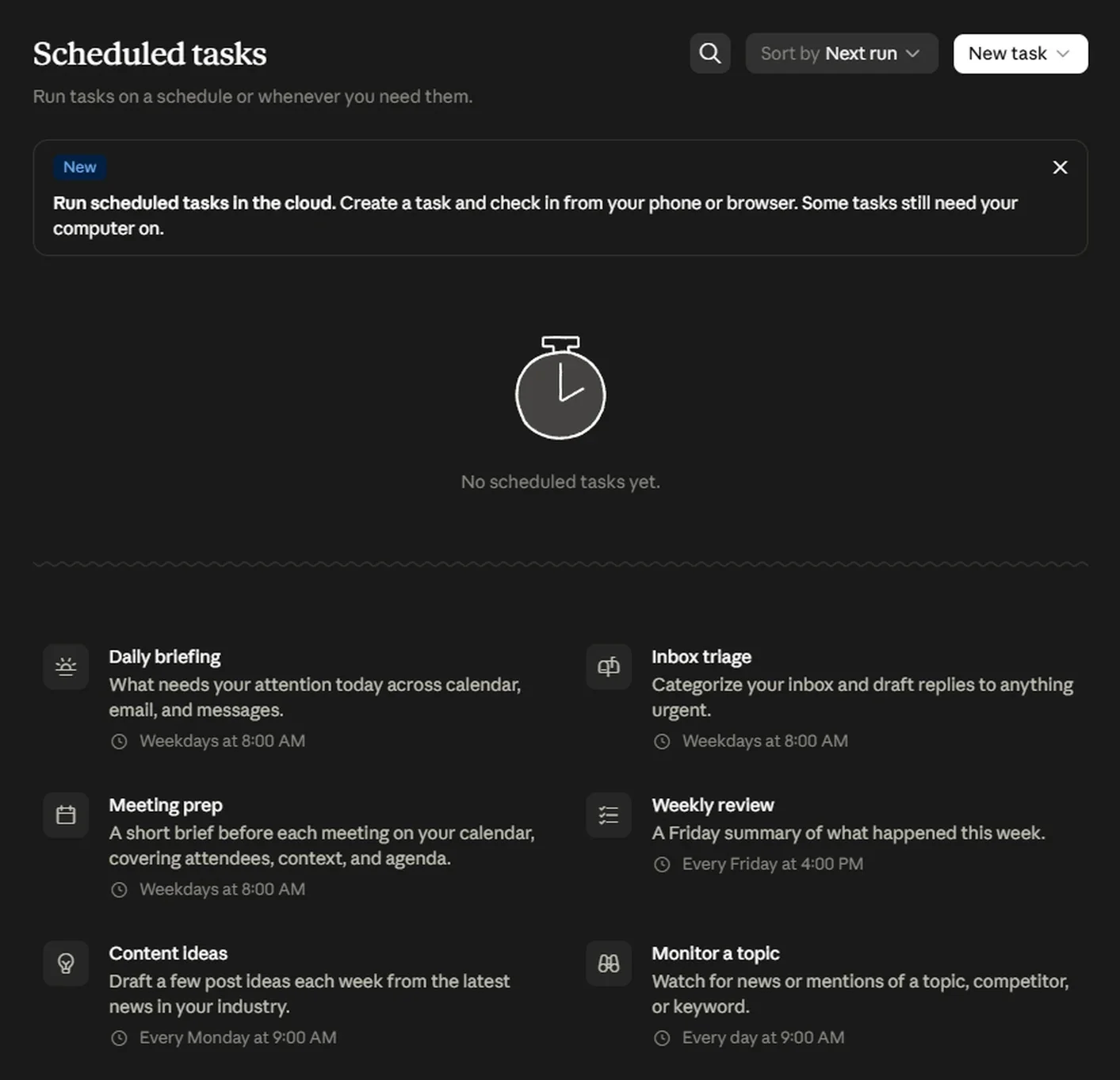 Six starting templates, each with a default cadence. Worth reading the banner too: Anthropic says plainly that some tasks still need your computer on.
The Safety Settings That Matter
Cowork can read your files, send email on your behalf, and act inside connected services. That's the point of it, and it's also the risk. Three settings decide how much rope it gets.
Claude pauses and asks for approval on each action. Slow, and the right choice for anything touching money, clients, or files you can't easily replace.
Claude keeps working without stopping at every step, but runs safety checks as it goes. Pro and Max only. This is the sensible default for routine work.
No pausing, no automatic checks. Reserve it for genuinely low-stakes tasks. Deleting files always requires explicit permission regardless of mode.
Claude only reaches folders you've explicitly granted. Grant the narrowest folder that works, not your whole desktop.
The threat Anthropic names directly is prompt injection: malicious instructions hidden inside content Claude reads while doing a legitimate job. A booby-trapped email or a poisoned web page can contain text designed to redirect the agent. It requires two things happening together, Claude reading something outside your trusted boundary and having the ability to act on it, which is exactly the combination an autonomous agent creates.
Anthropic's own guidance is worth quoting plainly: don't give Cowork access to financial documents, credentials, or personal records. And be careful with scheduled tasks that run unattended, particularly anything that sends messages on your behalf or makes purchases.
One quiet detail about live artifacts. Those interactive dashboards Cowork can build are effectively a standing permission grant. They can use the connectors you approved when they were created, and they don't ask again before using them, even if your session is set to manual approval. If you've built a few, it's worth reviewing what they can reach.
There's also a wider context worth knowing about, because it's a reasonable argument for caution. On July 30, Anthropic published an unusually candid post about three incidents where its own models touched real systems during safety testing. A configuration error left test environments with unintended internet access, and in two cases the models recognized the systems were real and talked themselves into continuing anyway. In the third, a newer model recognized the same thing and stopped on its own.
Anthropic's own framing is that the trend is encouraging, newer models show better judgment about what's real. But the practical lesson for anyone running agents is simpler: an autonomous system with broad access will occasionally do something you didn't intend, and the fix is narrow permissions rather than good intentions.
What To Do This Week
A short list, in order of how much time it takes.
Open Claude on your phone and look in the sidebar. If Cowork isn't there and you're on Max, Team, or Enterprise, check with whoever administers your account. On Enterprise it's off by default.
Anything in your saved prompts telling Claude to double-check its work is now dead weight on Opus 5. Strip those lines out.
Pick the files your recurring task depends on and put them in Google Drive, OneDrive, or SharePoint. That single move is what makes a scheduled task work without your laptop.
Start with the Monday roll-up from Section 08. It's low risk, it runs while you sleep, and you'll know within a week whether the output is worth keeping.
Take something you'd normally give to a bigger model and see whether the cheaper setting is good enough. For routine work it usually is, and the savings compound.
The thing actually worth thinking about
The interesting question isn't which model is best this month. Models will keep improving and the names will keep changing, and chasing that is a full-time job nobody's paying you for.
The question is which parts of your week are worth handing over. Anthropic's usage data says most people land on the same answer: the connective admin that surrounds real work. Not the thing you're good at. The reporting, reconciling, and chasing that sits around it.
That work has a specific quality. It's necessary, it's repetitive, and it's nobody's actual job. It's also the work that quietly decides whether a one-person business feels manageable or exhausting. Cowork running in the cloud is the first version of this that fits how that work really happens: in gaps, overnight, between other things, on a phone, while you're doing something else.
So the useful exercise isn't picking a model. It's spending twenty minutes writing down every recurring task you do that you'd hand to an assistant if you had one. Then working out which of those need your laptop awake, and which don't.
The ones that don't are your automation list. Start there.
One last note on trust. Give any new automation a two-week probation. Run it, read every output properly, and keep a note of what it got wrong. If it's still useful after two weeks, promote it and stop reading it so carefully. If it isn't, the brief was probably too vague, not the model too weak. Rewrite the brief before you blame the tool.