
3 Must-Have AI Tools this Mid-2026
Two AI subscriptions and still an empty feed? The problem isn't your tools. Here are the three that actually get work published, for about $50 a month, in the order you should buy them.
Most users with two AI subscriptions still have an empty feed. This tutorial explains exactly why that happens, which three tools fix it, and the order to buy them in. Every price here was checked against the vendor's own pages in August 2026.
Why your AI tools produce nothing
Here is a thing that happens constantly. Someone buys a good AI writing tool. Then they buy a good AI video tool. They spend a Saturday playing with both, and they genuinely make interesting stuff. Two weeks later their feed has three posts on it and they are wondering whether AI is overhyped.
The tools were not the problem. Look at what they actually had at the end of that Saturday.
In one window: a script, a set of captions, a content calendar, maybe a spreadsheet. In the other window: a folder of eight to fifteen second video clips and some images, with no titles, no logo, no captions burned in, no end card, no thumbnail, and the wrong aspect ratio for at least two of the three platforms they wanted to post on.
They produced ingredients. Nothing in their setup produces a meal.
That gap is not philosophical. It is the single most common reason people quit AI tools, and it explains a number that should make anyone selling a "top 10 AI tools" list uncomfortable.
The number nobody quotes: The JPMorgan Chase Institute analyzed real payment transactions from 4.6 million small businesses and published the results in April 2026. Among small businesses that pay for any AI at all, 72.5% pay for exactly one service. Only 9.4% pay for three or more. The median spend was about $28 a month.
That is bank transaction data, not a survey. And it means a three-tool recommendation is asking you to do something roughly ninety percent of the market does not do. So it has to be earned.
There is a second number worth knowing. RevenueCat's 2026 subscription report, covering more than 115,000 apps, found AI apps churn about 36% faster over twelve months than non-AI apps. They convert trials better and then get cancelled. Fifty-five percent of all trial cancellations happen on day zero.
Easy to buy. Easy to abandon. That pattern shapes everything below, and it is why this tutorial spends as much time on what not to buy as on what to buy.
Three stations, in order
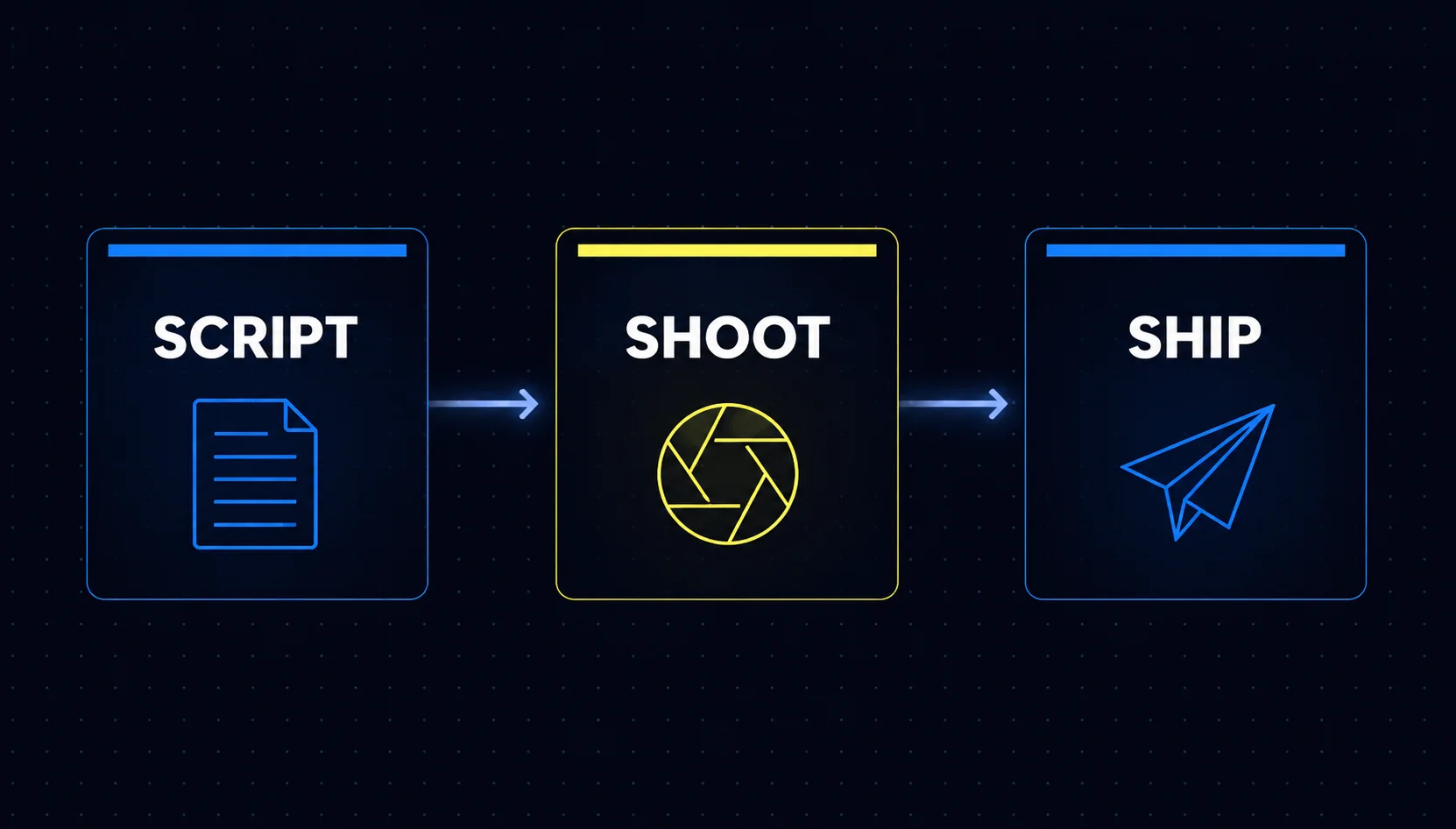
Stop thinking of AI tools as a shopping list. Think of them as an assembly line with three stations. Every piece of content you publish passes through all three, in the same order, every time.
Decides what to make, writes it, plans the week, and directs the other two stations. This is the brain and the line producer in one window.
Makes every pixel and every second of motion. Video, images, voice, and avatars, without a camera.
Assembles, brands, captions, resizes, exports, and schedules. This is the station most people never build, and it is why their work never leaves the folder.
Total cost is about $50 a month paying monthly, or roughly $42 on annual billing. But the buying order matters more than the total, and it runs opposite to instinct.
Buy in this order: Canva, then Claude, then Higgsfield. Most users buy the flashiest generator first and never publish anything. Canva is cheapest, most likely to be something you already own, and attaches to work you would be doing anyway. Higgsfield goes last, because it is the only one you can cancel without your business noticing.
Station one: Claude
Claude in 2026 is not a chatbot with a text box on the front. It is closer to an assistant that can open your files, write to them, reach into your connected apps, and keep working while you close the laptop.
For this stack, three things matter more than the chat quality.
A one million token context window means it can hold a full year of your past content, or an entire client file, in one conversation without forgetting the start.
Several hundred connectors let it reach into Gmail, Calendar, Notion, and importantly for this stack, Canva. It can create folders and upload files for you.
Point it at a folder of files and it reads, sorts, and rewrites them. Available on paid plans, on desktop for macOS and Windows, plus web and mobile.
This is the honest gap, and it is the entire reason stations two and three exist. Claude writes and directs. It does not draw.
What it costs
| Plan | Monthly | Annual | Who it fits |
|---|---|---|---|
| Free | $0 | $0 | Anyone testing the water |
| Pro | $20 | $17/mo | The right tier for this stack |
| Max 5x | $100 | — | Daily publishing, heavy Cowork use |
| Max 20x | $200 | — | Agency volume only |
The cost trap to avoid
Claude has several models. The default one on Pro is Sonnet 5, and it is the one you want. Above it sits a flagship model called Fable 5, and this is where people get hurt.
Fable 5 is included on the Max plans. It is not included on Pro. A Pro user who switches to it pays through usage credits billed at raw API rates, which is $10 per million input tokens and $50 per million output tokens, charged on top of the $20 subscription. There is no warning that feels like a warning.
On a Pro plan, stay on Sonnet 5. Set a monthly usage cap and alert in settings on day one, before you have a reason to. This is a two minute job that removes the only way this stack can surprise you with a bill.
One more thing worth knowing. Two temporary usage boosts ran through mid-2026 and have now expired, so anyone who signed up during the promotional period will find their limits tighter than they remember. That is not you doing something wrong.
Your first sixty minutes with Claude
| Minutes | Do this |
|---|---|
| 0 to 8 | Settings, then Connectors, then connect Canva and authorize it. |
| 8 to 15 | Set a monthly usage cap and alert. Confirm you are on Sonnet 5. |
| 15 to 30 | Create a Project called Content HQ. Upload ten of your best past posts, your offer and pricing, and a description of your ideal customer. |
| 30 to 40 | Ask for a brand voice guide, then paste the result into the Project's custom instructions. |
| 40 to 50 | Test the connection: "List my Canva brand kits." Then: "Create a folder in Canva called 2026-08 Content." |
| 50 to 60 | Run one real request end to end. |
Read everything in this project and write me a brand voice guide. Include: tone rules, words I use often, words I never use, my typical sentence rhythm, and three before-and-after rewrite examples showing a generic sentence turned into my voice.
Then write the whole thing again as a compact instruction block I can paste at the top of future requests.
The mistake to avoid: treating Claude like a search box. Everything good comes from what you load into the Project, not from how clever a single prompt is. A mediocre prompt against a well-fed Project beats a brilliant prompt against an empty one, every time.
Station two: Higgsfield
Higgsfield is worth being precise about, because the marketing and the reality point in slightly different directions, and both are fine once you understand them.
Higgsfield does not build its own generative models. It is an orchestration layer sitting on top of other companies' models, which its own marketing states openly. From one subscription and one credit balance you get access to Veo, Kling, Seedance, Wan, Nano Banana, Seedream, FLUX, and others, plus ElevenLabs voices.
People throw the word "wrapper" at this like it settles the argument. It does not. What Higgsfield adds on top is the part that actually helps a beginner.
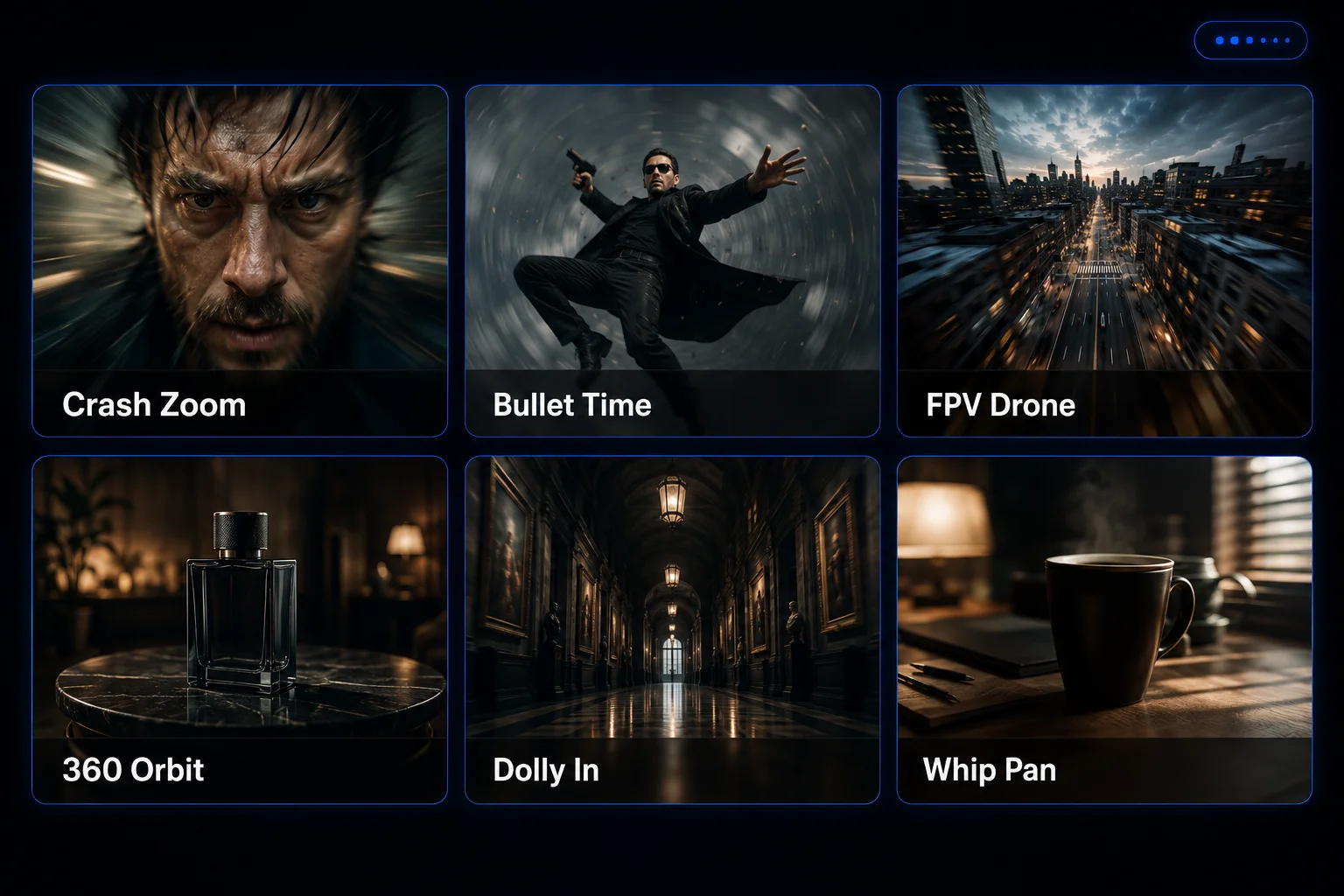
Crash Zoom, Bullet Time, FPV Drone, 360 Orbit, Snorricam, Dolly In. Named moves you pick from a menu instead of describing in cinematography terms you do not know.
A high-aesthetic photo model, plus character lock so the same face appears across every generation instead of drifting.
Paste a product URL and get an avatar-style ad in about two minutes. This is the fastest moment of understanding in the whole tool.
Runs ElevenLabs v3 and others, with voice cloning from a short sample and dubbing across 70+ languages. It already covers the voice slot.
That last card is worth pausing on. A lot of "AI stack" articles put ElevenLabs in the third slot. If you are already paying for Higgsfield, you would be buying the same engine twice.
What Higgsfield really sells is the removal of decisions. Most video generators hand you a text box and one model. Higgsfield hands you a preset-driven assembly line across many models. For someone staring at a blank prompt field with no vocabulary for what they want, that is worth more than a marginal quality difference.
What it costs
| Plan | Monthly | Annual | Credits |
|---|---|---|---|
| Free | $0 | $0 | Trial only, watermarked, no commercial rights |
| Starter | $15 | — | About 200/mo |
| Plus | $49 | $39/mo | About 1,000/mo |
| Ultra | $129 | $99/mo | About 3,000/mo |
The free tier is a demo, not a plan. Outputs carry watermarks and no commercial use rights, so you cannot put them in an ad.
Two warnings before you buy
These are the most valuable paragraphs in this tutorial, so read them twice.
Pay monthly. Do not accept the annual default at checkout. Multiple independent reports describe a checkout that defaults back to annual billing on page load, producing surprise charges between $350 and $1,188, combined with a refund policy that explicitly excludes annual subscriptions. Check the billing toggle immediately before you enter card details, then check it again after the page reloads.
The second warning is about what aggregators cannot control.
OpenAI is sunsetting the Sora API in late September 2026. Higgsfield has been advertising Sora access. Anyone who bought an annual plan partly for that model loses it inside the first quarter of their subscription, with no recourse, because Higgsfield never owned the model in the first place.
That is not a reason to avoid Higgsfield. It is a reason to rent it month by month. You are renting a menu that somebody else can edit.
How to not burn your credits in an afternoon
Three habits, and the first one matters more than the other two combined.
- Approve cheap stills before you pay for expensive video. Generate three still variations, look at them, pick one, and only then send that single winner to image-to-video. Generating video straight from unapproved concepts is how people lose a month of credits in one sitting.
- Generate once, then resize in Canva. Never regenerate a video just to change its aspect ratio. This habit alone roughly halves your credit burn.
- Cheap model for drafts, expensive model for heroes. Use standard models for the eighty percent of shots nobody looks at twice. Save the frontier models for the one shot in a campaign that has to land. Shorts get watched on a phone at arm's length, and at that size the difference is close to invisible.
Who this station is genuinely for: anyone who needs visual content and does not want to be on camera. Faceless channels, product motion, atmospheric b-roll, social content at volume, and UGC-style ads. If you already record yourself regularly, skip ahead to Section 08, because you have a camera and Higgsfield is a solution to not having one.
Station three, and why it is contested
The third slot is where every "top 3 AI tools" article quietly cheats. Most of them name whatever is trending. This one was tested properly, and the answer was not obvious.
Three separate analyses were run on the same research, each judging by a different standard. They picked three different tools.
| Judged by | Picked | Protecting against |
|---|---|---|
| Fastest return | OpusClip | "I bought a tool and it never made me money" |
| Biggest capability gap | Zapier | "My stack physically cannot do X" |
| Will you still use it | Canva Pro | "I used it twice and I'm still being billed" |
Each is right about something, so it is worth stating both losing arguments fairly.
The Zapier case is the sharpest diagnosis. Claude's scheduled tasks run hourly, daily, or weekly. That is a clock, not a listener. There is no "when a payment lands" or "when a form is filled." Claude has hands with no ears, and that is a real hole.
The OpusClip case has the best money math. Buy it for $29, sell clipping retainers at several hundred a month. That is the shortest path from purchase to revenue in the whole category. It also survives the obvious objection: Higgsfield's Shorts Studio sounds like it covers this, but it accepts short clips and only restyles them. It will not ingest a sixty minute podcast and find the good moments.
Why Canva won anyway
The deciding argument is one none of the three made outright, and once you see it, it is hard to unsee.
Station two tells you who you are.
Higgsfield is a synthetic media generator. Nobody with a weekly podcast, a webinar habit, and a camera buys Higgsfield as their second tool. That person buys an editor.
So anyone holding this specific stack has already revealed that they generate content rather than film it. Which means OpusClip's whole premise, that you own hours of footage of your own face, is least likely to be true of exactly the person reading this. OpusClip is not a bad tool. It is the right third tool for a different stack.
That leaves Zapier against Canva. Zapier fills a gap: things this stack cannot sense. Canva removes a blocker: this stack cannot finish anything. A blocker beats a gap, because until you clear it, nothing ships at all.
Go back to Section 01. Ingredients, no meal. Canva is the meal.
What it costs, and a warning about the price you will read elsewhere
Canva Pro is $15 a month on the web, or about $120 a year, which works out to roughly $10 a month.
You will find plenty of 2026 articles quoting $18 a month. Those are wrong, and the reason is worth knowing because it teaches you something reusable. The $18 figure is the Apple App Store in-app price, which carries roughly a twenty percent platform markup. The tell is the tier above it: the App Store shows Canva Business at $25, while Canva's own newsroom states Business is $20 per person per month. Same markup ratio, same source of error. Several blogs scraped iOS and published it.
Reusable habit: when checking any subscription price, check it on the web, not in a mobile app. In-app purchase pricing frequently runs fifteen to thirty percent above web pricing because of platform fees. This applies well beyond Canva.
The one rule that makes Canva work here
Canva assembles. Canva never generates. Do not use its image, writing, or video generation features. Every one of them is beaten by something you are already paying for in this stack, and they burn premium credits you would rather spend elsewhere. A beginner who generates in Canva gets visibly worse output and then blames the stack rather than the misuse.
Your first sixty minutes with Canva
| Minutes | Do this |
|---|---|
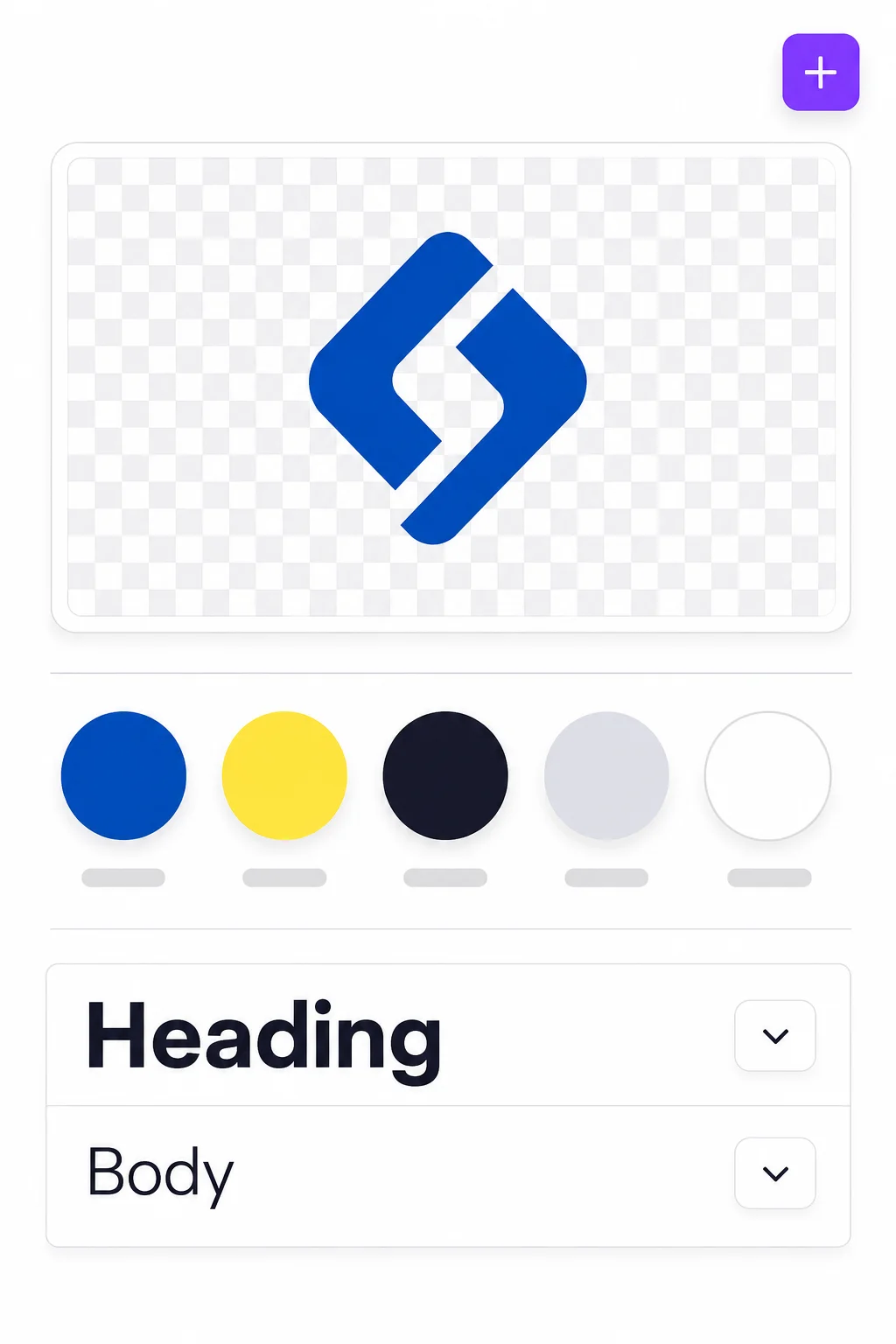
| 0 to 15 | Brand Hub, then Brand Kit. Upload your logo as a transparent PNG, add three to five hex colors, set a heading font and a body font. |
| 15 to 35 | Build exactly three Brand Templates: a 1080x1920 video frame with a caption safe zone and end card, a 1080x1350 carousel slide, and a 1280x720 thumbnail. |
| 35 to 42 | Create your folder structure. One folder per month, or one per client. Name it the way you will search for it later. |
| 42 to 52 | Do a real handoff. Take a Higgsfield clip, get its share link, and have Claude upload and place it in your 9:16 template. Add auto-captions and fix them. |
| 52 to 60 | Open Content Planner, connect your two most important accounts, schedule the test clip for tomorrow. |
Those first fifteen minutes on the Brand Kit are the most valuable quarter hour in this entire tutorial. Everything downstream inherits from it. Skip it and every asset you make will need manual branding forever.
The honest weaknesses
- Template sameness is real. With hundreds of millions of users pulling from the same library, default Canva output is instantly recognizable. The Brand Kit fixes this, but only if you actually populate it.
- It does not measure anything. Content Planner is a competent scheduler, not an analytics layer. Canva completes the production pipeline, not the measurement one.
- Pure video editing is its weakest surface. CapCut is free and better at video assembly alone. Canva wins on the whole asset surface: carousels, thumbnails, PDFs, decks, print, and resizing.
- Pro is single user. Co-editing and shared folders need Business at $20 per person.
Wiring the three together
The handoffs are simpler than people expect. No technical setup, no API keys, no automation platform.
Handoff one: Claude to Higgsfield
Copy and paste. Claude writes the generation prompt in Higgsfield's own grammar, you paste it in. Ask Claude to build prompts using this structure and the quality jumps immediately.
Build every image prompt in this exact order: shot type + subject + action + environment + lighting + lens or film stock.
Then pick a camera preset from Higgsfield's library based on what the beat needs emotionally, not on what looks coolest. Give me the preset name next to each prompt.
Handoff two: Higgsfield to Canva
A link, not a download folder. Copy the share link from a finished render, then tell Claude to upload it to Canva with a specific name. The file lands in your Canva uploads without you touching a Downloads folder.
One honest caveat: this only works with links that are already public. If a render link is private or expiring, download the file and drag it into Canva. Twenty seconds, and not worth engineering around.
Handoff three: Canva to the world
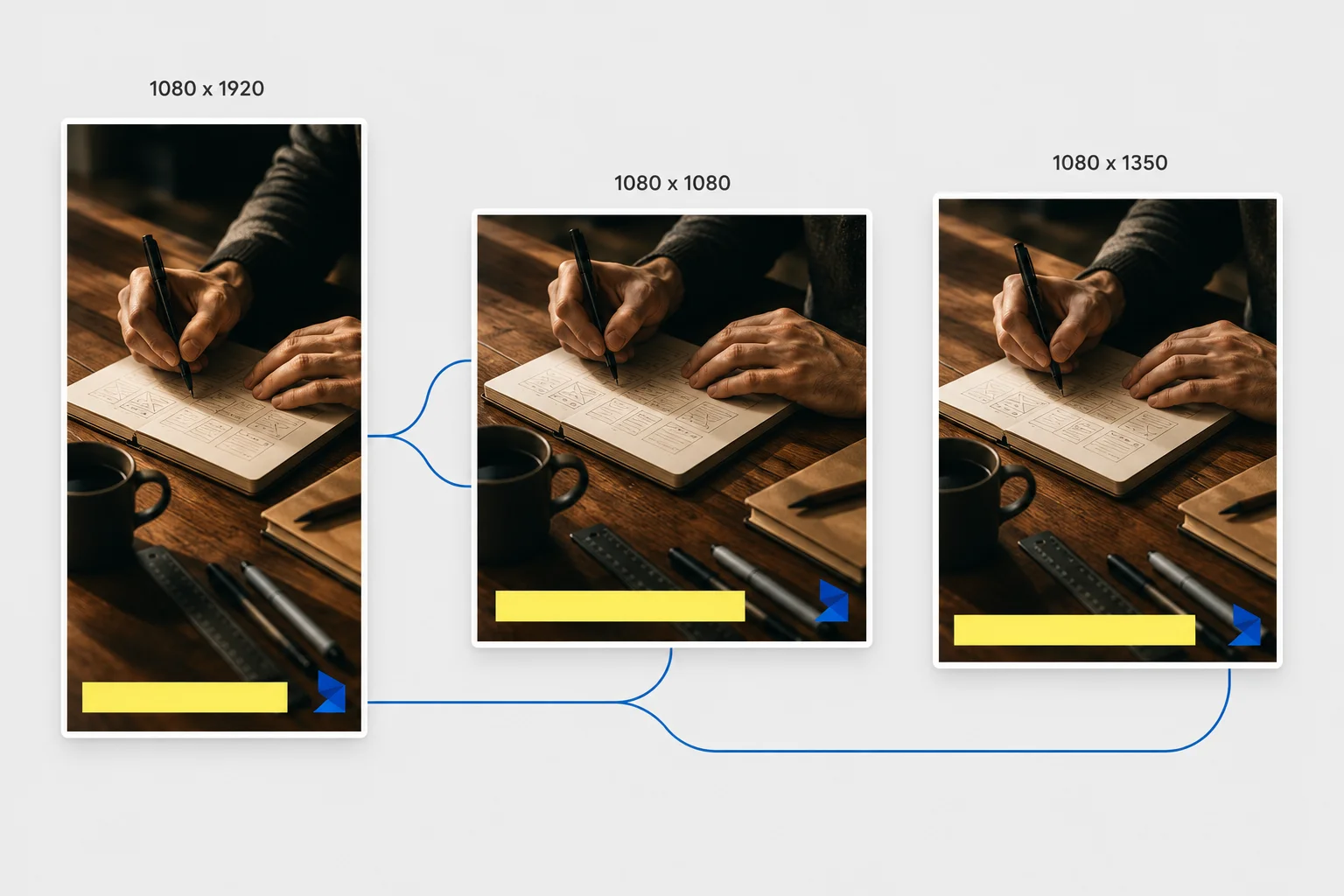
Claude can drive the resize and export. Give it pixel numbers rather than platform names, because names are ambiguous and numbers are not.
| Size | Use for |
|---|---|
| 1080 x 1920 | Reels, Shorts, TikTok, Stories |
| 1080 x 1350 | Instagram feed and carousels |
| 1080 x 1080 | Square ads |
| 1280 x 720 | YouTube thumbnails |
| 1200 x 628 | Meta link ads |
Name everything on the way in. Use a format like 2026-08_launch_hook03_9x16_v2. Unnamed assets are the single biggest reason users abandon this stack in week three. By the time you have sixty files called "Untitled Design," the system has already failed.
Your first Monday: one idea, fifteen pieces
Here is the whole assembly line in one sitting. The first run takes two and a half to three hours. Once your templates exist, it drops to about ninety minutes.
Step 1. Claude builds the spine.
I'm a [what you do] selling [offer] to [audience]. My big idea this week is: [one sentence].
Break this into 5 short-form video angles that each stand alone but stack into one argument. For each give me: the contrarian or specific hook in under 9 words, the single point it makes, and why someone would stop scrolling for it. No overlap between the five. Numbered list, nothing else.
Step 2. Claude writes the scripts and the shot list in one table. Ask for these columns: hook, voiceover script at 28 to 35 spoken seconds, on-screen text at a maximum of six words per beat, Higgsfield image prompt, camera preset, caption, and five hashtags.
Step 3. Higgsfield generates stills first. Three variations per scene, standard resolution. Pick one. Only then send the winner to image-to-video with the named preset.
Step 4. Higgsfield Audio does the voice. One session, one voice, all five scripts. Consistency of voice is what makes a channel feel like a brand rather than a content farm.
Step 5. Claude pulls the assets into Canva.
Upload these 5 Higgsfield renders to Canva from their URLs. Name them 2026-08_W1_hook01_raw through hook05_raw. Then create a folder called 2026-08 Week 1 and move all five into it.
Step 6. Canva assembles the finished piece. Open your 9:16 template, drop in the clip and the audio track, run auto-captions, then fix them by hand. Auto-captions get brand names and jargon wrong roughly one time in five, and wrong captions read as low effort to anyone watching.
Step 7. Multiply the formats. Resize the finished design to 1080x1080 and 1080x1350, then export all three. One asset, three crops, no regeneration.
Step 8. Schedule everything in Content Planner. Fifteen pieces across the week, done.
Where this breaks: people generate all five videos before checking a single still. Approve stills first, every time. This is the difference between a $15 month and a $60 month.
What to spend, and where to actually start
Given the churn data from Section 01, the honest advice is not "buy all three today."
| Tier | What you get | Monthly |
|---|---|---|
| Audition | All three on free tiers. Enough to publish two to four pieces a week if you are disciplined. | $0 |
| One seat | Claude Pro only, other two free. Where most users should start. | $20 |
| Lean | Claude Pro, Higgsfield Starter, Canva Pro. The recommended default. | $50 |
| Full | Claude Max 5x, Higgsfield Plus, Canva Pro. Daily publishing without rationing. | ~$150 |
The free tier is a fourteen day audition, and it has a specific job. If you do not ship four things in two weeks at zero dollars, you will not ship at fifty either. The free tiers break in predictable places: Claude interrupts you mid-task, Higgsfield watermarks everything, and Canva Free locks the Brand Kit, resize, and Content Planner, which are awkwardly the three features that make it worth having here.
At the lean tier, the payback math is worth stating plainly. Fifty dollars a month is about $600 a year. That is one $600 client, six sales of a $99 product, or one month of a part-time assistant you no longer need. If the stack has not cleared that in twelve months, the honest conclusion is that content is not your growth channel, and no fourth tool fixes that.
Two budget rules. First, pay monthly for sixty days, then switch to annual on whatever survived. Annual saves twenty to thirty percent, but a twelve month lock on day one is exactly the trap you are trying to avoid. Second, Higgsfield is the only line item worth cancelling and re-buying: it behaves more like film stock than a subscription, so batch two or three months of assets in one focused stretch, then pause.
Who should not buy this stack
A tutorial that only tells you what to buy is a sales page. Here are five users who will waste money on this, and what to do instead.
Podcasts, webinars, courses, talking head video. Higgsfield fakes what you already have. Get a clipping tool instead and turn one webinar into twelve Shorts.
Content is an amplifier, and amplifying zero returns zero. Buy Claude alone, at $20, until three people have paid you money.
Advisors, attorneys, health practitioners, high-ticket coaches. Your buyer is purchasing you specifically. Use Claude and Canva, and spend the Higgsfield money on one photographer day.
What costs you money is missed calls, no review flow, and a stale business profile. Canva first for menus, flyers, and signage. Consider Higgsfield in month four, if ever.
And the fifth, which is the most useful one in this article for anyone afraid of wasted subscriptions:
If you have abandoned two AI tools in the last six months, do not buy a third. If there is already a graveyard, another headstone does not help. The problem is not tool selection. It is that no tool is attached to a fixed weekly slot in your calendar. Buy one tool, block ninety minutes every week at the same hour, and ship one thing. Clear thirty days of that and you have earned the right to buy tool two, and you will pick it correctly because you will finally know what your bottleneck is.
Start with the sentence that is true about your last thirty days
| If this sounds like you | Start with | Cost |
|---|---|---|
| "I don't know what to say, or what I even sell." | Claude, alone | $20 |
| "I know what to say. I hate being on camera." | Claude + Higgsfield | ~$35 |
| "Nothing I make looks finished, so I don't post it." | Claude + Canva Pro | ~$35 |
| "I post constantly and nobody buys." | Claude, alone. This is a positioning problem in a content costume. | $20 |
| "I sell to people within 20 miles of me." | Canva Pro first, Claude second | ~$35 |
| "I own all three and nothing's working." | No purchase. You are missing a weekly production block. | $0 |
Thirty days, then an honest audit
The goal of month one is not mastery. It is one shipped thing per week, and a defensible keep-or-cancel decision on day thirty.
Week one is setup and one small win. Run the three sixty-minute quick-starts on day one and nothing else. Populate the Brand Kit and build your three templates on day two. Build the Claude Project on day three. Then run the Monday Machine at one third scale, three videos rather than five, and expect it to feel clumsy. Publish those three. Take days six and seven off, genuinely, because week two needs you not sick of this.
Week two makes it repeatable. Run the full workflow and time yourself against week one. Then spend one day building credit discipline: generate the same shot on a standard model and a premium one, look at both on your phone, and write down the rule for when the expensive one is worth it. Build your thumbnail template once and reuse it forever.
Week three points it at money. Pick exactly one revenue workflow and run it end to end. One. Not three. Whether that is a launch, a set of local business ads, a client retainer, or a proposal, execute it fully before starting anything else. This is the week that decides whether you keep the stack.
Week four systemizes. Turn your three most-repeated prompts into saved Project instructions. Anything you have typed twice should never be typed a third time. Consolidate into one folder structure and one naming convention. Delete the junk.
Day 30, answer these in writing. How many finished pieces did I actually publish? Under twelve means the schedule is the problem, not the tools. Did any of it produce revenue or a booked call? If no, run a revenue workflow in month two before adding anything. Which tool did I open fewest times? That is your cancel candidate, and you should be ruthless about it. Canva downgrades to Free, Higgsfield downgrades a tier, and Claude is the last thing you cut because it drives the other two.
What would make this wrong by next year
Any article recommending specific AI tools has about a twelve month shelf life, and pretending otherwise is dishonest. Here is what to watch, so you can update this yourself instead of waiting for someone to tell you.
If Claude ships publishable image generation plus a branded export surface, station three collapses and this becomes a two-tool stack. This is the single most likely event that invalidates the list.
If a top-tier video generator becomes a standard feature of a $20 subscription you already pay for, the case for a separate station two weakens fast.
Every major platform now labels synthetic media. If any of them start measurably reducing reach on labeled content, station two loses value overnight no matter how good it gets. Watch this monthly.
The Brand Kit, resize, and Content Planner are doing enormous work in this recommendation at $10 a month. If they migrate to a higher tier, the math changes.
There is a structural version of this too. The likeliest way this article ages badly is not that one pick gets replaced. It is that the number three turns out to be wrong. Generation is being absorbed into the writing tools at one end and the design tools at the other, which squeezes the middle. A two-tool stack in 2027 is genuinely plausible.
Which is another argument for paying monthly.
The part worth remembering
If you take one idea from this, make it this one: the tool you will still be paying for in a year is the least impressive one in your stack, and that is exactly how you should pick tools.
Nobody screenshots a Canva resize. But retention runs inversely to spectacle, because impressive tools attach to novel tasks and boring tools attach to recurring ones. Canva survives because you have to make a thumbnail again next Thursday whether or not you still care about AI.
So when you are evaluating any AI purchase, including the next shiny one you see this month, do not ask what the most impressive thing it does is. Ask what boring weekly chore it attaches to. If the answer is none, you are buying a demo, and demos get cancelled on day zero along with everyone else's.
Here is your actual next step, and it costs nothing. Open Canva, go to Brand Hub, and spend fifteen minutes filling in your Brand Kit. Logo, three to five colors, two fonts. Do not buy anything yet. Do not open the other two tools.
That fifteen minutes is station three, half built. Next Tuesday you will find out whether you go back to it, and that answer tells you more about whether this stack will work for you than any article can.
A note on the prices in this article. Every figure was checked against vendor pages in August 2026. Higgsfield in particular has restructured its credit tiers more than once, so confirm current pricing before you commit to anything, and remember the web versus app store difference from Section 05. If a price you find differs from one here, trust the vendor's own web page over any article, including this one.