
The Art of Iteration: How to Refine a Prompt from Good to Great
How to use iteration to turn your prompts from basic to pro.
For sure, you know that feeling when you write a prompt, get a response, and then think "Hmm, that's... not quite what I wanted"?
That definitely happens all the time. Even the people who are really good at working with AI rarely get it perfect on the first try either. The only difference is they know how to quickly fix what's wrong instead of starting over from scratch or just hoping the next attempt will magically be better.
So today we're going to walk through exactly how to take an okay prompt and make it great. We're talking about specific stuff you can actually use, not vague advice. Ready?
Why Iteration Actually Matters
Most people think good prompters just know how to write perfect prompts. However, it turns out they're just really good at fixing things quickly.
Here's what changes when you start thinking about iteration differently:
- Stop wasting time completely rewriting prompts from scratch
- Start seeing patterns in what isn't working
- Actually start enjoying the process
- Build up a mental library of quick fixes that work
The mindset should be that your first prompt is basically a rough draft. You're going to polish it. That's the plan from the start, not a failure.
The Simple Loop That Changes Everything
Here's the process that actually works:
- Write something → Just get a prompt out there, even if it's basic
- Look at what you got → Compare it to what you actually wanted
- Figure out the specific problem → Generic? Wrong tone? Too long?
- Fix that one thing → Make a targeted change
- Test it → See if it's better
- Keep going → Usually takes 3-4 rounds max
The magic happens in steps 3 and 4. Most people skip the diagnosis part and just randomly change things.
Real Example #1: The Blog Post Evolution
Let's walk through an actual prompt refinement. Watch what happens at each stage. (For this test, we’ll be using OpenAI’s ChatGPT-5)
Attempt 1: The Lazy First Try
Write a blog post about remote work
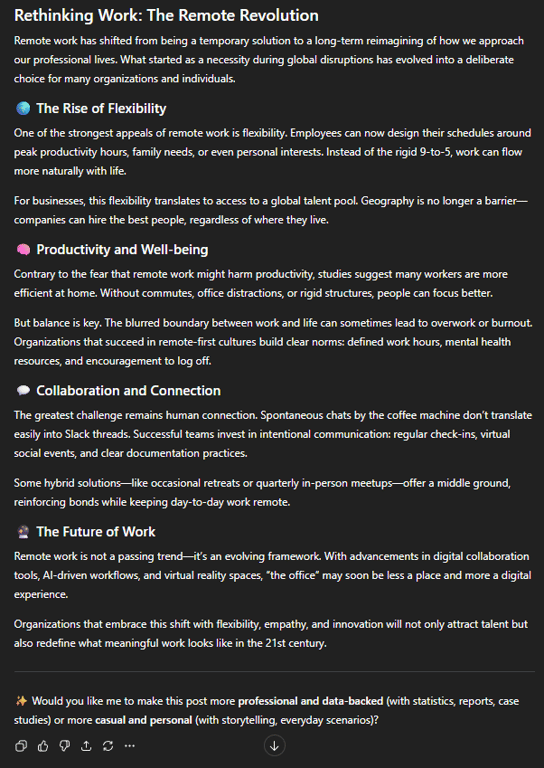
The result: Super generic 350-word article about benefits of remote work. Could've been written in 2019. Zero personality.
What went wrong: The AI got nothing to work with Main problem: No focus, no audience, no angle
Attempt 2: Adding Some Basics
Write a 300-word blog post about remote work challenges for new graduates entering their first job
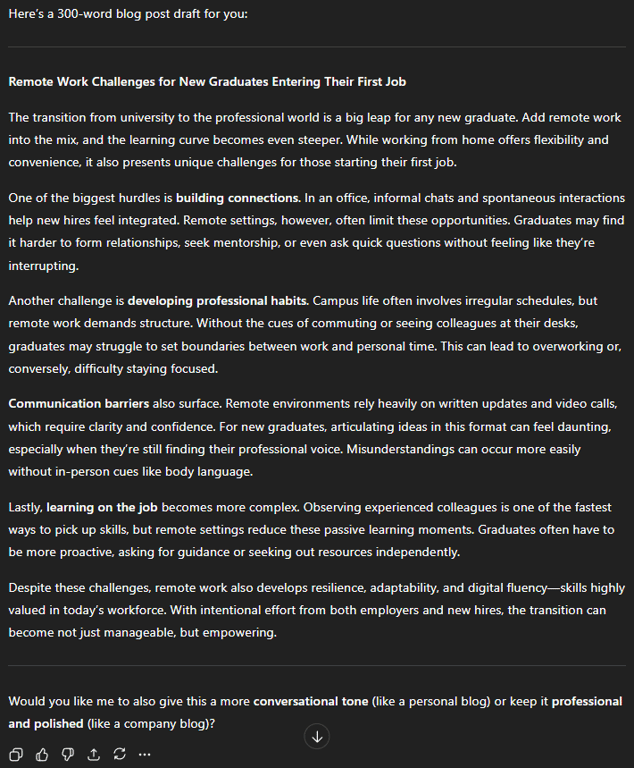
The result: Better! Actually talks about new grads and their challenges. But reads like every career advice article ever.
What went wrong: Still too safe and predictable Main problem: No personality, nothing actionable
Attempt 3: Adding Some Life
Write a 300-word blog post about remote work challenges for new graduates entering their first job. Use a conversational, empathetic tone like you're giving advice to a younger sibling. Include 3 specific challenges and one practical tip for each.
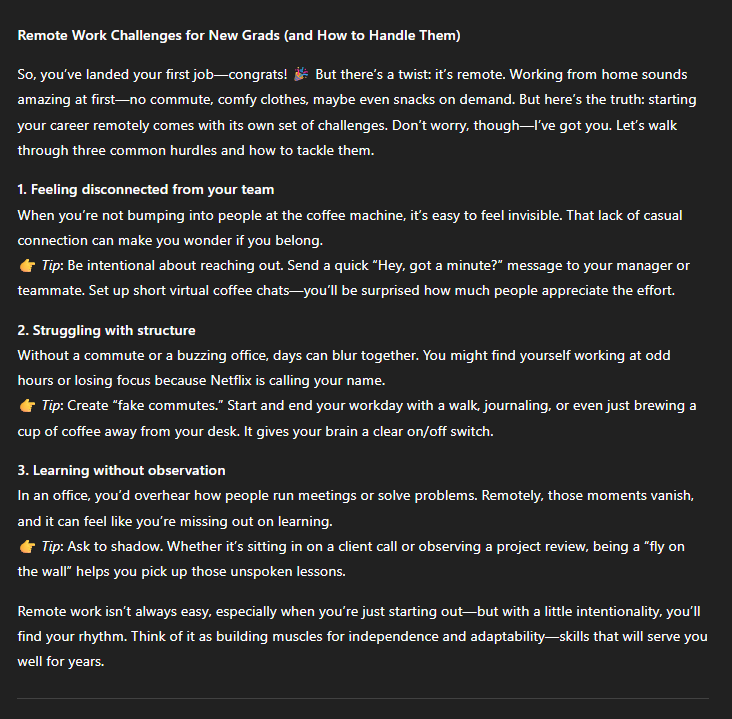
The result: Much better! Friendly tone, organized structure, actual tips. But the examples felt really generic (like "communication challenges" - yeah, no kidding).
What went wrong: Good structure but boring content Main problem: Too predictable, needs specificity
Attempt 4: Now We're Talking
Write a 300-word blog post about remote work challenges for new graduates entering their first job in tech startups. Use a conversational, empathetic tone like you're giving advice to a younger sibling. Include 3 specific challenges: building visibility when everyone's a Slack avatar; learning company culture through a screen; the awkwardness of virtual coffee chats. For each challenge, provide one unconventional but practical tip that you wouldn't find in typical career advice articles.
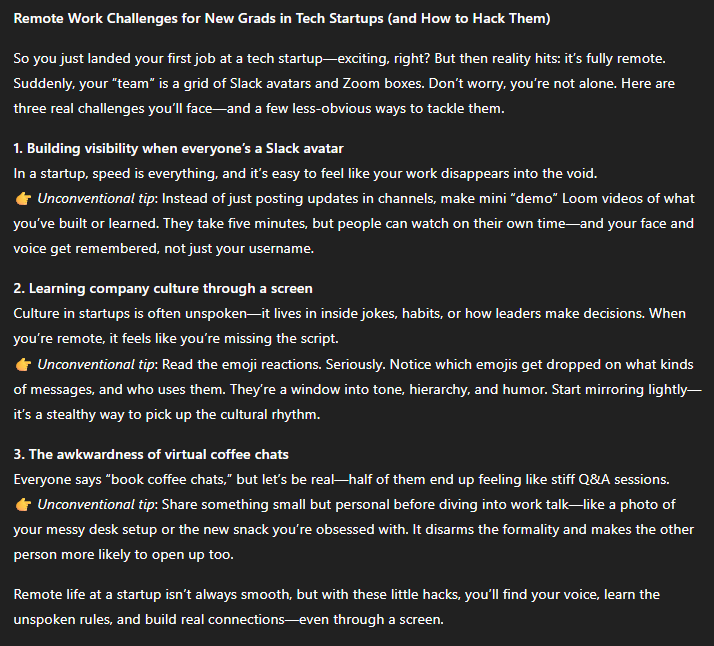
The result: Exactly what was needed! Specific scenarios, unexpected advice, engaging to read.
Notice how each version built on what was working? Nothing got thrown out - just kept adding what was missing.
Real Example #2: The Email Transformation
Here's another one - a professional email that needed to be sent. Watch the progression:
Attempt 1: The Bare Minimum
Write an email asking for a deadline extension
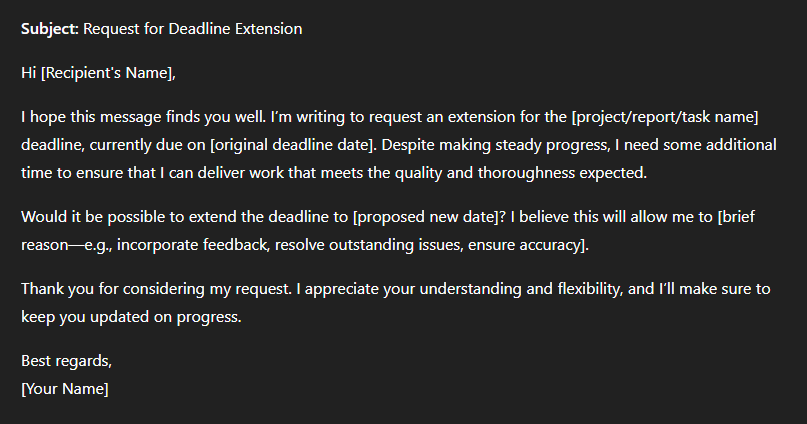
The result: Stiff, formal, sounds like someone googled "deadline extension email template"
Attempt 2: Adding Some Context
Write an email to my project manager asking for a 3-day extension on the quarterly report deadline. Be professional.
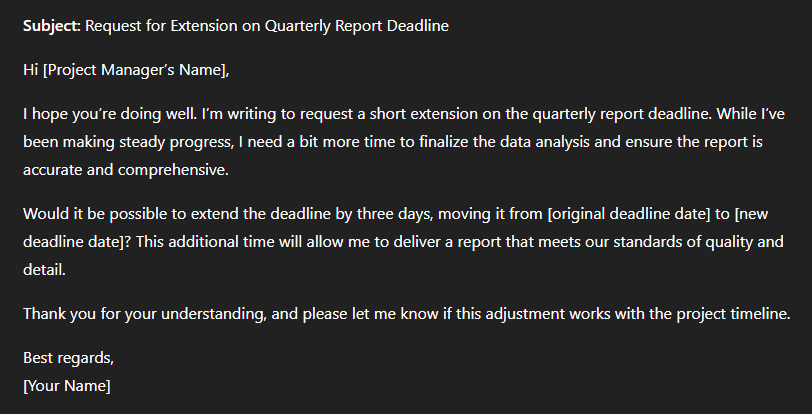
The result: Has the basics but no explanation, no solutions, makes the sender look unprepared
Attempt 3: Getting Strategic
Write an email to my project manager asking for a 3-day extension on the quarterly report deadline. Context: I'm waiting on critical data from the sales team that just arrived today. Tone: Professional but not overly formal - we have a good working relationship. Include: reason for delay, what I've already completed, and proposed new timeline.
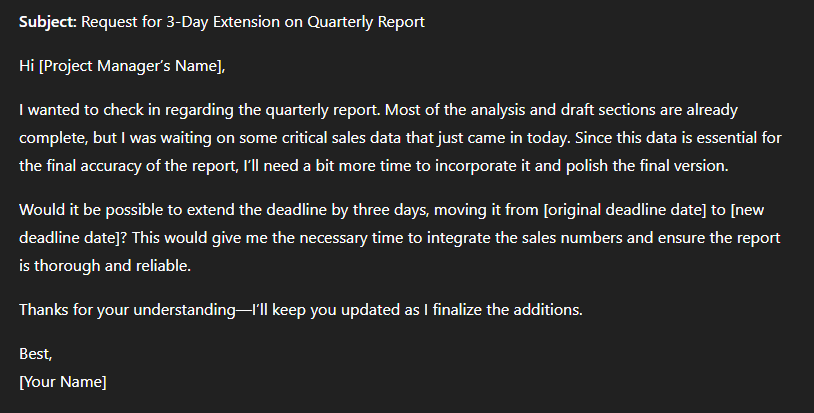
The result: Good! Shows accountability, explains the situation, proposes solutions. A bit wordy though.
Attempt 4: The Final Version
Write a concise email (under 150 words) to my project manager Sarah asking for a 3-day extension on the quarterly report deadline.
Context: Waiting on critical sales data that just arrived today. Tone: Professional but friendly - we have a good working relationship Must include: Brief explanation (data delay); What's already done (70% complete, all analysis frameworks ready); Specific new deadline (Friday EOD instead of Tuesday); and Assurance of quality won't be compromised. Start with the request upfront, don't bury the lead.
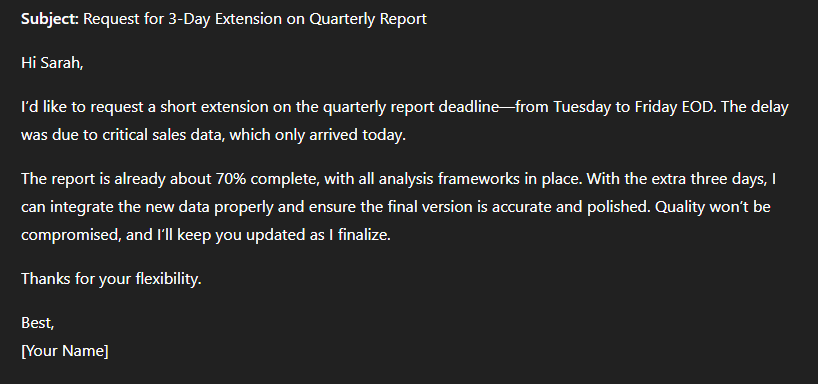
The result: Perfect. Clear, concise, shows everything's under control despite the delay.
The Diagnosis Checklist: Figure Out What's Actually Wrong
When something feels off about a response, run through this list:
Content Problems
Sounds like it could be about anything (too generic)? Focusing on the wrong stuff? Missing important info? Too much fluff? All theory, no practical stuff?
Structure Problems
Completely wrong format? Messy organization? Way too long or short? No clear sections when you need them?
Tone Problems
Sounds like a robot or a textbook? Too casual or too stiff? Personality keeps changing? No emotion where there should be?
Specificity Problems
Too vague and hand-wavy? No concrete examples? Missing the details that matter? No real scenarios?
Audience Problems
Too complex or too simple? Using the wrong language? Missing what they actually need?
Usually you'll spot 2-3 issues. Fix the biggest one first.
Your Fix-It Toolkit
Once you know what's wrong, here's how to fix it:
Problem: "This is way too generic"
Add specific scenarios, unique angles, unexpected requirements, or industry context.
Add this to your prompt: "Focus specifically on [exact situation]. Avoid common advice like [thing everyone says]. Instead, provide insights that [unique angle]."
Problem: "The tone is all wrong"
Give the AI a character to play or an example of the voice you want.
Add this to your prompt: "Write as if you're a friendly mentor, not a formal instructor. Use 'you' and 'we', avoid jargon. Here's the tone I want: 'Hey, we've all been there...'"
Problem: "This isn't actionable"
Demand specifics and implementation details.
Add this to your prompt: "For each point, include a specific action someone could take in the next 24 hours. Focus on practical implementation, not theory."
Problem: "Wrong length"
Be super specific about size.
Add this to your prompt: "Keep it under 200 words - about a 1-minute read. Use short paragraphs (2-3 sentences max). Include 3 bullet points."
Problem: "No personality"
Give it a role or add personal elements.
Add this to your prompt: "Write as someone who's been there and made all the mistakes. Include one brief 'I learned this the hard way when...' moment."
Advanced Moves (Once You're Comfortable)
The A/B Test
Write two different versions and steal the best parts from each:
Version A: Write a product description focusing on technical features...
Version B: Write a product description focusing on emotional benefits...
Progressive Constraints
Add one requirement each round:
- "Write about productivity"
- "...for parents"
- "...working from home"
- "...with kids under 5"
- "...focusing on the 2-4pm chaos window"
Watch how it gets more interesting with each constraint!
Component Testing
Test different parts separately:
- Get the tone right in a short sample
- Test the structure with dummy content
- Perfect your examples
- Then combine everything
Mistakes Everyone Makes
Changing everything at once - If you change 10 things, you won't know what fixed it. Change 1-2 things per round.
Making it way too complicated - If your prompt becomes a novel, you've gone too far. Focus on what really matters.
Giving up after two tries - The magic often happens at attempt 3 or 4. Push through one more iteration.
Not saving what works - Keep a document of prompts that worked well. You'll use them again, trust me.
Fighting the AI instead of working with it - If something's really not working after several tries, maybe approach it differently instead of forcing it.
Quick Reference for When You're Stuck
Questions to ask yourself:
- What's the ONE biggest problem with this response?
- If you could only change one thing, what would help most?
- Is the issue content, tone, structure, or specificity?
Phrases that fix things:
- "Be more specific about..."
- "Focus less on X and more on Y"
- "Add concrete examples of..."
- "Include [specific thing] but skip [other thing]"
- "Emphasize..."
- "Make sure to mention..."
A good rule: Three iterations max for most things. If it's not working by then, the approach probably needs rethinking.
Wrapping This Up
Look, iteration isn't about being bad at prompting. Everyone iterates. The skilled person knows exactly what to tweak.
Start with something simple. Don't overthink it. Look at what you get. Fix the biggest issue. Test again. After doing this a few dozen times, patterns start emerging. You'll know instantly that
"oh, this needs more specific examples" or "the tone is too formal, let's fix that."
The cool part? Once you get good at iteration, working with AI becomes actually fun. You're not fighting it or hoping for good results - you're collaborating, refining, crafting something good together.
So next time you get a response that makes you go "meh," don't start over. Don't accept it. Iterate it. Three rounds, max. You'll be surprised how good you can make it.
Now go practice! And honestly? Save your iterations. Looking back at how much better you've gotten at this is pretty satisfying.