
Prompting for Different Modalities: Text, Code, and Images
We break down what prompting techniques and vocabulary work best for different modalities.
Each type of AI output needs a different prompting approach. The way you ask for text is totally different from how you request code, and image prompts are their own beast entirely. Master the differences, and you'll get way better results across the board.
Let's break down what works for each modality, see real examples, and figure out the specific techniques that make each one sing. By the end, you'll know exactly how to adjust your prompting style based on what you're trying to create.
Text Generation: The Art of Context and Tone
Text is what most people start with, and it's the most forgiving modality. But there's a huge difference between getting text and getting good text.
What Makes Text Prompts Work
The key ingredients:
- Clear purpose (inform, persuade, entertain?)
- Defined audience (who's reading this?)
- Specific format (email, article, script?)
- Tone indicators (professional, casual, humorous?)
Text Prompt Anatomy
Basic text prompt:
Write about climate change
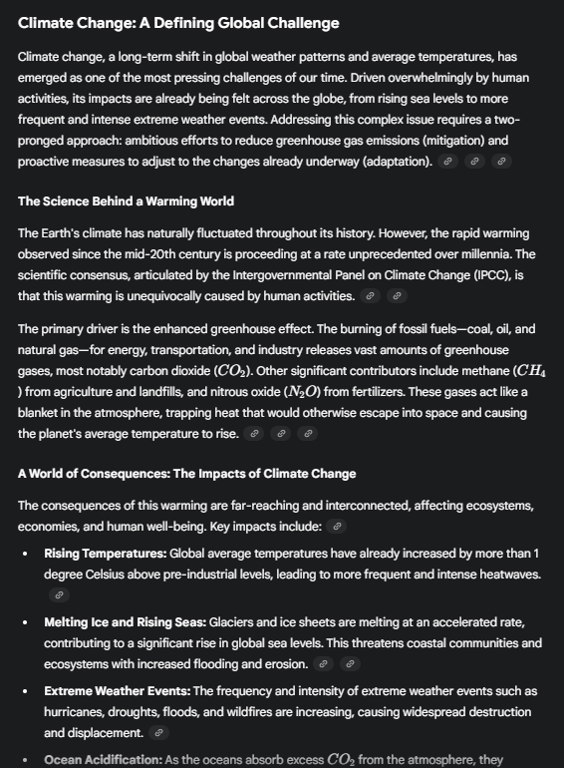
Better text prompt:
Write a 300-word explanation of climate change for middle school students, focusing on causes and everyday impacts. Use simple language and relatable examples like weather changes they might notice.
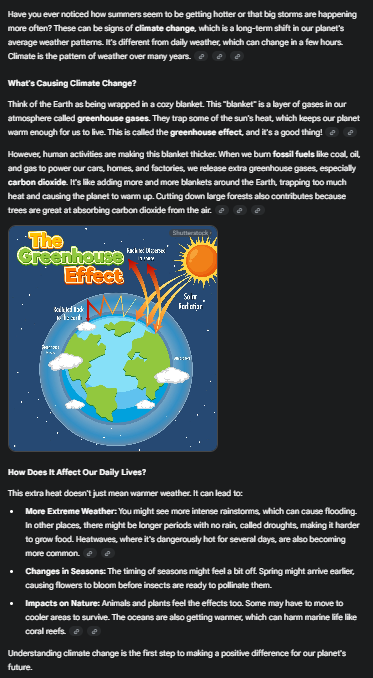
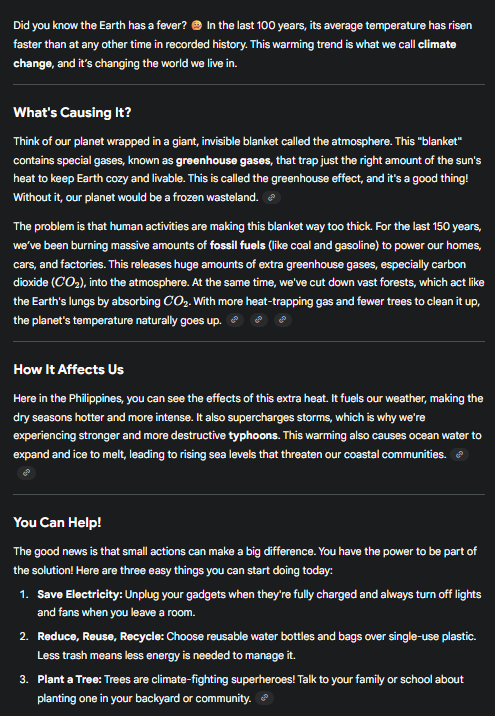
Pro-level text prompt:
Write a 300-word explanation of climate change for middle school students. Structure: - Opening hook with surprising fact2 paragraphs on causes (focus on human activities)1 paragraph on local impacts they'd recognize - Closing with 3 simple actions they can take - Tone: Informative but not preachy, slightly conversational - Avoid: Technical jargon, doom scenarios, political angles*
Text-Specific Techniques
The Audience Anchor: Always specify who's reading. "For beginners," "for executives," "for teenagers" completely changes the output.
The Format First Method: Start with the format, then add content: Write a LinkedIn post about...Draft an email that...Create a script for...
The Length Lock: Be specific about length. Not just "short" but "150-200 words" or "3 paragraphs" or "2-minute read."
The Tone Tuner: Don't just say "professional." Try:
- "Professional but approachable"
- "Academic without being dry"
- "Friendly expertise"
- "Conversational authority"
Common Text Pitfalls
Being too vague about purpose: Wrong: Write content about productivity Right: Write a how-to guide for remote workers to organize their home office for maximum productivity
Forgetting the reader: Wrong: Explain quantum computing Right: Explain quantum computing to a CEO who needs to understand its business implications
Not specifying format constraints: Wrong: Write about the product Right: Write a 50-word product description for an e-commerce listing, emphasizing durability and ease of use
Code Generation: Precision and Patterns
Code prompts are a different animal. They need precision, clear requirements, and often benefit from examples. Ambiguity that might work in text will crash and burn in code.
What Makes Code Prompts Work
Essential elements:
- Language/framework specification
- Clear input/output requirements
- Edge cases and constraints
- Error handling expectations
- Performance considerations (when relevant)
Code Prompt Anatomy
Basic code prompt:
Write a function to sort a list
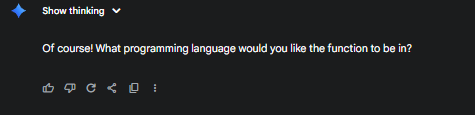
Better code prompt:
Write a Python function that sorts a list of integers in ascending order without using built-in sort methods
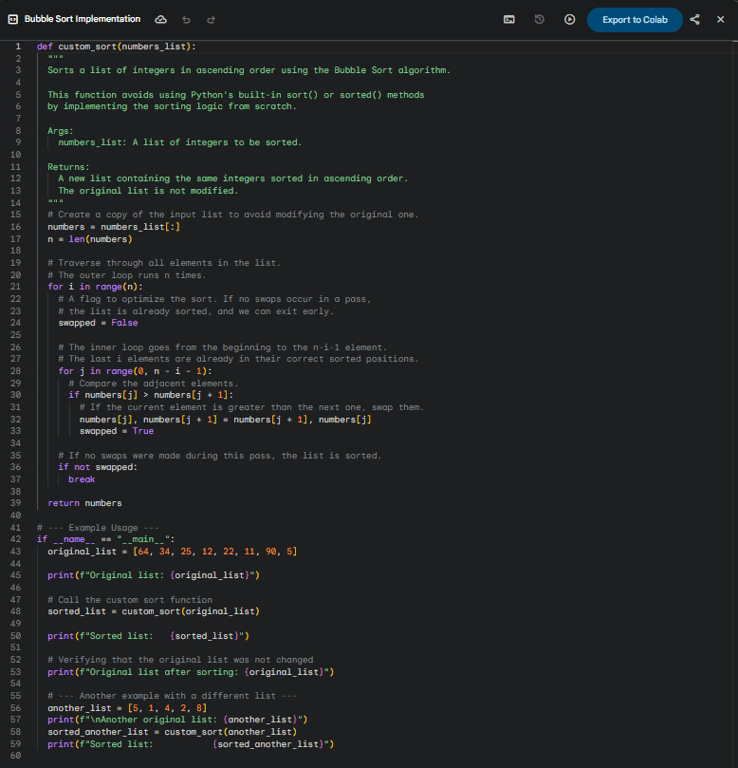
Pro-level code prompt: *Write a Python function called 'custom_sort' that:
- Takes a list of integers (can include negatives)
- Returns a new sorted list (ascending order)
- Doesn't modify the original list
- Handles empty lists and single elements
- Uses bubble sort algorithm
- Includes docstring and type hints
- Add comments explaining the logic*
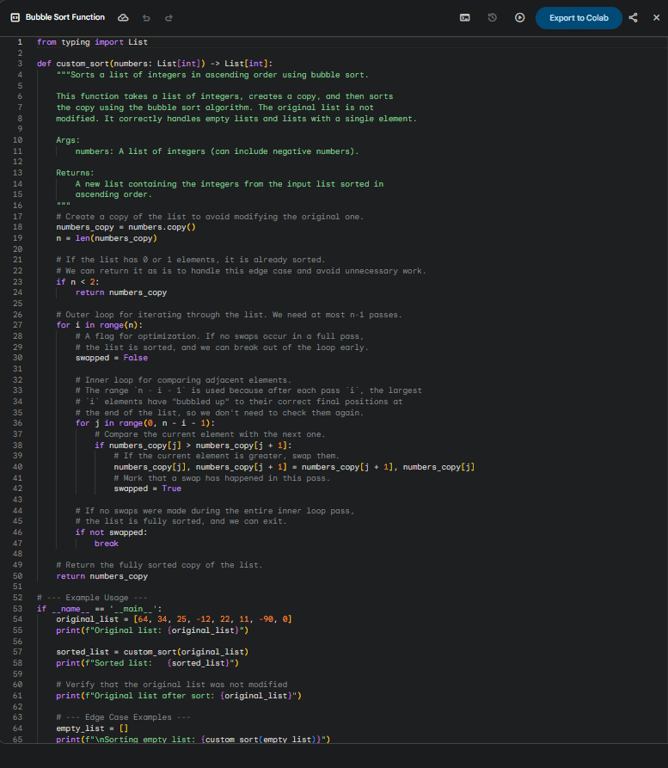
The specificity prevents ambiguity and gets you production-ready code.
Code-Specific Techniques
The Signature First Method: Start with exact function signature: Create a function with this signature: def process_data(input_file: str, output_format: str = 'json') -> dict:
⌛The Test Case Technique: Include expected behavior: Function should pass these tests:
- calculate_tax(100, 0.08) returns 8.0
- calculate_tax(50, 0.10) returns 5.0
- calculate_tax(0, 0.08) returns 0
The Constraint Callout: Be explicit about limitations: Without using any external libraries...Must run in O(n) time...Compatible with Python 3.8+...Thread-safe implementation...
The Style Specification: Define coding standards: Follow PEP 8 style guideUse camelCase for variablesAdd JSDoc commentsImplement as a class method
Common Code Pitfalls
Assuming the language: Wrong: Write a function to connect to a database Right: Write a Python function using psycopg2 to connect to a PostgreSQL database
Vague requirements: Wrong: Make a login system Right: Create a Node.js function that validates email/password against a MongoDB database and returns a JWT token on success
Ignoring edge cases: Wrong: Function to calculate average Right: Function to calculate average that handles empty arrays, non-numeric values, and returns 0 for empty input
Image Generation: The Visual Vocabulary
Image prompts are the trickiest because you're translating visual ideas into words. Every word matters, and the order matters too.
What Makes Image Prompts Work
Critical components:
- Subject (what/who)
- Style/medium (how it looks)
- Composition (arrangement)
- Lighting/mood (atmosphere)
- Technical specs (aspect ratio, quality)
Image Prompt Anatomy
Basic image prompt:
A cat
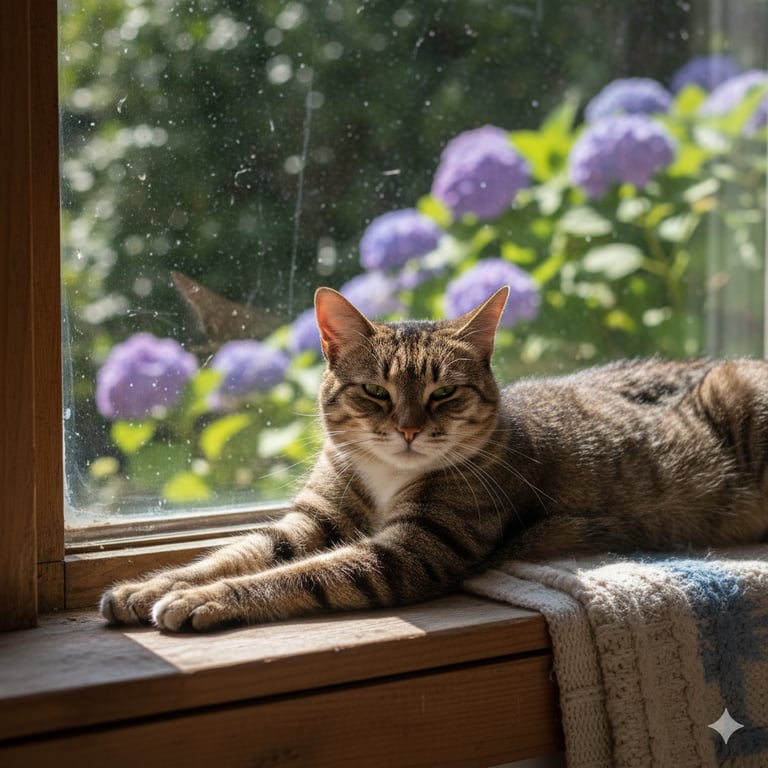
Better image prompt:
A fluffy orange cat sitting in a sunny window, photorealistic style

Pro-level image prompt:
A majestic long-haired orange tabby cat lounging on a vintage windowsill, golden afternoon sunlight streaming through lace curtains, dust motes visible in the light rays, photorealistic style, shot with 85mm lens, shallow depth of field, warm color grading, 16:9 aspect ratio

Each detail shapes the final image significantly.
Image-Specific Techniques
The Layer Method: Build your prompt in layers: Subject:
- A woman
- Action: A woman reading
- Setting: A woman reading in a library
- Style: A woman reading in a library, oil painting style
- Details: A woman reading in a library, oil painting style, dramatic lighting, Renaissance-inspired
The Style Reference: Reference known styles:
- "In the style of Studio Ghibli"
- "Like a Wes Anderson film"
- "Bauhaus design aesthetic"
- "1950s advertisement illustration"
The Technical Camera Method: Use photography terms:
- "Wide angle lens"
- "Macro photography"
- "Golden hour lighting"
- "High contrast black and white"
- "Tilt-shift photography"
The Negative Prompt Strategy: Say what you DON'T want: Portrait of a chef in a kitchen, professional photo, no text, no logos, no blur, no extra limbs
Common Image Pitfalls
Over-describing: Wrong: A beautiful amazing spectacular gorgeous stunning cat with incredible magnificent fur Right: An elegant Persian cat with flowing silver fur, studio lighting
Conflicting instructions: Wrong: Photorealistic cartoon of a dragon Right: A dragon in Pixar animation style OR A photorealistic dragon
Forgetting composition: Wrong: A mountain and a lake and trees and a cabin Right: A cozy cabin in the foreground, surrounded by pine trees, with a lake in the middle ground and mountains in the background
Cross-Modality Patterns
Some techniques work across all modalities, but with different applications:
The Example Method
For text:
Write product descriptions like this example: "The Ceramic Mug isn't just for coffee—it's your morning ritual companion, crafted to keep drinks hot while feeling perfect in your hands."
For code:
Following this pattern: def function_name(param: type) -> return_type: """Docstring here""" # Implementation
For images:
Similar composition to the Mona Lisa but with a modern businesswoman
The Progressive Refinement
For text: Start broad, then add constraints each iteration
For code: Start with basic functionality, then add error handling, then optimize
For images: Start with subject and style, then add details, lighting, composition
The Context Window
For text: Provide background information before the main request
For code: Explain the larger system this code fits into
For images: Describe the purpose or where this image will be used
Modality Mixing: When You Need Multiple Types
Sometimes you need multiple modalities in one project. Here's how to maintain consistency:
Creating a Cohesive Set
Example: Building a product launch
Text prompt: Write product description for an eco-friendly water bottle, emphasizing sustainability and practical features, 100 words, optimistic tone
Code prompt:Create a JavaScript function to calculate carbon offset savings based on number of plastic bottles replaced, returning both the calculation and a formatted message
Image prompt:Product photography of a sleek aluminum water bottle, minimalist background, soft natural lighting, sustainable/eco-friendly aesthetic, showing the bottle with fresh leaves nearby
Notice how they all align around the same theme and tone?
Translation Between Modalities
From text description to image prompt: Text output: "The cozy cabin nestled among towering pines..." Image prompt: A small wooden cabin surrounded by tall pine trees, warm light glowing from windows, forest setting
From code comments to documentation: Code comment: "// Validates user input and returns cleaned data" Text prompt: Write user documentation explaining the input validation process, including what formats are accepted and common error messages
Quick Reference: Modality Cheat Sheet
Text = Context is King
- Always specify: audience, purpose, format, tone, length
- Front-load the main task
- Use examples for style matching
Code = Precision Matters
- Always specify: language, inputs/outputs, constraints
- Include edge cases
- Define style preferences
- Add test cases when possible
Images = Every Word Paints
- Layer your descriptions
- Use technical/artistic terms
- Specify what you don't want
- Reference known styles
- Consider composition
The Bottom Line
Different modalities need different prompting strategies. Text thrives on context and purpose. Code demands precision and clear specifications. Images need rich, layered descriptions with the right vocabulary.
The mistake most people make? Using the same prompting style for everything. A vague request might get you decent text, but it'll get you useless code and random images.
Start by identifying what modality you're working with. Then apply the specific techniques that work for that type. Pay attention to the unique requirements of each format. Text needs to know who's reading. Code needs to know what's returning. Images need to know what style you're after.
Master these differences, and you'll stop fighting with AI to get what you want. Instead, you'll be speaking the right language for each type of creation. Now go practice with something you actually need to create this week. Try all three modalities if you can!