
How to install the skill, plus a look at every image style and caption style it can produce.
Unzip it first — then install only the .skill file inside.
Full steps in Section 03 below.
What This Skill Does
Turns a topic into a finished narrated video: script, AI voiceover, styled 16:9 images, and an assembled MP4 with captions, a thumbnail, and upload-ready titles, description, and tags. Built for faceless channels, explainers, video essays, and documentary-style narration.
The approval gate: the skill stops for your sign-off on the script before it generates any voice or images. That's the cheapest place in the pipeline to change something, since voice and images cost real money and both get thrown away if paragraph two changes.
Requirements
Python 3 & ffmpeg
Used to plan beats, assemble the final MP4, and write captions. Usually already present in a Claude Cowork or Claude Code environment.
Higgsfield MCP
The image and (optionally) voiceover engine. Connect the Higgsfield MCP server
and the skill uses its generate_image_batch / generate_audio_batch
tools directly, no API key required.
Voiceover, option B
ElevenLabs for the best voice quality, if you'd rather use it
instead of Higgsfield's voices. Needs your own API key in the
ELEVENLABS_API_KEY environment variable, never in config.json.
2K image generation
Images render at 2K, 16:9 so the camera moves stay sharp when cropped down to the final 1080p output.
Installing
Unzip before you install. The download is a zip archive with a
few files inside it. The one Claude actually needs is youtube-video-factory.skill.
Don't drag the whole zip, or the folder it unzips into, into Claude — open just that
one .skill file.
In Claude (Cowork / claude.ai)
- Download and unzip the package.
Use the download button above, then unzip it. You'll get a small folder —
youtube-video-factory.skillis the file you need from it. - Open the .skill file in Claude.
Just that one file, not the zip or the folder. When a .skill file is shared into a conversation, Claude offers to save it to your account's skill library. Availability depends on your organization's settings.
- Trigger it.
Say something like "make a YouTube video about X," or invoke it directly with
/youtube-video-factory.
In Claude Code (CLI)
- Download and unzip the package, then unzip the .skill file into a
skills directory.
The .skill file is itself a zip archive. Target either your user-level skills folder or a project's
.claude/skills/folder.unzip Youtube-video-factory.zip -d yvf-download unzip yvf-download/youtube-video-factory.skill -d ~/.claude/skills/youtube-video-factory - Confirm the tools it needs are on PATH.
python3 --version ffmpeg -version
- Connect the Higgsfield MCP server, then invoke the skill in a session by name or by describing what you want.
First run: if config.json is missing or incomplete,
the skill asks six short questions (voice provider, default video length, default
image style, niche, audience, channel name) and saves the answers so it never asks
again. Never store an API key in config.json itself, since that file
gets zipped and shared.
Image Style Gallery
Ten built-in art directions, plus a slot for your own. Pick one as your default in
config.json, or choose per video.
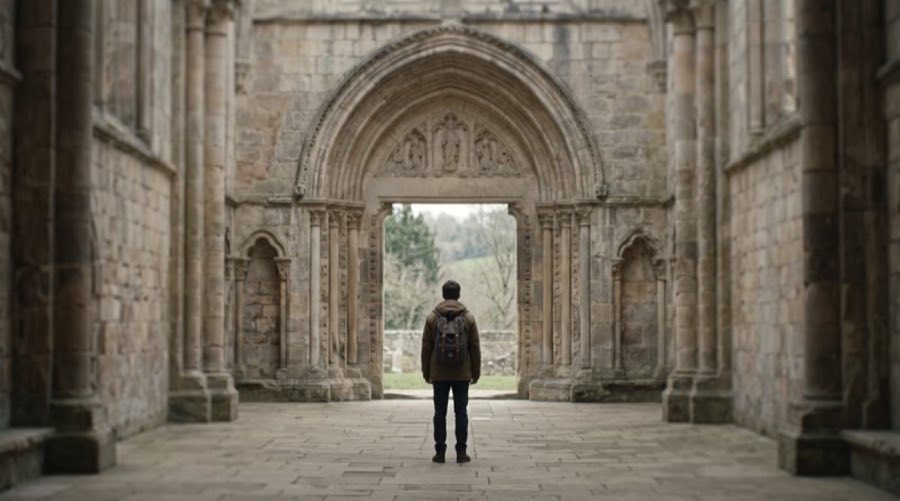
Cinematic Realism
Film-still realism. The safest default for serious topics.
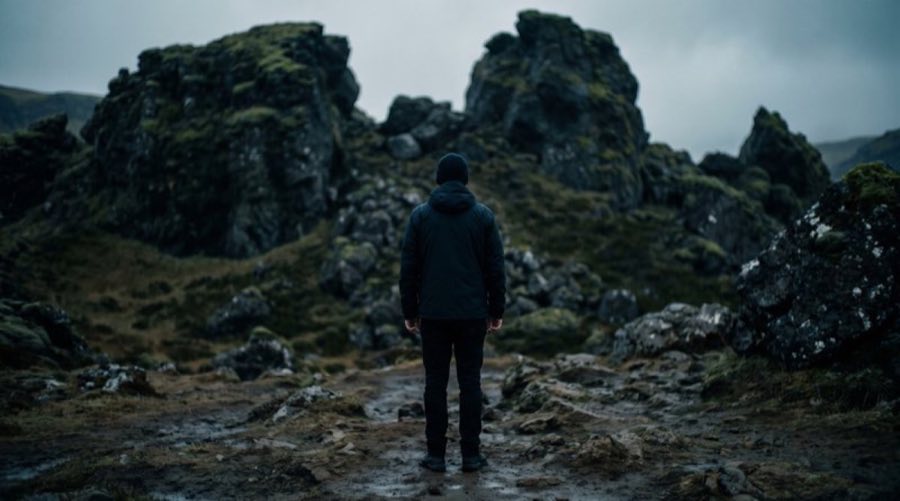
Editorial Photography
Clean, bright, documentary-magazine photography.
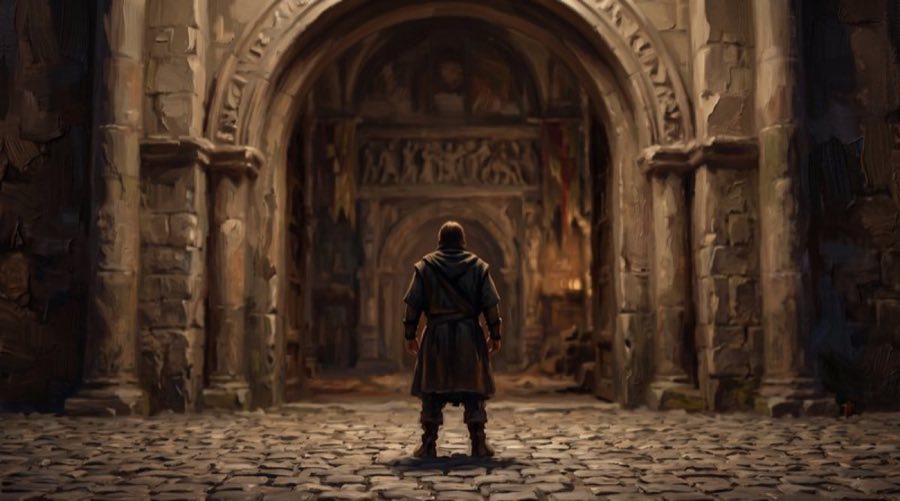
Painterly Illustration
Digital oil painting with visible brushwork. Warm and timeless.
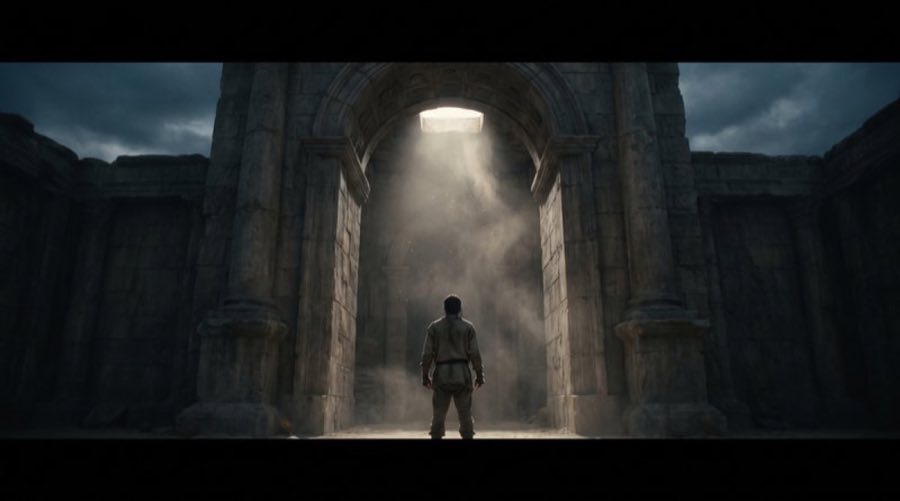
Archive Moody
Candlelit, aged, documentary-mystery. History and unexplained subjects.

Technical Schematic
Diagram-like cutaways and exploded views. For narration that explains mechanism.
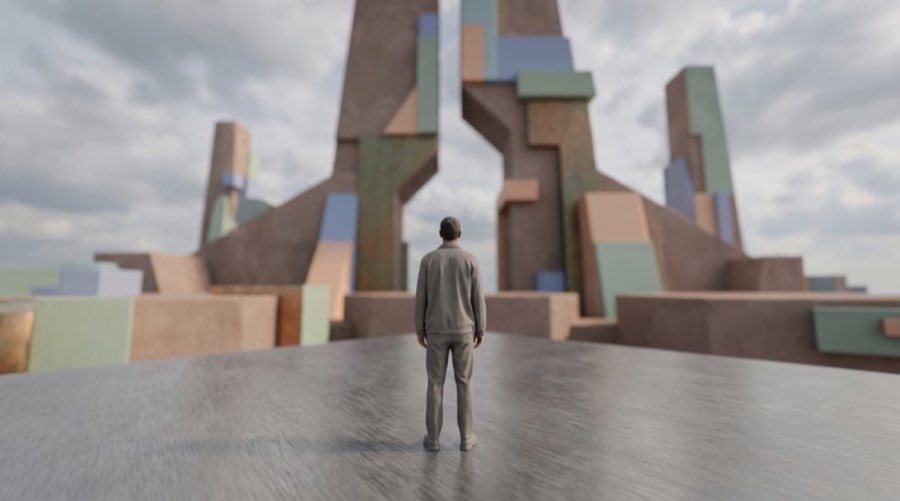
Clean 3D
Soft-lit 3D product-viz look. Modern, neutral, works for abstract ideas.
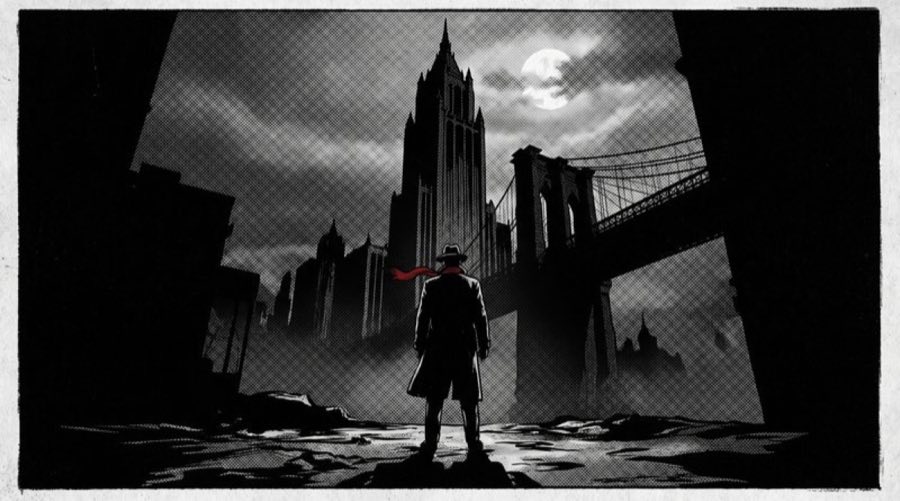
Noir Graphic
High-contrast graphic-novel panels. Bold and stylised.
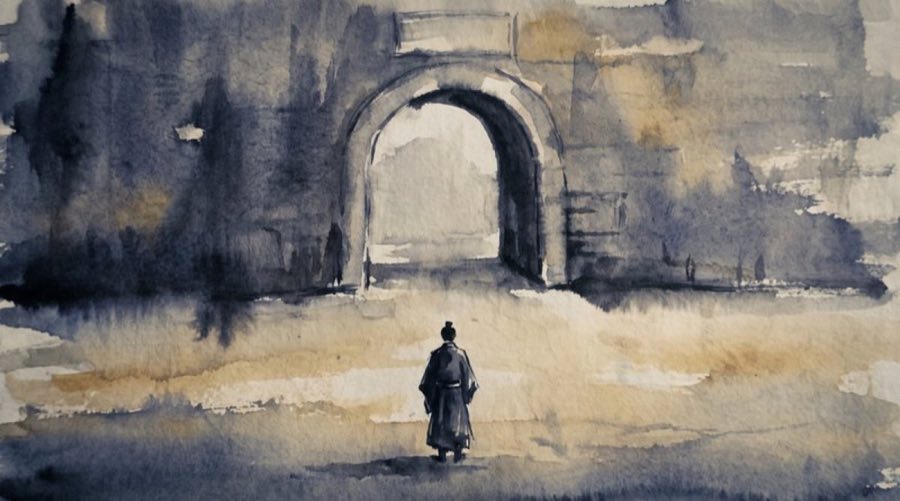
Ink Wash
Watercolour and sumi-e restraint. Elegant, calm, lots of negative space.
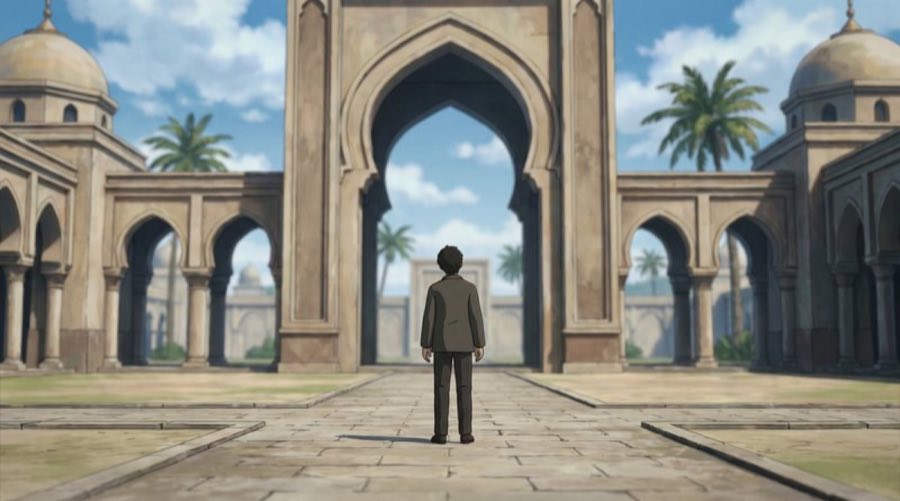
Anime Cinematic
Feature-film anime backgrounds and key art. Strong for younger audiences.
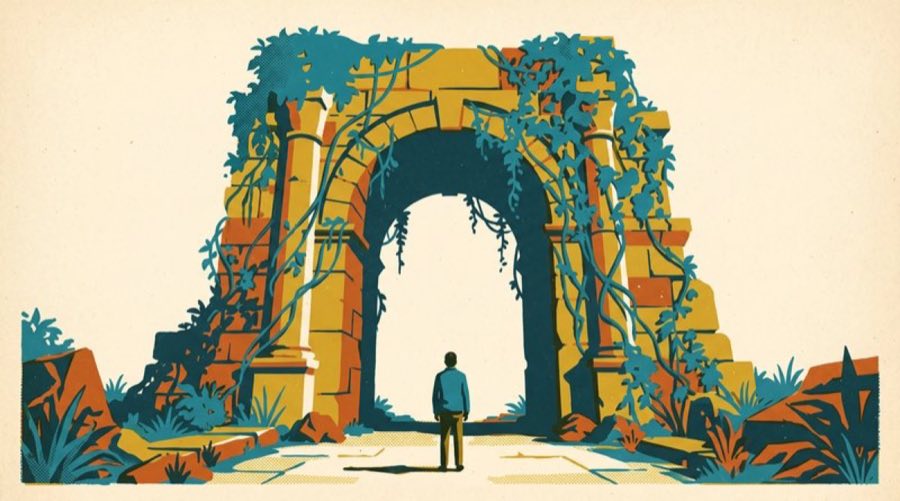
Retro Print
Mid-century screenprint with a limited palette. Distinctive and cohesive.
Your Own Look
Describe the style you want once. The skill saves it to your config so every future video can reuse it.
Every style deliberately avoids generated text in the image. Lettering from AI image models is almost always misspelled, and misspelled words on screen are the fastest way a video looks careless. Words go on screen as captions instead.
Caption Style Examples
When burning captions into the picture, the look is fully configurable: font, size, bold, text color, outline color and width, drop shadow, and position. A few examples of what's possible:
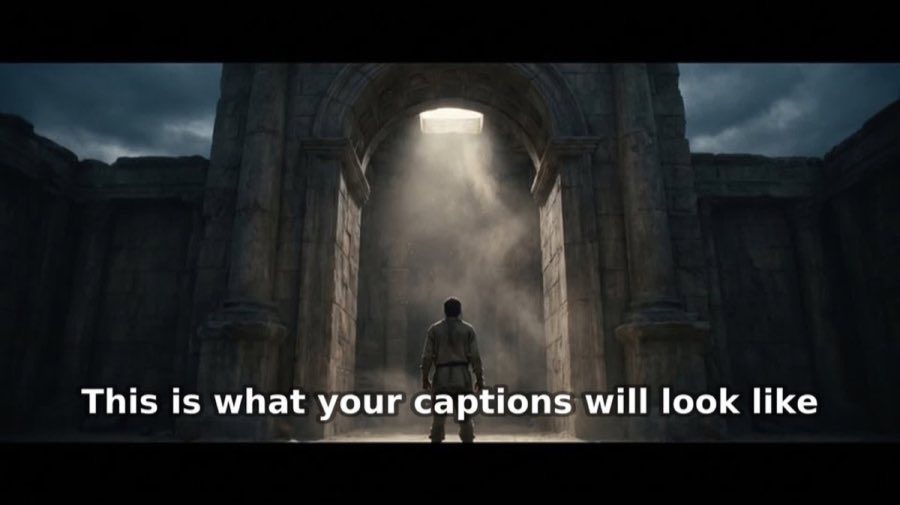
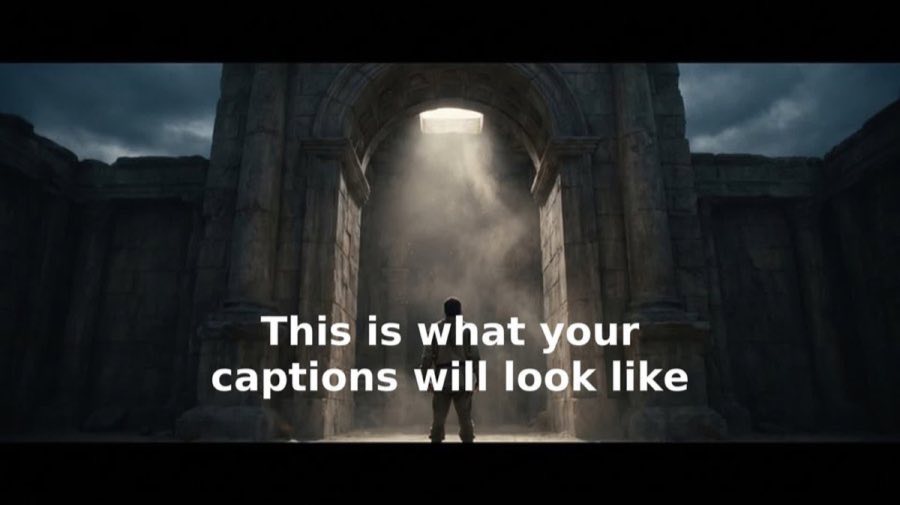
Classic (default)
DejaVu Sans, bold white, dark outline, bottom-anchored. What you get with no flags set.
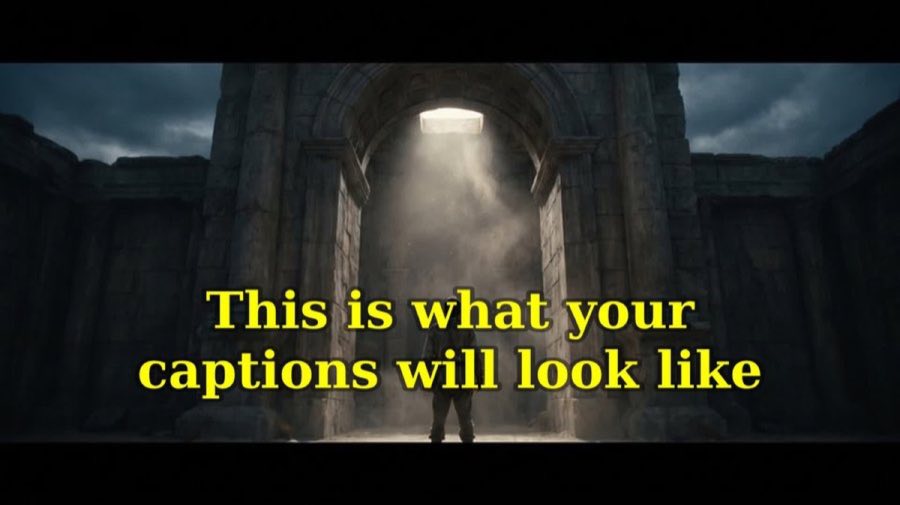
Bold statement
Larger serif font, yellow fill, bottom-anchored with extra margin.
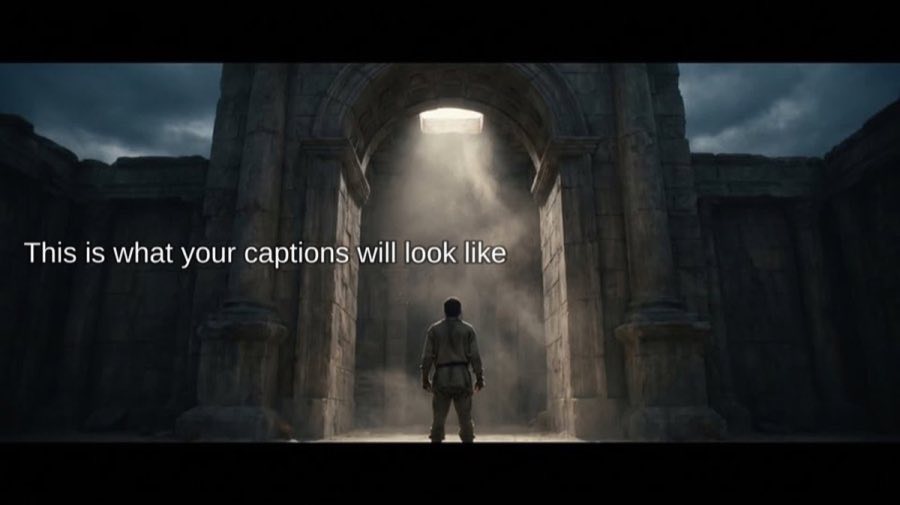
Minimal top
Small, light-weight, unobtrusive, positioned at the top of the frame.
Highlight box
Solid background box behind the text instead of an outline, for maximum legibility.