
The Loop Is the New Prompt
Prompt engineering is old news. "Loop engineering" is the skill quietly replacing it in 2026. Learn what it is, where it came from, and how to build your first self-running AI loop, even if you don't code.
For about two years, getting something useful out of an AI meant sitting there and typing. You wrote a prompt, read the answer, typed the next thing, corrected it, tried again. You were holding the tool the entire time.
That era is ending. The people getting the most out of AI right now are not writing better prompts. They are building small systems that do the prompting for them, on a schedule, while they sleep. The AI runs itself in a cycle, checks its own work, remembers what it did, and only comes back to a human when it is stuck or finished.
This practice has a name now: loop engineering. It is the newest term in the AI world, and it is worth understanding even if you are not a developer, because the same idea applies to lead follow-up, content, customer replies, and a dozen other things you already do by hand. This article breaks it all down: what it is, how it works, the five parts every loop needs, and how a non-technical business owner can build a first one.
From Holding the Tool to Designing the System
Picture the difference between using a drill and running a small workshop. When you use a drill, you hold it, you aim it, you pull the trigger for every single hole. When you run a workshop, you set up the jigs and the process once, and the work moves through it. You step in to check quality, not to make every cut.
Prompting AI by hand is holding the drill. Loop engineering is setting up the workshop. You define the goal once, you build the process that reaches it, and you let the AI push itself through that process turn after turn without you typing each step.
Boris Cherny, who leads Claude Code at Anthropic, put it bluntly: he does not prompt the AI anymore. He has loops running that prompt it and figure out what to do next. His job, in his words, is to write the loops. The high-value work moved. It is no longer about what you say to the model. It is about the system you build around it.
The one-line version: Prompt engineering asks "what should I say to get a good answer?" Loop engineering asks "what system can I build so the AI finds the work, does it, checks it, and remembers it, without me in the loop at all?"
What a Loop Actually Is
Strip away the jargon and a loop is a repeating cycle. The AI takes an action, sees what happened, decides what to do next, and repeats. It keeps going until a goal you defined is met, or until a rule tells it to stop.
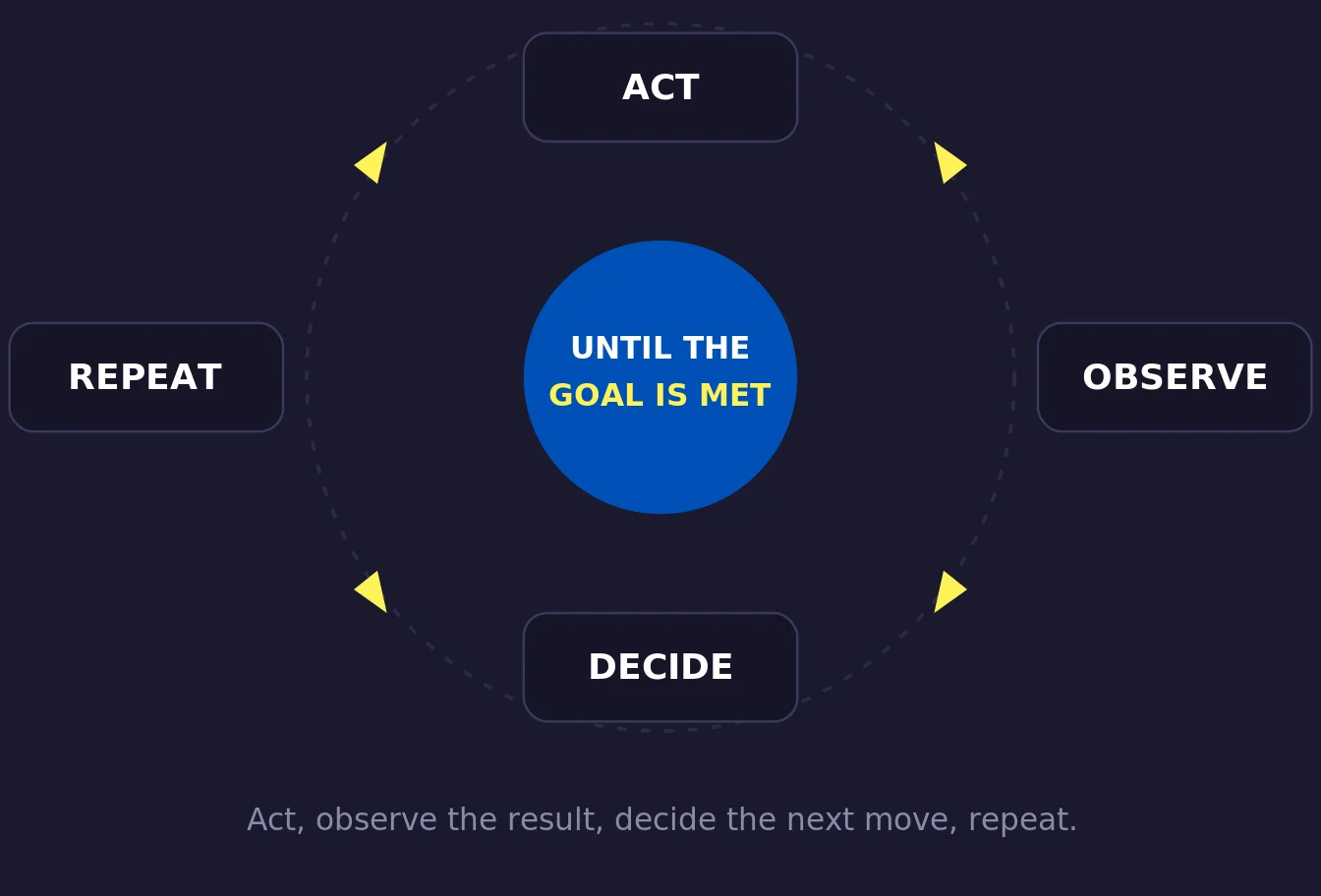
Act, observe the result, decide the next move, repeat. This cycle is the whole idea.
Here is the part that matters. A loop is not the same as a checklist. A checklist runs in a fixed line: do step A, then B, then C, done. A loop is allowed to double back. The AI might try something, watch it fail, change its approach, and try again before moving on. That ability to react to what just happened is what separates a real loop from a script.
This is why loops caught on with coding first. Writing code is naturally a try-run-fix rhythm. Even expert engineers rarely get it right on the first pass. They run it, read the error, fix it, run it again. An AI that writes code once and stops cannot catch its own mistakes. An AI running in a loop can. The same is true for anything with a clear "did it work or not" signal, and most of your business tasks have one.
Key point: The quality of an AI system usually comes down to the loop, not the model underneath it. Two people using the exact same AI get very different results based on how well they designed the cycle around it.
The Ladder: How We Got Here
Loop engineering did not appear out of nowhere. It is the newest rung on a ladder the AI world has been climbing for a few years. Each rung built on the one below it. None of them replaced the last one, so being good at prompting still matters. It just is not the top of the ladder anymore.
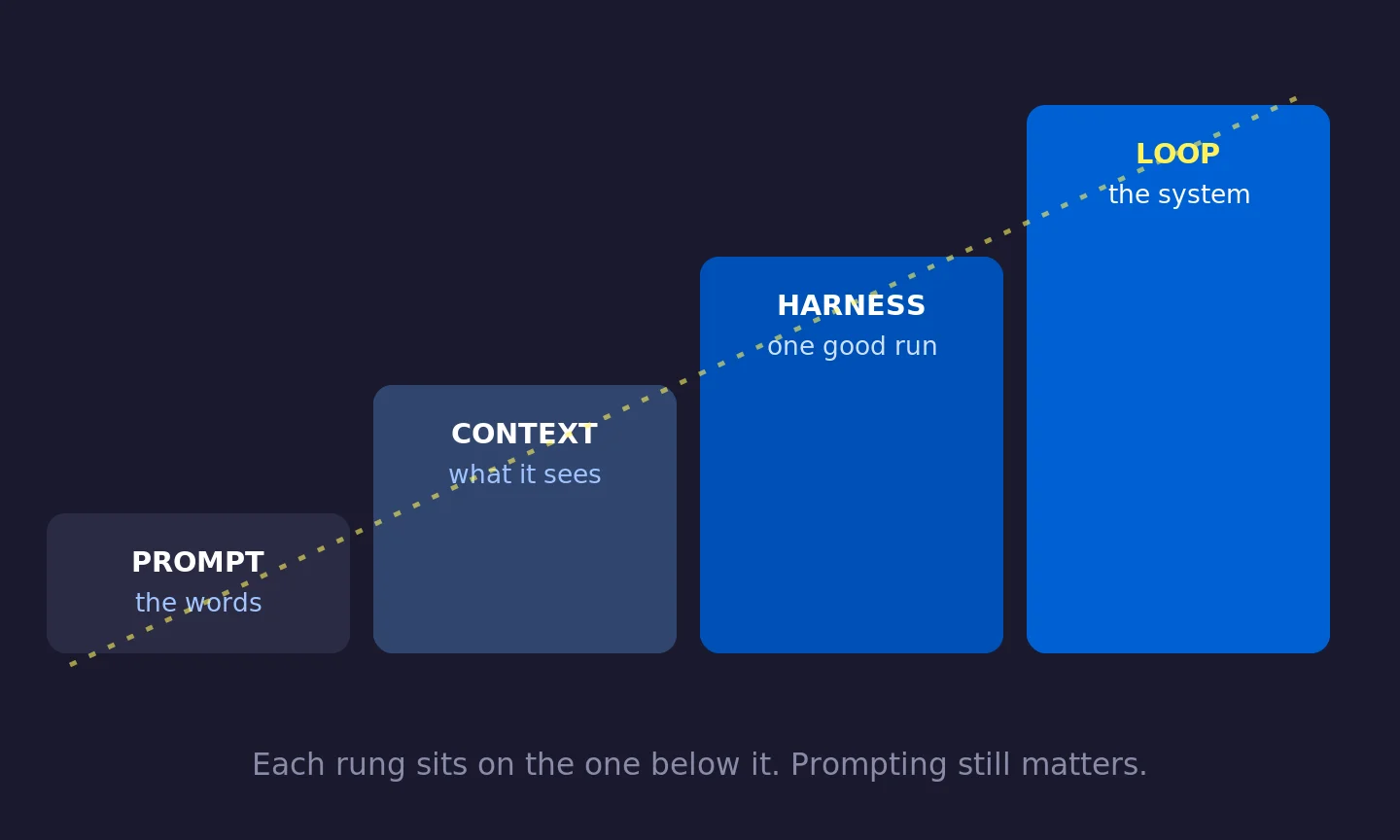
Each rung sits on the one below it. Prompting still matters. It is just no longer the highest-value skill.
Prompt engineering came first, around 2022 to 2024. The unit of work was one message, and the skill was phrasing. Say the right thing, get a better answer.
Context engineering arrived next. In mid-2025, the AI researcher Andrej Karpathy argued that "prompt engineering" undersold the real work, and suggested a better name. Context engineering is about everything the model can see when it answers, not just the words you type. The documents, the memory, the past messages, the tool results. It turns out that curating what the AI sees matters more than clever phrasing, especially once you notice that stuffing too much into the window actually makes the AI worse. That decay even got a nickname: context rot.
Harness engineering is the bridge. A harness is everything wrapped around the model to make a single run trustworthy: the setup instructions, the tools it can call, the retry rules, the guardrails. The AI apps you already use, like Claude Code or Cursor, are harnesses. Their job is to make one run reliable.
Loop engineering sits one floor above the harness. It takes that reliable single run and puts it on a timer, lets it spawn helpers, and lets it feed itself. The unit of work is no longer one message or even one run. It is an entire job that plays out over minutes or hours, unattended.
| Dimension | Prompt Engineering | Loop Engineering |
|---|---|---|
| Unit of work | One message | An entire self-running job |
| Who drives | You, by hand | A system you built |
| Duration | Seconds | Minutes to hours |
| What you get | A response | A checked result |
| Skill needed | Phrasing | System design |
Where the Term Came From
Loop engineering did not come from a research paper. It came from a handful of well-known builders saying the same thing within days of each other, in early June 2026.
Peter Steinberger, a respected software founder, posted the line that lit the fuse: you should not be prompting coding agents anymore, you should be designing loops that prompt them for you. Boris Cherny at Anthropic said the same from the inside. Then Addy Osmani, an engineering director at Google and a widely-read author, wrote an essay titled simply "Loop Engineering" on June 7, 2026 that named and structured the idea. That essay is the closest thing to the official reference, and it is where a lot of the framing in this article comes from.
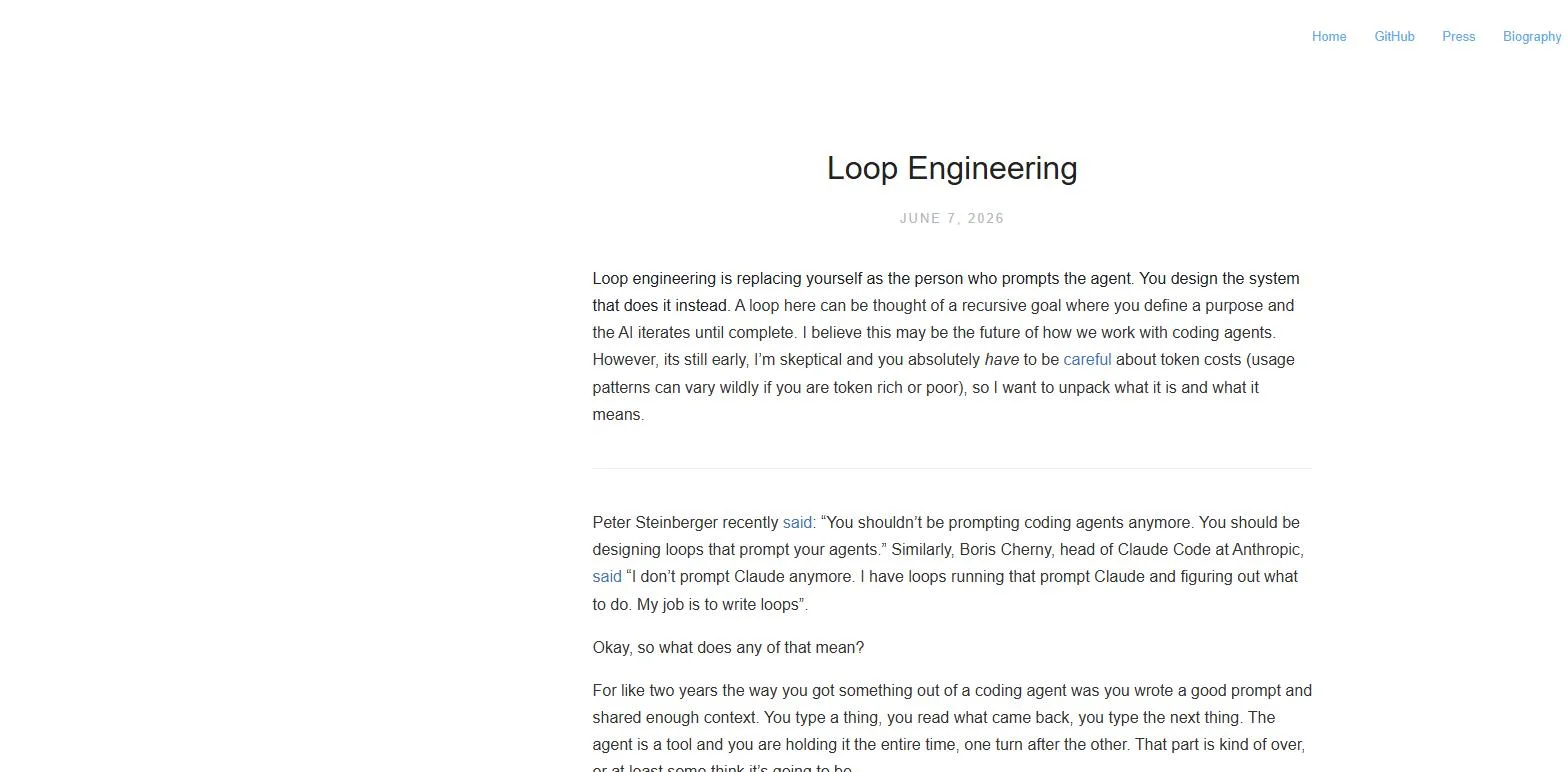
The timing was not random. By mid-2026, AI tools had become good enough to work on their own for hours at a stretch. The thing holding people back was no longer the intelligence of the model. It was how well they organized the work around it. Anyone still typing one prompt at a time was leaving most of the value on the table.
The Five Parts Every Loop Needs
Different writers slice this up slightly differently, but they all describe the same machine. If you can fill in these five blanks for a task, you can build a loop for it. If you cannot, the task is not ready to be a loop yet, and that is useful to know before you waste time.
1. Trigger
What starts it. A schedule (every morning at 8am), an event (a new lead comes in), or a one-time instruction. The trigger is what makes it run without you.
2. Goal
A finish line the AI can actually check. "Every new lead has a reply drafted" works. "Make the pipeline better" does not. Vague goals run forever.
3. Actions
The tools it can use inside the loop. Read a file, send an email draft, update a spreadsheet, call another app. More tools means more it can do, and more it can get wrong.
4. Verification
How it knows it is done, and whether the work is any good. Often a second AI checks the first one's output. This is where trust comes from.
5. Memory
What the AI remembers between runs. The model forgets everything the moment a session ends, so memory has to live outside the conversation: a document, a spreadsheet, a project board. It holds what is done, what passed, and what is still open, so tomorrow's run picks up where today's stopped. As Osmani puts it, the agent forgets but the record does not. Memory is the difference between a loop that learns and one that just spins in place.
The most important trick: the AI that did the work should not be the one that grades it. A model checking its own output is far too generous. Put a second AI, ideally a stronger one with different instructions, in the verification step. That separate checker is the only reason you can safely walk away.
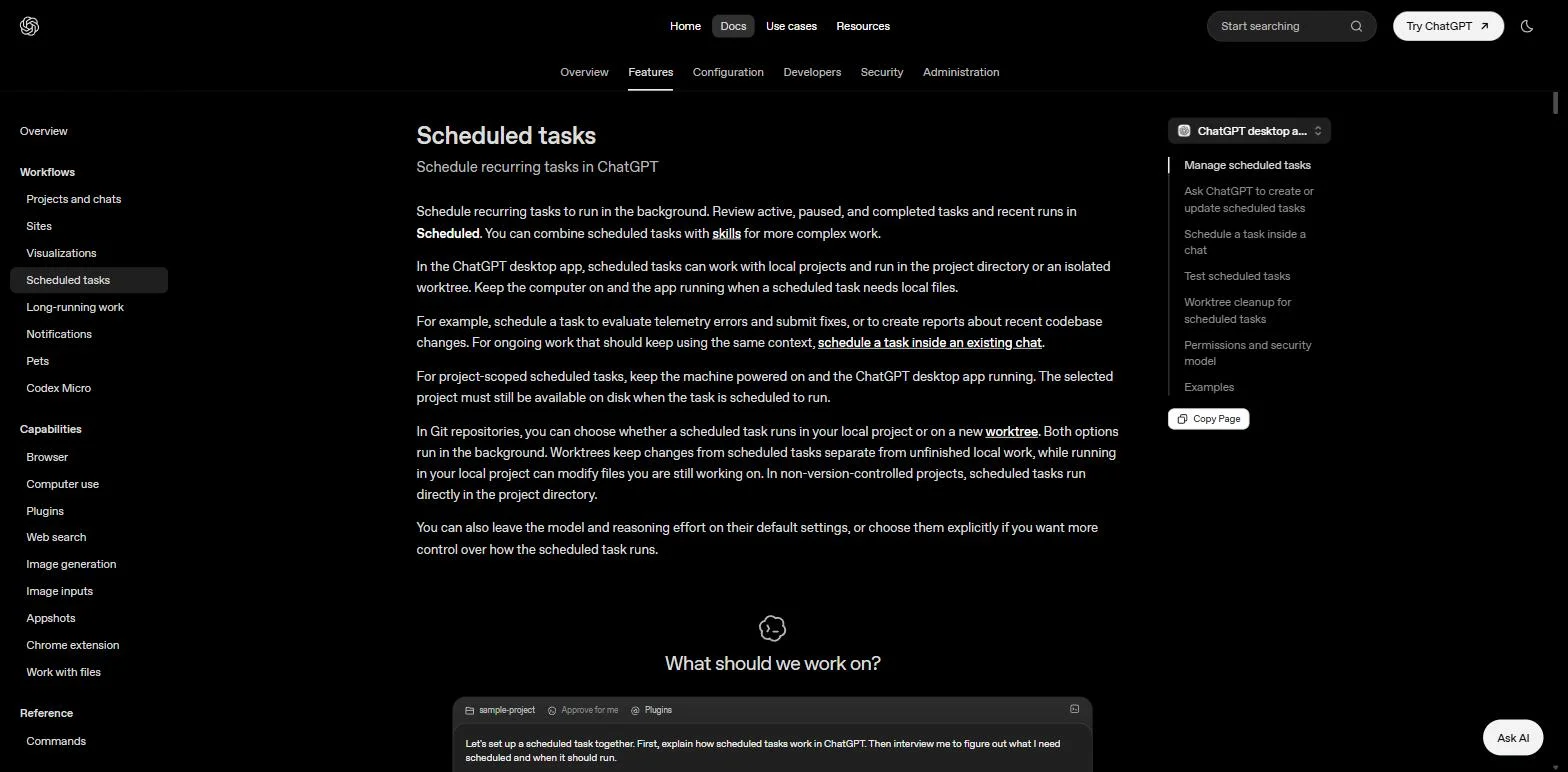
The nice surprise of 2026 is that you no longer have to build these parts from scratch. The popular AI tools now ship them as buttons and commands. In Claude Code, a command called /goal keeps the AI working until a condition you set is actually true, with a separate model checking the finish. OpenAI's Codex app has an Automations tab where you pick a task, a prompt, and how often it runs, and the results land in an inbox for you to review.
This Is Not Just for Coders
Almost every article on loop engineering uses coding examples, because that is where it started. But the pattern is not about code. It is about any repeating task with a checkable outcome. If you run a business or make content, you already do a dozen tasks like that by hand every week. Here are three loops that have nothing to do with programming.
A morning lead-triage loop
You get inquiries overnight from a form, your inbox, or a social DM. Every morning you sort them, figure out who is worth a reply, and draft responses. That is a loop waiting to happen.
You set it up once. Every morning the drafts are waiting for you to approve or tweak over coffee. You did not sort a single lead by hand.
A content-repurposing loop
You publish one thing, say a long video or a newsletter, and you know you should turn it into posts for three other platforms. You rarely do, because it is tedious. A loop does not get tired.
A review-watching loop
New reviews come in across a few platforms. You mean to respond to all of them, and you fall behind. A loop can watch, draft a reply in your tone, and flag the angry ones for you personally.
Notice the shape. All three have the same five parts as a developer's loop. The trigger, the checkable goal, the actions, the second-pass check, and the memory. Once you see the pattern, you start spotting loops everywhere in your week.
You do not need to write code for any of this. No-code platforms let you set the trigger, connect the tools, and define the exit condition with clicks instead of programming. What matters is not the tool. It is that you can state a checkable goal and a stopping rule. That is the real skill, and it is the same whether you build it in code or with clicks.
Four Loop Shapes Worth Knowing
Not every task needs the same kind of loop. Four common shapes cover most of what you will build.
| Pattern | How it works | Best for |
|---|---|---|
| Retry | Try, check, retry if it failed | Short tasks with a clear pass or fail, like a draft that has to hit a word count |
| Plan, do, check | Make a plan, run it step by step, verify each step | Multi-step jobs where an early mistake ruins the rest |
| Explore, narrow | Try several approaches, keep the one that works | Unknown problems where you do not know the right path yet |
| Human in the loop | Run until it hits a judgment call, then pause for you | Anything where a wrong assumption is expensive |
The classic trap: a retry loop that keeps trying the exact same thing after the exact same failure. That is not learning, it is spinning. A good loop changes its approach after a failure. If it cannot, it needs a rule to give up and call you.
How to Build Your First Loop
You do not learn this by reading. You learn it by shipping one small, boring loop and watching it run. Here is the order that works.
Get good at single runs first. Loops sit on top of prompting and context. If you cannot get one clean result from an AI by hand, automating that task just automates a mess. Nail the single run before you loop it.
Pick one boring, repeating task. Not your most important workflow. Your most tedious one. Daily inbox sorting, weekly report drafting, checking for something and flagging it. Boring plus repeating plus checkable is the perfect first loop.
Write the five parts on paper. Trigger, goal, actions, verification, memory. If you cannot write a goal the AI can check by itself, the task is not ready. That single test saves you hours.
Start with a human in the loop. Let your first loop pause and ask before it does anything you cannot undo, like sending an email to a customer. Loosen the leash only as it earns your trust.
Add a checker before you walk away. Do not run anything unattended until a separate step, whether a second AI or a simple rule, can confirm the work is actually done and actually good.
Watch the cost. A loop that runs itself is also a way to spend money without noticing. Set a limit on how many tries it gets per run, and treat "hit the limit with no progress" as a signal to stop and rethink, not to keep paying.
Power tip: Write your standing instructions once, in a document the loop reads every time it runs. Your brand voice, your rules, your "we do it this way because of that one time." Without it, the loop re-guesses your business from scratch on every run. With it, the loop gets a little sharper each time.
The Part Most Guides Skip
Loop engineering changes your work. It does not remove you from it. And three risks actually get bigger as your loops get better, not smaller. Osmani is blunt about this, and he is right.
Checking the work is still your job. A loop running on its own is also a loop making mistakes on its own. "Done" is a claim the AI makes, not a proof. The whole reason you put a separate checker in the loop is to make that claim mean something, and even then you are the final reviewer.
Your own understanding can rot. The faster a loop ships work you did not personally do, the wider the gap grows between what exists and what you actually understand. A smooth loop grows that gap faster. The only fix is to keep reading what it produces, not just accepting it.
The comfortable posture is the dangerous one. When a loop runs itself, it is tempting to stop having an opinion and just take whatever comes back. Designing a loop is the cure when you do it with judgment. It is the accelerant when you do it to avoid thinking. Same action, opposite result.
The line to remember: Two people can build the exact same loop and get opposite results. One uses it to move faster on work they understand deeply. The other uses it to avoid understanding the work at all. The loop cannot tell the difference. You can.
Your Move This Week
Do not try to automate your whole business by Friday. That is how loops end up spinning out of control and quietly costing you money and quality. Do one thing instead.
Pick the single most tedious repeating task in your week. Write down its five parts: what triggers it, what "done" looks like in a way an AI could check, what actions it needs, how you will verify the output, and where it will keep its memory. If you can fill in all five honestly, you have found your first loop. If you get stuck on the goal, you have learned something more valuable than any tutorial could teach you, because a task you cannot describe a finish line for is a task you do not yet understand well enough to hand off.
Prompt engineering was about finding the right words. Loop engineering is about building the right system. The words still matter. But the people who will get the most out of AI over the next few years are not the best prompt writers. They are the ones who design the best loops, and then stay awake enough to stay the boss of them.
Build the loop. Stay the engineer. Set up your systems, let them run, and keep reviewing what they make. That balance, automation plus judgment, is the whole game.